Key takeaways
-
The purpose of brainstorming is to generate innovative ideas, align teams early, and build strong team collaboration skills. However, hosting effective brainstorms can be challenging. These challenges are amplified in hybrid and remote settings.
-
Lucid's guidelines for brainstorming will ensure that your next ideation session is a success: Create and send an agenda, understand your team's collaboration styles, use templates, and more.
-
Facilitate genuine team engagement by giving everyone a voice. Set roles and egos aside, welcome diverse ideas and perspectives, communicate transparently, and follow up afterward.
Brainstorming is an integral practice for innovative teams. But you likely know that ineffective sessions can be a total drag. Undefined goals, dominant personalities, and disengaged participants are what can give this powerful technique a bad rap.
If you feel like your team is spinning its wheels on less-than-effective brainstorming that is more performative than purposeful, we're here to help.
Whether you're a leader, a regular facilitator, or a participant, we'll equip you with brainstorming guidelines to maximize impact and effective collaboration on your teams.
What is the purpose of brainstorming?
Though there are many brainstorming methods like brainwalking, brainwriting, and starbursting, they all share the same fundamental goals of empowering teams to:
-
Generate large quantities of ideas quickly: With a meaningful problem to solve, a context-filled agenda provided beforehand, and a focused facilitator, a brainstorming session can quickly generate many high-quality ideas.
-
Involve stakeholders early in the process: Brainstorming with key stakeholders from the start can save you time by weeding out ideas that aren't feasible or that lack the personnel needed to make them successful.
-
Welcome multiple perspectives: Each participant will have unique insights informed by their role, team, background, and personality, and brainstorming is one of the best ways to involve diverse voices from the start.
-
Uncover opportunities for innovation: We often think about brainstorming in the context of producing some kind of end product (like a marketing asset, a piece of imagery, or a literal product). But brainstorming for process improvement can uncover just as many opportunities to innovate as a business and impact your bottom line.
-
Build team unity and connectivity: Developing good brainstorming habits—and familiarity with how your team thinks and ideates—pays dividends later when you have challenging problems to tackle because you know who to assign certain projects and how to set yourself up for success. Good brainstorms can also improve buy-in, performance, and morale because team members were able to voice their opinions on a project.
It can also help to remember where the concept of brainstorming came from and what it was designed to do in the first place. The classic brainstorming meeting was developed in 1939 by the ad executive Alex Osborn. Looking for a way to improve the quality and quantity of ideas for ad campaigns within the team, Osborn began hosting group collaboration sessions. He discovered that when the team came together, they were much more effective at generating original, creative ideas.
Guidelines for brainstorming
To set your brainstorm up for success, it's important to follow some basic guidelines for each stage of the brainstorming process.
Before the brainstorm
Send an agenda
By preparing an agenda beforehand, you accomplish two things:
-
You clarify your own thinking and research the problem to be solved rather than placing the burden of understanding it immediately on others. This preparation might help you hone in on the people to invite rather than including individuals who don't actually need to be there.
-
You show respect to the time, attention, and creativity of those you are inviting by giving them context and an opportunity to do deep thinking beforehand and ask any clarifying questions. This is especially impactful for more introverted collaborators who aren't great at participating on the spot. Research has shown that people tend to produce better ideas when they think alone first. Then, when the group meets together with their prepared ideas, they are able to collaborate more effectively to identify and develop the best solutions.
If you're invited to a brainstorming session without an agenda, ask for one! Lack of context creates confusion for everyone on the invite list, and speaking up ensures the time spent is actually effective.
The most focused ideas emerge when a group aligns on the specific problem and the boundaries surrounding it. As you draft the agenda, define your constraints such as budget, timeline, technical limitations, and brand requirements to shape the output. Frame the session with a prompting question, such as “What are ways we can increase sales next quarter?” and share it one to two days in advance. Providing this clarity early on empowers your team to arrive informed.
Set up your meeting board in Lucid
By recording everything in a central location like a team space, you can seamlessly move from live ideation as a group to asynchronous idea pruning—or vice versa, if you'd prefer to brainstorm asynchronously and then meet afterward to discuss ideas live.
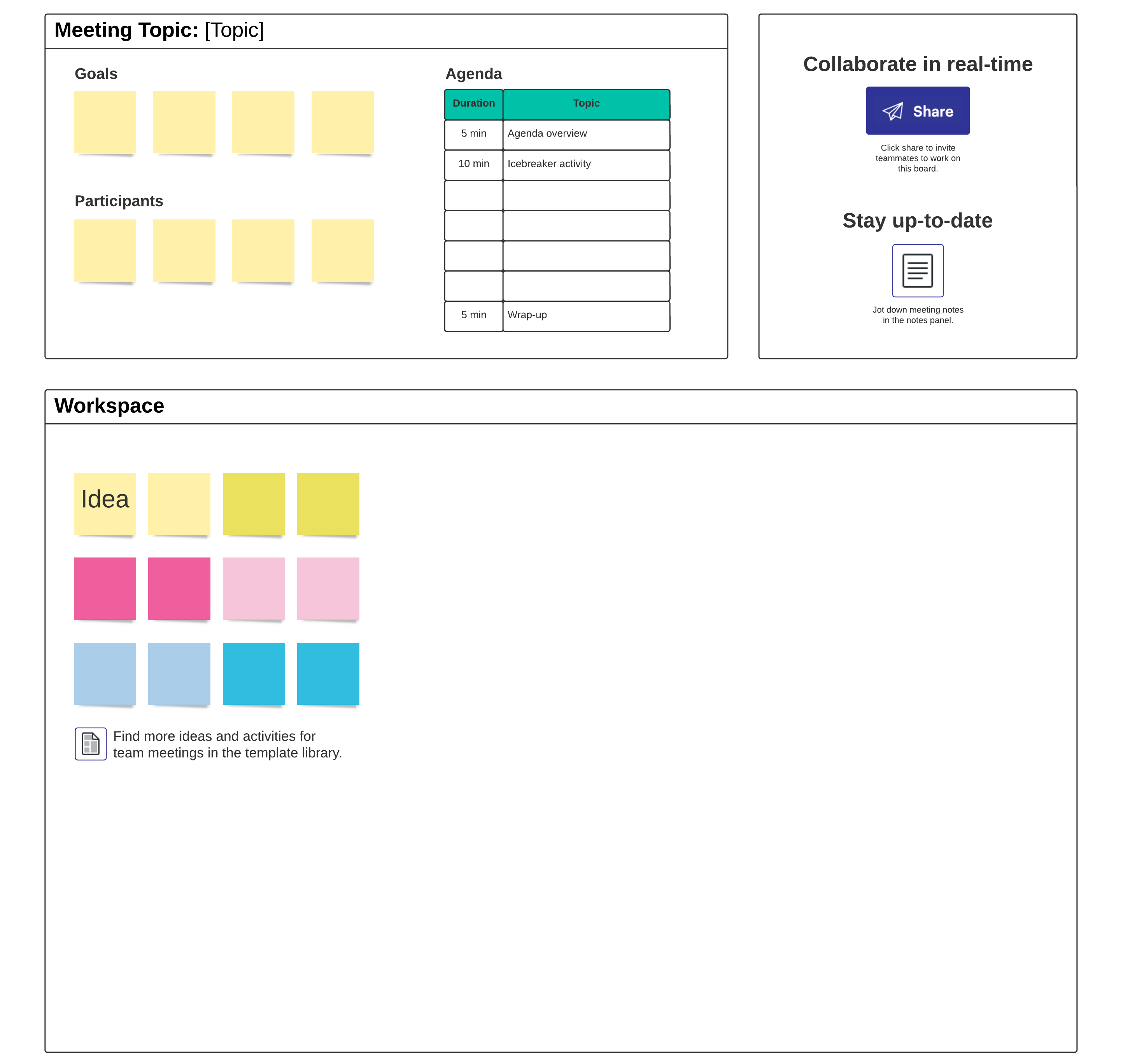
Template link and image: https://lucid.co/templates/meeting-agenda-template
Caption: Use our free meeting agenda template to inform participants and keep the brainstorm on track.
Understand your team's preferred collaboration styles
Whether you're facilitating a brainstorming session or just participating in one, understanding your group's collaboration styles can help you tailor your discussion so everyone feels heard.
This is also a good moment to sanity-check whether a live meeting is the best format for the work or whether you’ll get better input asynchronously first (or even entirely). There are many different ways to run an effective brainstorming session, and it is less important what the brainstorming looks like than whether it meets the needs and goals of the group.
During the brainstorm
Choose a framework or template
It can be challenging to balance freeform brainstorms with structured ideation.
Using a template as a framework for your brainstorming provides enough structure to focus your ideation on a discrete problem while still leaving space to document novel ideas.
Templates also lower the barrier to engagement for more reserved team members because they provide a framework that makes it easier to generate ideas rather than staring at a blank canvas.
 , opens in a new tab
^Open our brainstorming template to help guide your group through a productive ideation session.
If you want a simple set of guidelines to reinforce while you use a template, Alex Osborn’s classic brainstorming principles map well to modern sessions:
-
Focus on quantity so the group generates lots of raw material before narrowing.
-
Withhold criticism to keep people from self-censoring early.
-
Welcome unusual ideas because unique ideas often unlock breakthroughs.
-
Combine and improve ideas so the group builds toward stronger solutions instead of treating ideas as precious or fixed.
Don't worry about duplicate ideas
There is a tendency to self-prune as you brain dump and delete duplicate ideas in the name of efficiency. This is counterintuitive, as similar ideas from team members can indicate a natural consensus. Pausing to prune duplicate ideas also slows down your ideation.
Remember: There is always time to consolidate after the team has had time to consider what you generated during your brainstorm. In Lucid, you can quickly sort and summarize ideas with Lucid AI.
Set a timer
Constraints can be useful in brainstorming sessions (especially when you have a limited amount of time with your group), and setting a timer is one of the easiest constraints you can introduce.
Try breaking up your brainstorm into distinct units—like brain-dumping, group evaluation, and voting—and set timers for each. This structure can help you maintain momentum throughout your whole brainstorm. It also prevents the slog that can happen when teams spend too much time on one phase of the brainstorm, as well as the rush that happens at the end of meetings when teams realize they spent too much time on a tangent and didn't get to the most important items.
In practice, many teams find that shorter sessions can improve focus—especially if participants prepare ahead of time. Shorter meetings help keep the group focused. When you have limited time to get all the ideas out there, people tend to stay on track. Aim for just 15-30 minutes. A shorter meeting means your group will need to come prepared and that you’ll need a clear agenda.
Pro tip: Pay attention to when you schedule the meeting as well. Late afternoon tends to be when people are more sluggish and mentally fatigued—and watching the clock until they can go home. Not a great recipe for innovation.
Break out into smaller groups
If you have a big problem to tackle, splitting your group into smaller subgroups can be a beneficial approach, ideally with no more than 10 people.
Smaller groups can help generate more quality ideas, since each person will have more opportunity to speak up when they spend a majority of the brainstorming in a group of three or four instead of fighting for attention in a big group. Once the timer is up, have the entire group meet back up to share ideas.
If you're using Lucid, you can easily do this with breakout boards.
Invite a diverse team of people so you can uncover new ideas and approaches to a problem. Don’t invite people who are too far removed from the issue—you want to encourage dialogue and buy-in for this process. If the issue isn’t relevant to a person or they are too far removed from the issue, they will have a harder time contributing meaningfully to the discussion.
Leverage Lucid AI
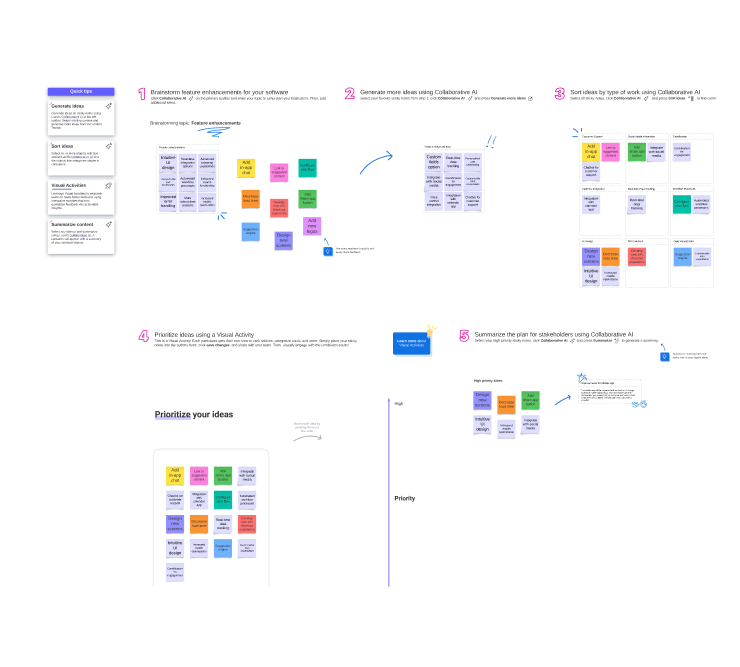
Sometimes, the hardest part of a brainstorm is getting the ball rolling. Lucid AI can inject your brainstorming session with the spark it needs to be successful. This feature helps you and your team generate, sort, and summarize the contents of your brainstorm, create visuals, and more.
Even with AI support, you’ll get better outcomes if the facilitator actively protects the session from common pitfalls like groupthink and “blocking” (where only one person can speak at a time and others lose their ideas while listening).
One reliable way to counter these pitfalls is to start with quiet, individual idea generation, such as typing on virtual sticky notes, and then sharing with the group.
After the brainstorm
Revisit your goals
After the brainstorm, review the agenda and ideas on the board while asking the following questions:
-
Did we accomplish our goal?
-
Does this meet the customer need we set out to solve for?
-
Do we have enough breadth of ideas, or are there other avenues we need to explore?
-
Is there sufficient potential for depth in the ideas we have to meet the needs of this project?
-
Are our ideas feasible given the scope, timing, and budget of the project?
-
Have we been appropriately intensive and innovative in our thinking?
Don't be afraid to schedule more time
Sometimes a problem is too big to handle in 30 or 60 minutes. Assuming your discussion was productive and participants were engaged, consider scheduling more brainstorming time for a later date as needed.
You could invite a smaller group the second time to keep the discussion more tightly focused, and you should encourage participants to refer to the notes from the first session to treat the additional meeting as a continuation of the discussion and not a cold start.
Prioritize ideas to develop and set action items
As you do further brainstorming work, start converging around ideas and setting priorities based on your discussions with your team. As the project unfolds, you can even convert your ideas into Lucid Cards to set tasks in motion. The best part is that Lucid Cards integrates with popular project and product management apps like airfocus, Jira, and Azure DevOps, so you can instantly sync information and stay on track.
Thank the participants
This one is easy! Sending a personalized message to one of your fellow collaborators, acknowledging a unique idea of theirs you liked or their engagement in the session, can strengthen team morale and inspire people to engage even more in future brainstorming sessions because they feel their voice is valued.
Common brainstorming misconceptions and how to fix them
Misconception #1: Brainstorming is only for teams that touch the product
If your assumption is that you don't need to brainstorm regularly because you aren't on the product, design, marketing, or other creative teams, think again.
Everyone at your company can and should be a champion of innovation, and effective brainstorming is a key to unlocking innovation in your role. You can apply brainstorming to process improvements, org design, or sales outreach techniques just as much as product launches and marketing campaigns.
Misconception #2: There's only one way to brainstorm
When most people think of brainstorms, they probably think of the most common application of brainstorming: meeting as a group, throwing out a bunch of random ideas without any structure, talking about a few of your favorites, and then leaving.
While freeform discussion like this has its place, if this is your only experience with brainstorming, it's no wonder it doesn't work for a lot of teams. The reality is that there are many methods for brainstorming.
Here are three alternate brainstorming frameworks you can try:
Brainwriting: Focuses on having participants asynchronously write ideas anonymously on a shared board first, then discuss them and build on each other's ideas. Brainwriting removes bias from the brainstorming process because people can't judge the idea based on who shared it and how it was shared. It gives people more time to be thoughtful before speaking up.
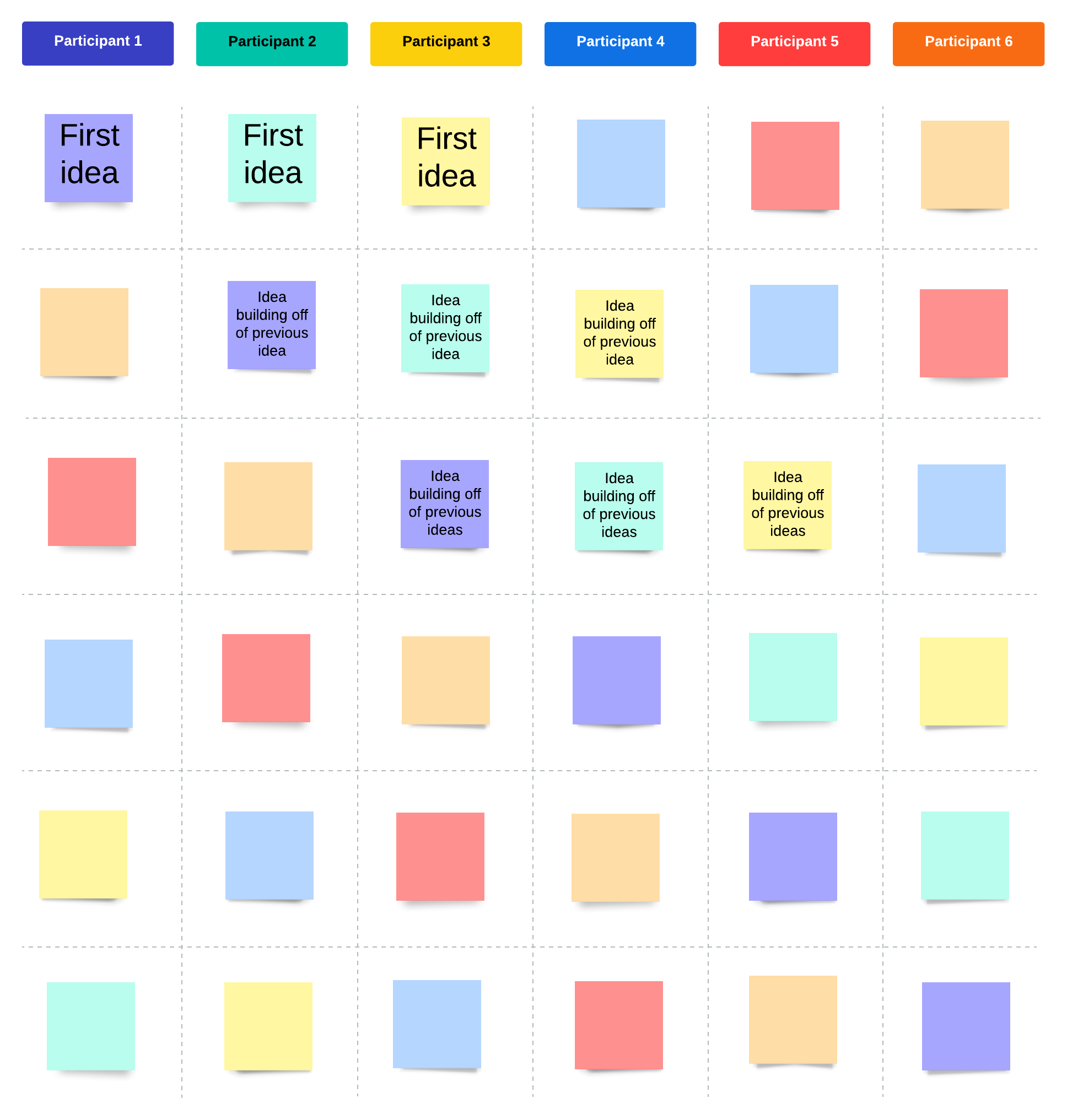 , opens in a new tab^Open our brainwriting template to generate lots of ideas in a short amount of time
Reverse brainstorming: Rather than thinking of a problem and then determining possible solutions, reverse brainstorming flips the script by forcing you to consider how you would achieve the exact opposite of what you want.
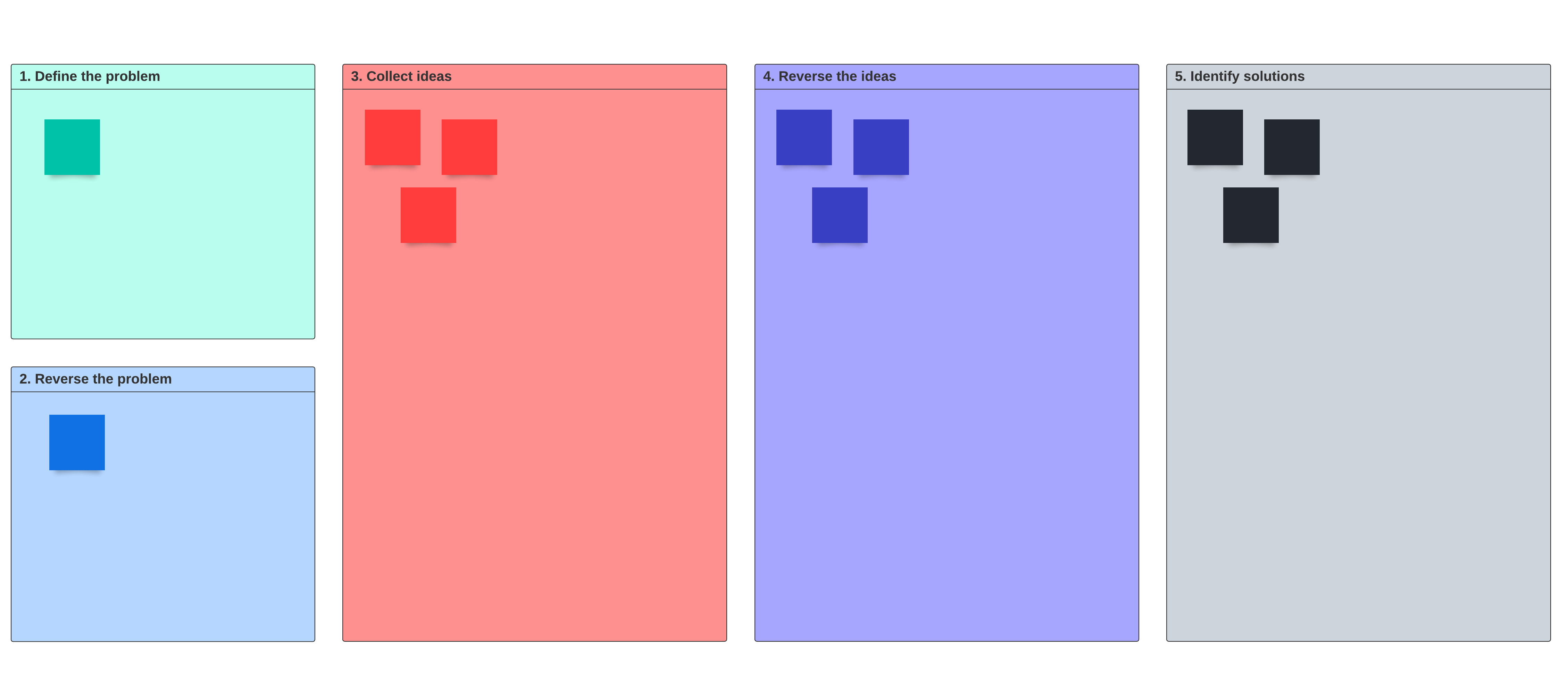 , opens in a new tab^Take a unique approach to solving problems with our reverse brainstorming template
Mind mapping: Mind maps are non-linear diagrams used to organically capture ideas and make connections to idea branches loosely connected to a main starting topic or question. These diagrams can help your brainstorming be more visual from the start, instead of over-indexing on chat and writing out lengthy explanations of ideas. You can even use Lucid AI to create a mind map and generate branching ideas, fueling your creativity.
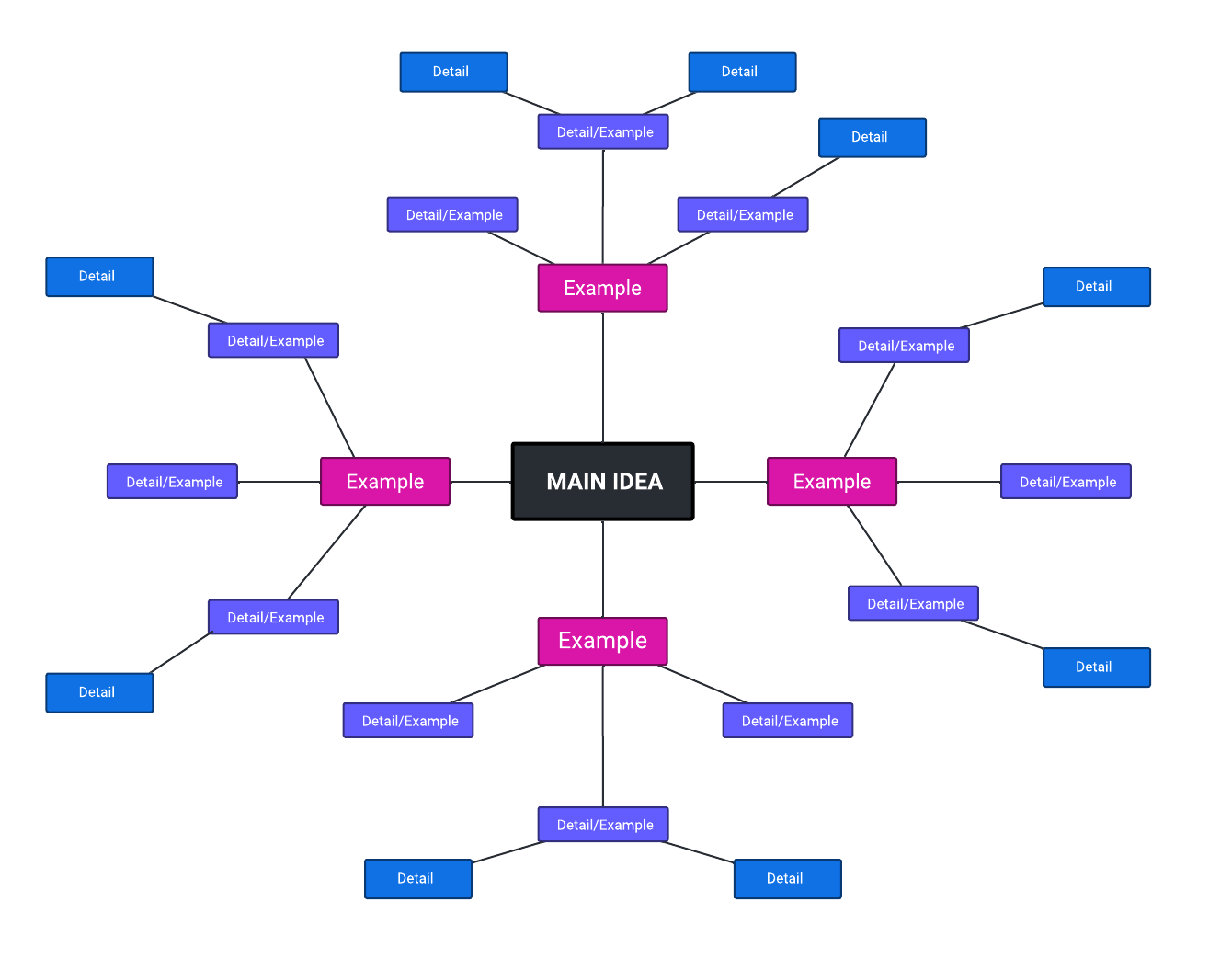 , opens in a new tab^Visualize the connection between ideas with our mind map template
Try out these templates and explore even more brainstorming techniques to find which ones work best for your team!
Misconception #3: Brainstorming is only for net-new ideas
Nope! Consider also hosting a brainstorming session for:
-
How you might repurpose or combine existing work into new deliverables
-
How you could revisit a previous brainstorming board for insights that may have been overlooked, instead of starting from scratch
-
Ways you can eliminate duplicate workflows and consolidate work across cross-functional teams
Tips for unlocking deep engagement during team brainstorms
Even teams that have the fundamentals and best practices down pat might find their brainstorms still falling flat on occasion. Don't fret—this is common and doesn't mean you are doing something wrong. Many companies are still struggling to effectively brainstorm as remote or hybrid teams.
Effective brainstorming is part science, part art, and part magic: You can do all the right things to cultivate an environment for effective collaboration, but you ultimately can't force engagement.
If you're looking to increase engagement on your team, here are some tips that can have a lasting positive impact on your ability to host effective in-person or virtual brainstorming sessions.
Leave your role and title at the door
The phenomenon of the HiPPO (highest-paid person in the office) dominating brainstorming discussions exists for a reason and is a symptom of people bringing too much of themselves and their ego into a brainstorming session instead of focusing on the quality of ideas. If you can encourage people to leave their roles at the door (i.e., a designer doesn't only have to share an idea about design, and an engineer can share marketing ideas), people will be less intimidated to share ideas—and you might be surprised when people are willing to share.
To make this easier, reinforce a “no judgment during ideation” norm so people don’t feel punished for taking creative risks. Removing criticism from the equation creates an environment to freely share thoughts and ideas without fear of judgment or being considered wrong or stupid.
And when someone shares something that feels outlandish, treat it as useful input—because it’s often easier to refine a bold concept than to invent one from scratch. Alex Osborn said, "It is easier to tone down a wild idea than to think up a new one."
Follow up and follow through every time
No one likes to feel like they've wasted their time, and it's easy to get disenchanted by regular requests to brainstorm when you see your ideas go unused.
If you're facilitating a brainstorming session, you need to take the follow-up steps seriously so the attendees know exactly what action is being taken as a result of the ideas that were generated. And if there are reasons for not proceeding with a certain idea, provide context on why—when you are transparent in your reasoning, you can help people still feel valued, and you won't discourage them from sharing weird, crazy ideas in the future.
Build real relationships with the people you work with
Don't worry—this is not a kumbaya call to know the intimate details of the lives of all your team members. But knowing what motivates someone professionally, what they're passionate about, how they think, and what conditions allow them to be their most creative is crucial to stepping up your brainstorms.
Visual collaboration unlocks best-in-class brainstorming
If you're still struggling to see the purpose of brainstorming—especially as remote work has kept you from your physical whiteboard sessions—it might be that you're simply using the wrong platform for collaboration. This is where Lucid comes in.
Simply using a Lucidspark board as the home for all of your brainstorming sessions solves many of the problems we outlined in the intro of this guide:
-
Teams converge too quickly around a small number of ideas: Brainstorming in Lucid is easier because you have an infinite canvas for dropping ideas in any direction and making visual connections between ideas with connecting lines, instant emoji reactions, and embedded notes on sticky notes. Using a text-heavy document or spreadsheet as the host document for brainstorming makes it harder for people to participate and jot down ideas quickly. Though you can brainstorm in any product within the Lucid Suite, Lucidspark will be best suited for this part of your workflow.
-
Unengaged collaborators bring down the energy while loud participants dominate the discussion: With Lucid, it's easier to manage a variety of collaboration styles—even extreme ones. The visual canvas creates a more even playing field where introverted collaborators can use sticky notes to capture their more abstract ideas in writing before sharing them with the team, while more extroverted collaborators can better channel their excited energy with features like timers and voting sessions.
-
Ideas get lost while participants wait to share: When you create a Lucidspark board for every recurring meeting, you don't ever have to worry about ideas being lost because you're creating rich, effortless documentation as you go along. Your board will be an enduring artifact of every discussion you've had that you can revisit, build off of, or even turn into a template for future projects.
-
Brainstorms are scheduled without a clear goal: Because Lucid tightly integrates with the rest of your tech stack, you can always have your brainstorming board embedded in all of the places where you need to be able to see and build on your ideas. You can even embed important documentation and context directly into your Lucid board, saving you time on having to build out an agenda from scratch.
For modern teams looking to replicate all the best parts of in-person brainstorms into remote and hybrid work settings, Lucid provides the foundation for uncovering your best ideas and driving innovation.
Brainstorming Example
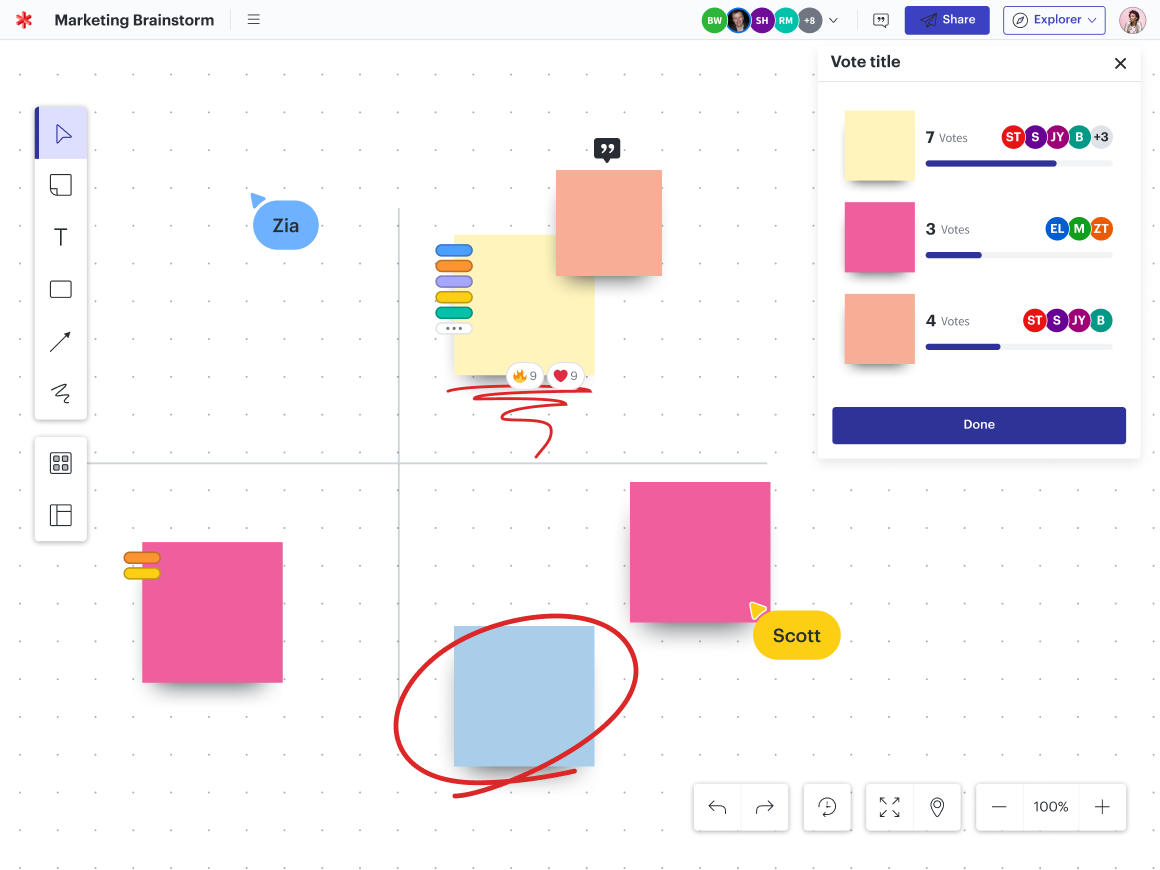
Everything you need to whiteboard online
Get the ultimate online whiteboard for teams. Brainstorm, plan projects, and collaborate virtually on Lucidspark’s infinite canvas.
Sign up free