There are many different ways to brainstorm with your team, but have you heard of brainwalking? Despite the name, brainwalking doesn’t have anything to do with zombies. Rather, it’s a unique way to get creative thoughts flowing, and it encourages people to build off of each other’s ideas.
Brainwalking is a variation on classic brainstorming, helping teams to quickly and collaboratively generate a variety of ideas. All you need is some space to move around in and a way to capture everyone’s thoughts. We’ll break down what exactly brainwalking is and the steps you can take to successfully facilitate brainwalking with your team.
What is brainwalking?
Brainwalking is very similar to brainwriting, another brainstorming technique in which people share their ideas anonymously. Both techniques are meant to encourage people to share ideas freely and foster a collaborative environment. Not only do these techniques utilize the knowledge and creativity of an entire group, they also provide everyone with an equal chance for their ideas to be heard.
Uniquely, brainwalking requires participants to physically move around a space, observing brainstorming prompts or other stimuli (such as objects or images) to kick-start ideation. Participants write down their ideas on shared boards instead of speaking out loud. Once everyone has contributed their thoughts, people move around to visit each board and silently develop existing ideas or add new ones.
Brainwalking typically involves a physical space and physical ways to write down ideas, such as large pieces of poster paper, whiteboards, and sticky notes, but you can also use digital whiteboards to capture ideas.
How do teams use brainwalking?
Any kind of team can conduct a brainwalking session whenever you have a problem to solve with a group of people. As long as you have several participants and a way to have people write down and share their ideas—either physically or digitally—you can do brainwalking. The brainwalking technique is especially useful if you need to unlock creativity, capture diverse perspectives, or encourage participation from different types of collaborators.
A UX team, for example, can use brainwalking to brainstorm solutions for how to solve a customer’s pain point. For a UX team, having creative stimuli such as images and objects to interact with can help with brainwalking on top of traditional brainstorming prompts.
Brainwalking advantages and disadvantages
There are a few ways that brainwalking can help boost your ideation sessions:
-
It enhances creativity and innovative thinking. Physically moving around and being stimulated visually can help kick-start potential solutions. The combination of observing and moving helps people think outside the box and generate a variety of ideas, including new ones that they might not have come up with while remaining stationary during a typical brainstorming session.
-
It improves collaboration. Brainwalking encourages active participation and building on each other’s ideas. This type of interaction fosters a collaborative environment as people observe a variety of ideas and together arrive at the best solution.
-
It introduces diverse perspectives. As people participate in brainwalking, they read other people’s ideas and are able to consider perspectives other than their own. Diverse ideas help boost innovation and allow participants to approach the challenge from different angles, arriving at unique insights that lead to innovative solutions.
-
It energizes and engages the group. Traditional brainstorming sessions can be disengaging and static. It’s easy to think of brainstorming as sitting around and talking. The physical movement and interaction of brainwalking helps everyone stay focused, energized, and actively involved. Ultimately, this helps boost motivation and connection among participants.
A disadvantage to brainwalking is that larger groups are more difficult to manage since you need enough space for everyone to be able to walk around. It’s also important to be aware of everyone’s capabilities and any accessibility challenges your brainwalking setup may present.
Brainwalking is also a little more difficult for hybrid or remote teams to do, but Lucidspark helps bridge the gap for remote team brainstorming by providing a virtual whiteboard that you can use for everyone to write down their ideas in the same place. If you have a distributed team and people can’t walk around a shared room, ask team members who are working remotely to walk around their home office or walk into another room and come back so they also experience the physical stimulation of brainwalking.
Brainwalking method: Steps to implement this brainstorming technique
To successfully facilitate a brainwalking activity, try this process step by step:
Step 1: Define your challenge
Before you begin, you’ll want to have your challenge (or problem) well-defined so participants can come up with ideas that will address the challenge. Your challenge, or problem statement, will help set the stage and guide brainstorming, providing a focused direction for ideation.
In order to set a frame for the brainwalking session, ask the group, “How might we…?” For example, a UX team might be brainstorming different designs. In this case, the brainwalking challenge could be something like, “How might we make it easier for people to realize the value of an annual subscription?”
From there, you will break down your challenge into separate boards or places that people can write down their ideas. Each board will have a prompt or other kind of stimuli to kick-start ideation to help solve the central challenge.
Step 2: Set up your brainwalking area
Create a designated space for your brainwalking session. Typically, this involves a closed area such as a small room. Hang up poster paper, set out pens and sticky notes, and display images or other types of objects around the space. These objects should be relevant to your challenge and encourage ideation. For example, for the UX team, one board might display prototypes for the subscription pricing page, encouraging participants to think of ways the page could be improved to highlight the annual option.
If you’re working with a distributed team, set up a virtual whiteboard that everyone can see and share. In Lucidspark, you can use the breakout boards feature to create multiple boards for everyone to visit within a single brainwalking session.
Step 3: Explain the rules
Before your group starts a brainwalking session, explain how the activity works. Explain that people will be visiting each board and will have a certain amount of time to contribute or build on ideas anonymously. Emphasize the physical nature of brainwalking; people will be moving around the room as they look at each board and are welcome to walk around as they think.
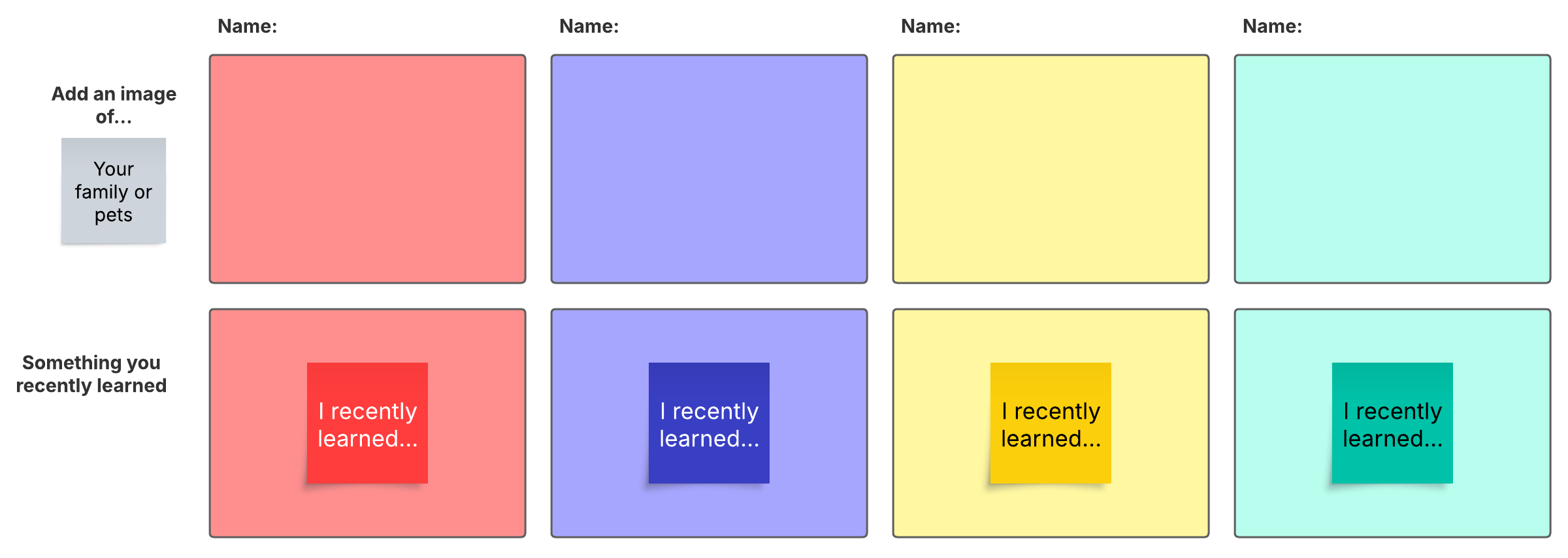
If it’s the first time people have done brainwalking or team members aren’t as familiar with each other, it can help to begin with an icebreaker. Icebreakers are a great way to introduce people to each other, help everyone feel more comfortable, and jump-start creativity.
Step 4: Begin the brainwalking session
To start brainwalking, instruct everyone to pick one board to start with. They should observe the prompt or anything else you’ve set out to help generate ideas. Then they should write down their ideas physically or digitally. Remember this is anonymous, so no one should include their name.
Encourage everyone to not only come up with their own ideas but to consider other people’s and build on ideas together. This helps foster collaboration as the team works together to uncover insights that wouldn’t have been possible individually.
Step 5: Rotate and repeat
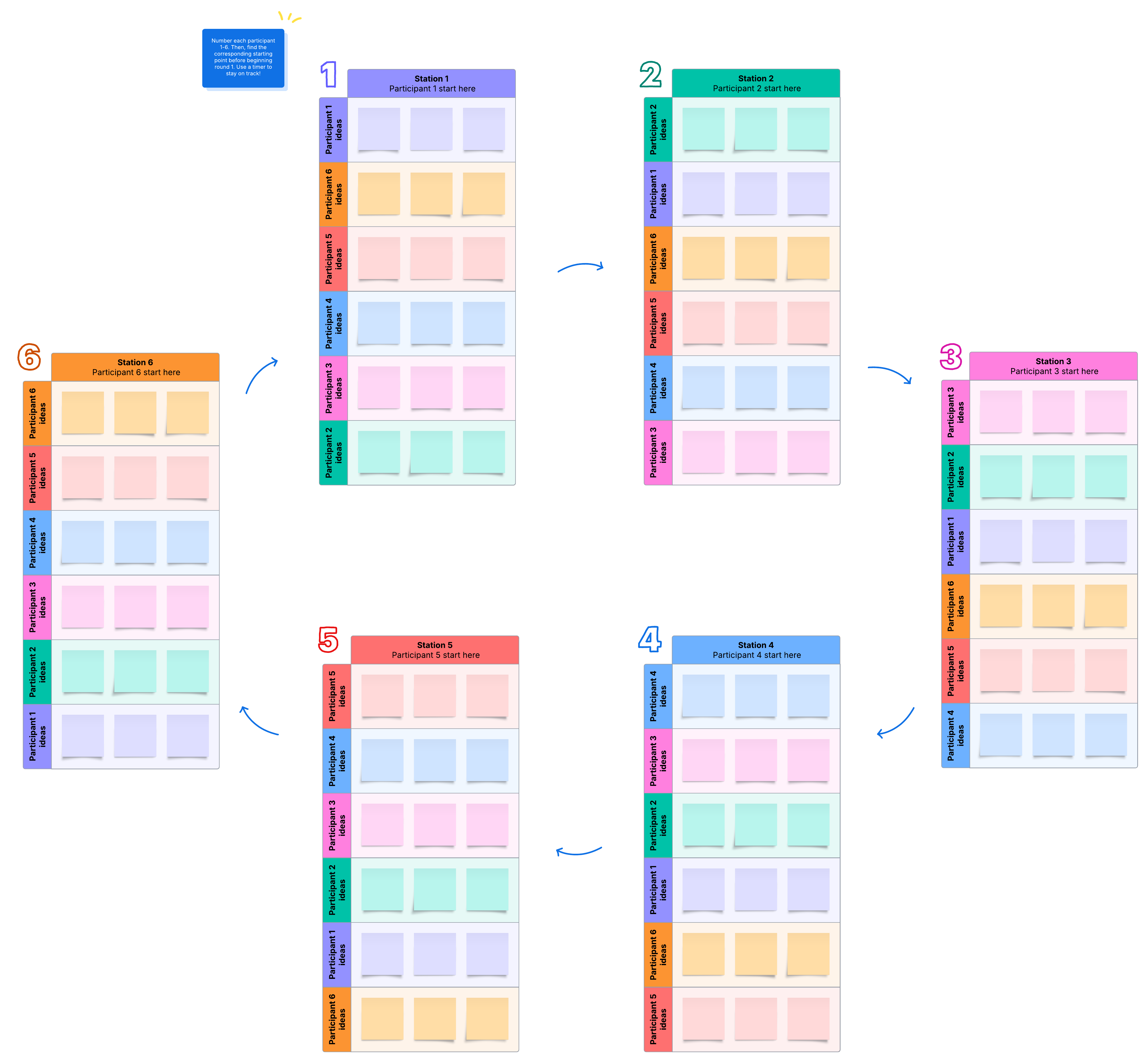
Allow a certain amount of time for people to visit each board. After so many minutes (typically 5-10), instruct everyone to stop and rotate to the next board. Repeat this rotation until everyone’s been able to visit each board, and the group has come up with a wide range of ideas. Make sure that people feel that they have enough time to look at everything.
Step 6: Share ideas and solutions
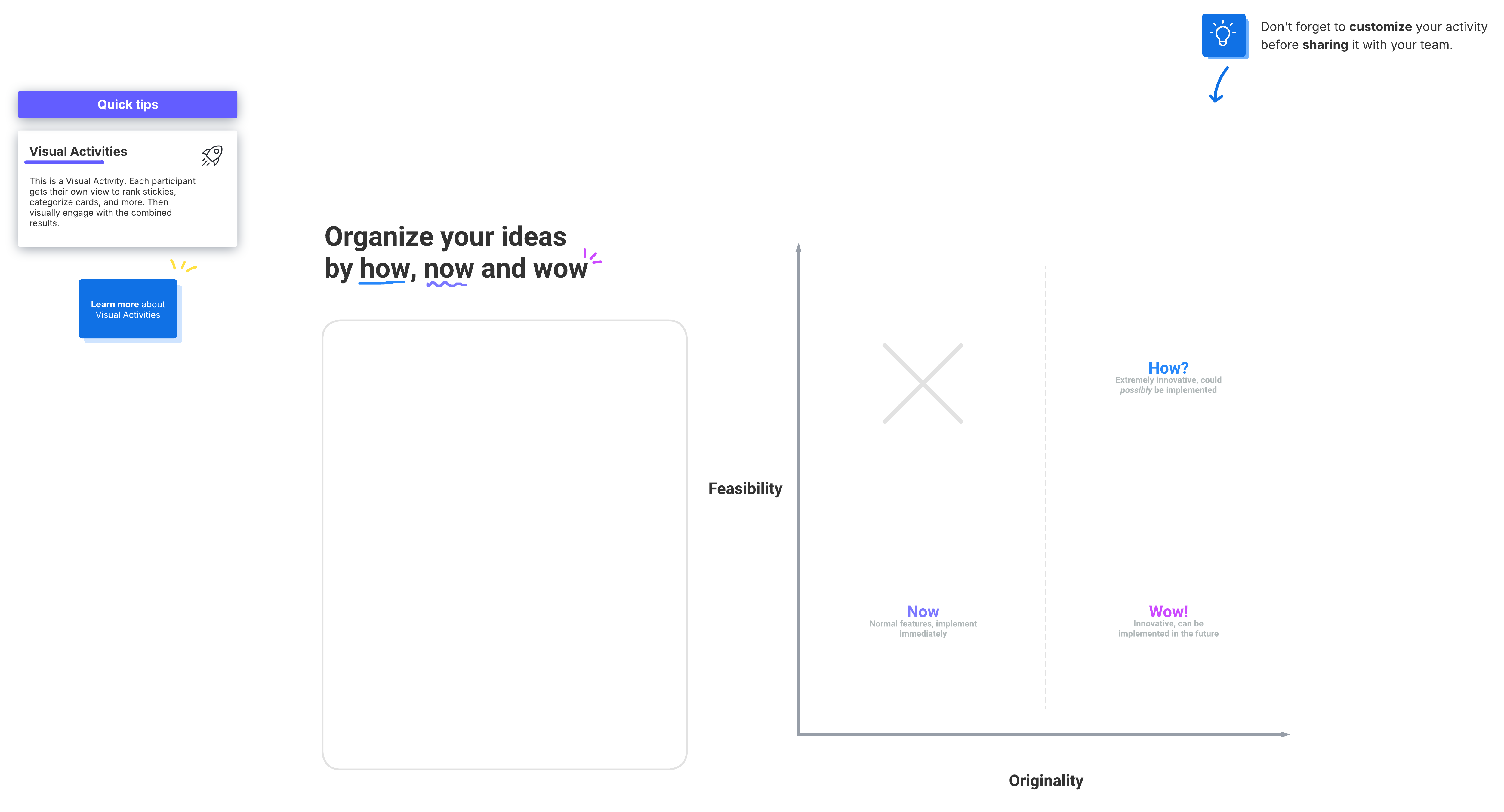
End the brainwalking session by saving some time to go over the boards with the whole group. You can use this time to either refine ideas or determine possible next steps. For example, you can organize all of your ideas with a visual activity in Lucidspark. Use the how, now, wow activity to understand how all of the new ideas stack against each other in terms of creativity and feasibility, and decide which ideas to pursue.
Lucidspark for brainstorming
If you have a remote team or you need a few resources for brainstorming prompts, use Lucidspark for real-time collaboration. The next time you plan a brainwalking session, try out some of these templates:
A traditional brainwriting template. Brainwriting helps stimulate creativity among teams. In a brainwriting session, participants write down their ideas and then pass them on to each other. This technique is especially useful for groups because it’s structured and straightforward.
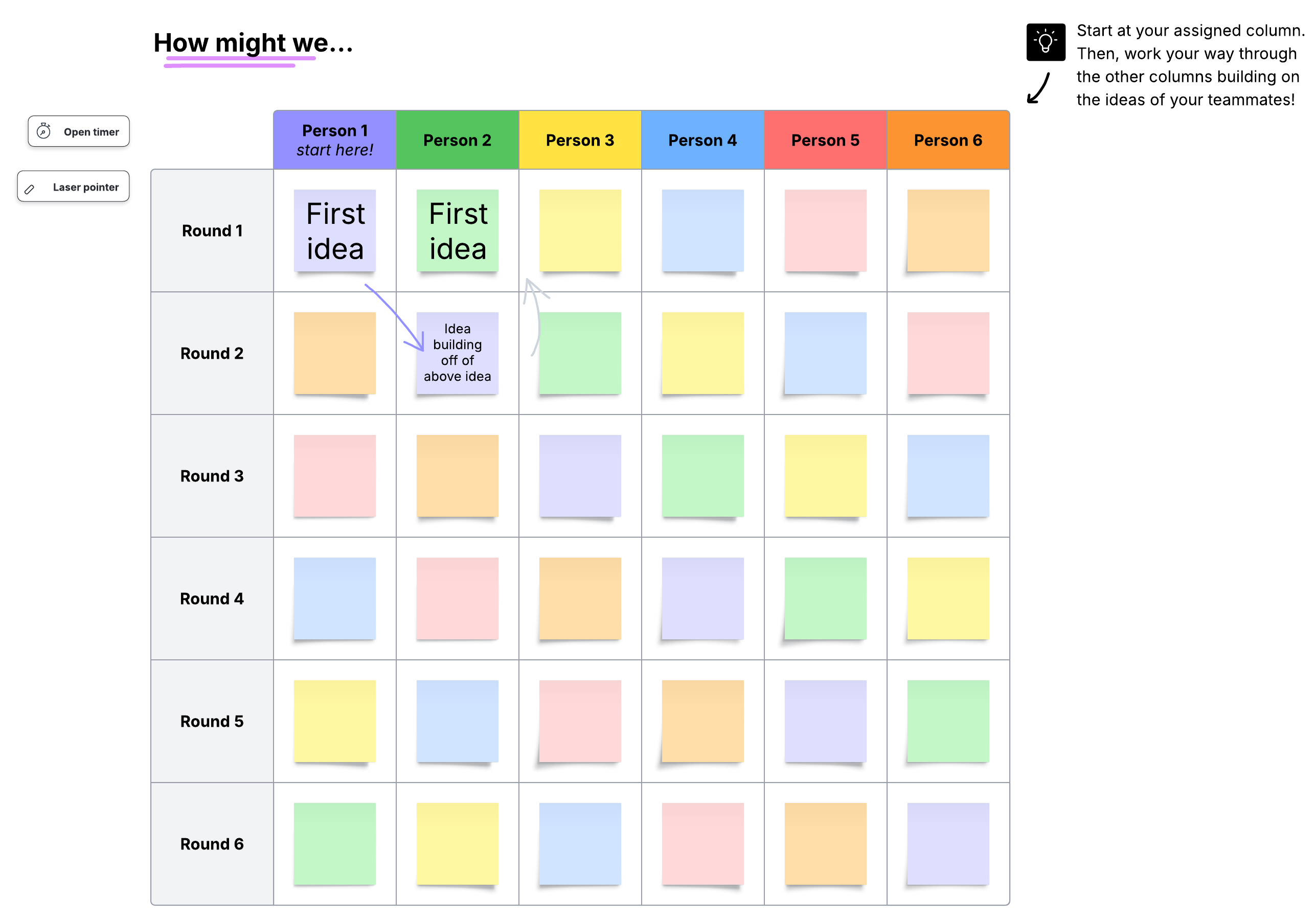
Brainwriting 6-3-5. This method expands on traditional brainwriting. Use this template with six people and have them write down three ideas in five minutes, then have them pass their ideas on to the next team member. This structure is perfect for brainwalking, helping your team generate more than 100 new ideas by the time the session is over.
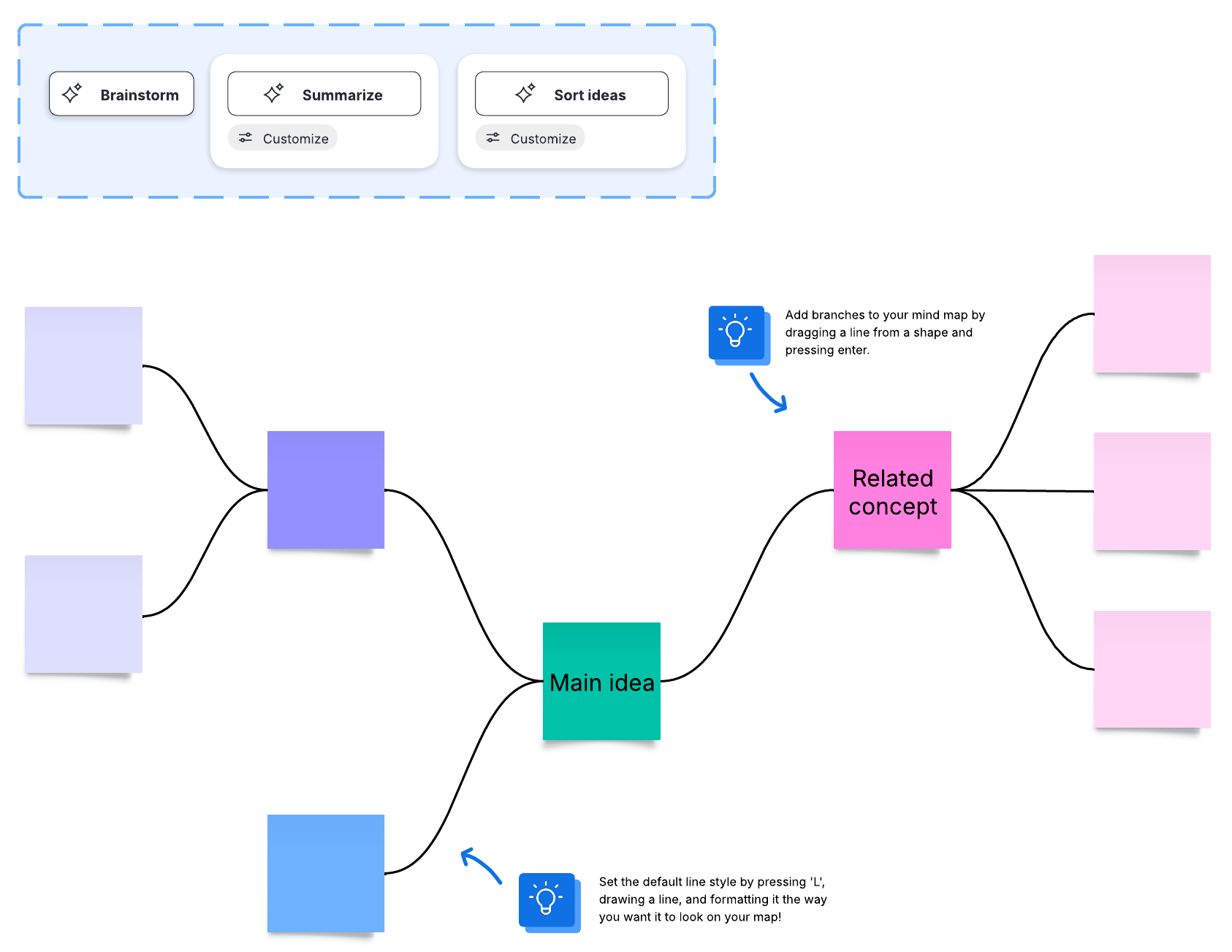
A mind map with sticky notes. Mind maps are a visual representation of ideas. With a mind map, it’s easy to quickly expand on ideas and branch off with new thoughts. In this template, you can color-code sticky notes to categorize concepts, making it perfect for a brainwalking session.
While brainwalking is a unique take on brainstorming, it can be beneficial for a wide variety of teams. All you need is some space for people to move around, and you’ll discover a way to come up with a diverse range of ideas collaboratively and quickly. Try brainwalking for your next brainstorming session to land on innovative solutions and get your team energized.

How to have effective brainstorms every time
Get all the tips you need to brainstorm effectively in our in-depth guide.
Get the guide