
On average, employees spend 31 hours in unproductive meetings each month. That’s a lot of time wasted—and a lot of frustrated employees. So what can you do?
While canceling meetings is tempting (and you should cancel unnecessary meetings), sometimes meetings actually are the best use of your time. After all, meetings are important opportunities to solve problems, brainstorm ideas, and make key decisions—when done right.
So how can you ensure your next meeting is worth the time? One way is to include an effective meeting agenda.
The magic of an effective meeting agenda
A staggering 63% of meetings are conducted without a pre-planned agenda. Yet the benefits of using an agenda are clear.
An effective meeting agenda helps:
- Keep the meeting focused
- Reduce time spent in the meeting
- Prepare attendees for the discussion
- Encourage participation
- Prioritize the most important topics
- Record next steps so attendees can take action
An agenda is essentially your roadmap for the meeting. It sets the schedule and plan for the discussion, outlines key goals or priorities, lists who should attend, and assigns topics of discussion as needed.
By planning your meeting agenda ahead of time, and sending it to all the attendees, everyone can arrive prepared and ready to focus. If the discussion veers off track, an effective meeting agenda can help redirect the conversation so everyone stays on task.
The anatomy of a good meeting agenda
So, what does an effective meeting agenda look like?
Your agenda should include the following basic information:
- The date, time, and location of the meeting
- A list of attendees who should be there
- The meeting’s goals
- Topics or questions for discussion
- Allotted time for each topic of discussion
- Any notes, documentation, or takeaways from previous meetings
- Assignments or preparation notes for attendees ahead of the meeting
Pro Tip: You could also include a brief warm-up discussion or icebreaker to kick off the meeting. These are especially useful for cross-functional groups, people that don’t meet often, or virtual meetings where natural discussion needs extra facilitation.
This information forms the building blocks of a productive meeting and helps lay the foundation for effective communication.
How to create a meeting agenda
Building an effective meeting agenda takes some time and careful planning. Don’t wait until the last minute to throw one together.
To get the most out of your meetings—and your agendas—follow these steps:
Collaborate with the meeting sponsor to align goals and objectives
Before you outline an agenda, you need to get clear on what the purpose of the meeting is. Understanding the goals for the meeting will guide what you should discuss and how you should structure the meeting.
But don’t do this on your own. Get input from the meeting sponsor—this is typically the person (or group) who requested the meeting or identified the need for one. At a department-wide meeting, the sponsor is likely an executive. At a daily team meeting, the whole team is the sponsor.
Collaborate with the sponsor to identify the main objectives for the meeting. If the team is the sponsor, get input from each person so everyone is aligned.
Focus on topics that impact the entire group
Make every minute count by focusing on topics that impact everyone in the meeting. In other words, your agenda should only include topics that are relevant to the whole group. Otherwise, people will disengage and you’ll be less likely to get them to attend and participate in future meetings.
If there are other topics you need to cover that only impact some attendees, you may want to structure the discussion so those team members can excuse themselves and return to work or save those points for a separate meeting.
Note the purpose of each topic
Clarify the purpose of the meeting and each topic of discussion. This will help team members understand their role and participate effectively.
There are three main purposes for a meeting or topic:
- To share information—This might look like a quick update or informational exchange where some or even most participants are listening rather than sharing. Often, updates are best shared ahead of the meeting so you can use the meeting time to answer questions and align on understanding. If you need information from other team members, make sure they know well in advance so they can come prepared to share.
- To seek input—Meetings are a great place to gather input and consider insights from a variety of perspectives. But that doesn’t mean everyone will be involved in making a decision. If the purpose of a discussion is just to get input from the participants, make sure that’s clear from the get-go. Otherwise, people may be frustrated if their ideas or solutions aren’t incorporated into a final decision.
- To make a decision—If the goal of the meeting is to make a decision, clarify that upfront and outline the decision-making rules. For instance, you may seek consensus or simply take a vote. If a consensus can’t be reached, the leader may have the final say. Whatever decision-making approach you want to take, clarify that from the beginning so everyone understands what is expected and how they should participate to achieve the goal.
Estimate time for each discussion item
Even with an agenda, a meeting can easily get derailed if the discussion isn’t well-timed. Keep your meetings on track by estimating the time for each topic.
For instance, if the meeting is scheduled for an hour and you have five discussion topics on the agenda, the total time allotted shouldn’t go over 60 minutes. Some items may only take five minutes while others will require more in-depth deliberation. Even if the allotted time isn’t exact, assigning time to each agenda item will help you pace the meeting appropriately and keep the conversation moving forward.
Use collaboration software to create, share, and house your agendas
Upgrade your agenda game from paper or email to dynamic collaboration software. Collaboration software makes it easy to create agendas in the cloud where you can update them in real time, record meeting minutes, and share your agendas with attendees.
A visual collaboration solution like Lucidspark provides a virtual whiteboard where teams can not only view and house their agendas but contribute to them as well.
Include the meeting agenda with the meeting invite
Finally, when your meeting agenda is drafted and ready to go, be sure to include the agenda with the meeting invite so attendees can look over the agenda beforehand. This will ensure everyone understands what to expect and can come prepared to listen, share, and discuss.
Question-based agendas
While all agendas should contain the basic information we outlined earlier, how you format the agenda can vary. One popular method is to use a question-based agenda.
Question-based agendas, as their name implies, outline each topic in the form of a question. For example, instead of listing a topic as “Product features” you might ask “What features do we need to include to improve navigation?”
By forming your discussion topics as questions, you can more effectively drive the outcomes you’re looking for. Question-based agendas are more engaging and can help you hone in on the meeting’s purpose so your discussion is focused and productive from beginning to end.
3 effective meeting agenda templates
Craft an effective meeting agenda and save time with shareable, customizable agenda templates, opens in a new tab. Lucidspark makes it easy to lead productive meetings and get your team on the same page with templates for team meetings, weekly meetings, and weekly agendas.
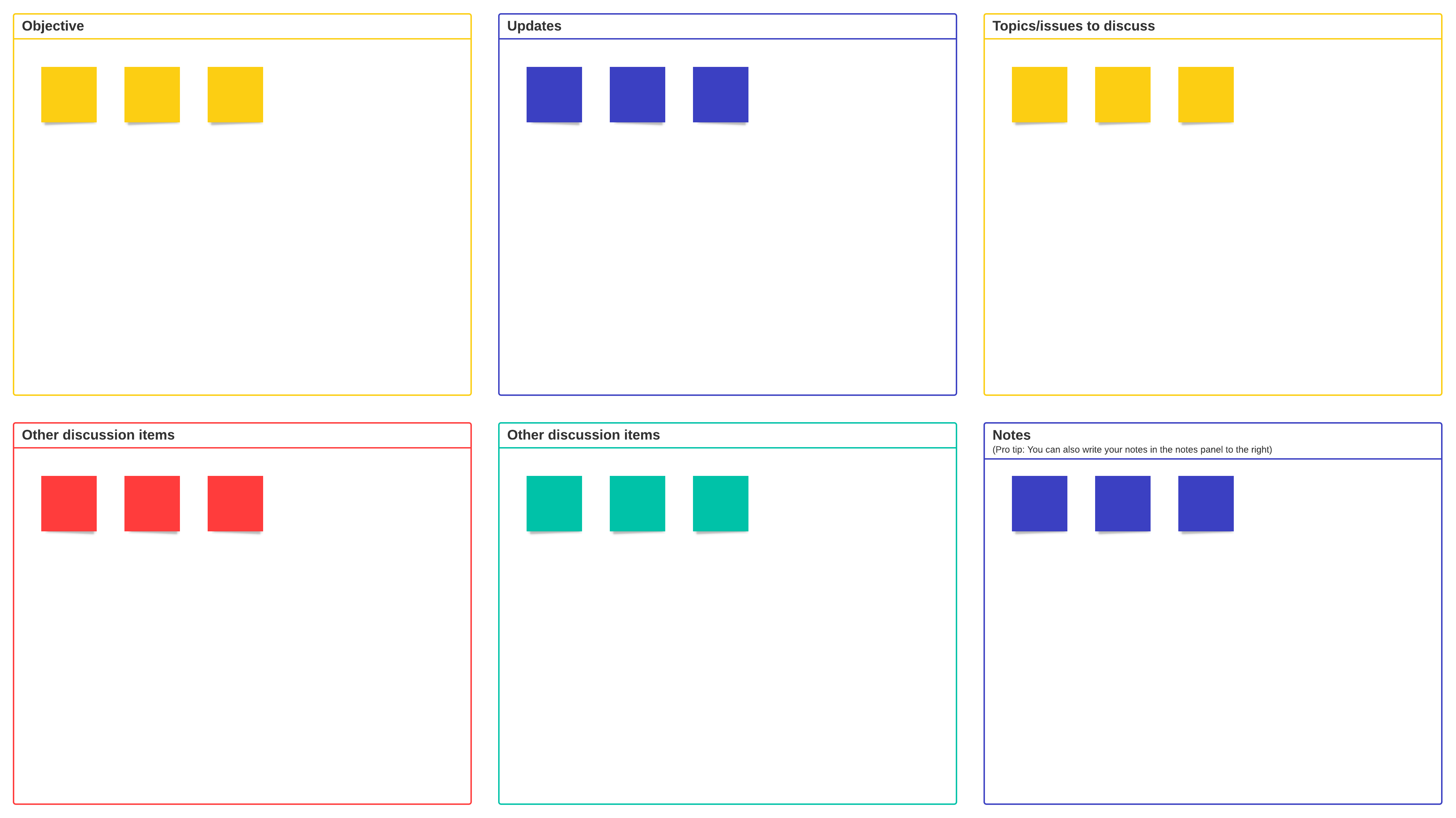
Team meeting agenda template
Set up your Lucidspark board in a snap with a team meeting agenda template that organizes your agenda into key categories:
- Objectives
- Updates
- Notes
- Topics/Issues to discuss
Easily share the template with other participants to align on objectives, take notes in real time, and come prepared.
Weekly meeting agenda + workspace template
Use Lucidspark’s meeting agenda template to plan weekly meetings and collaborate with your team during meeting discussions.
The weekly agenda template outlines space to fill in your meeting topic, goals, participants, and agenda items. Plus, it includes workspace on the whiteboard to brainstorm, collaborate, and share ideas all in one place.
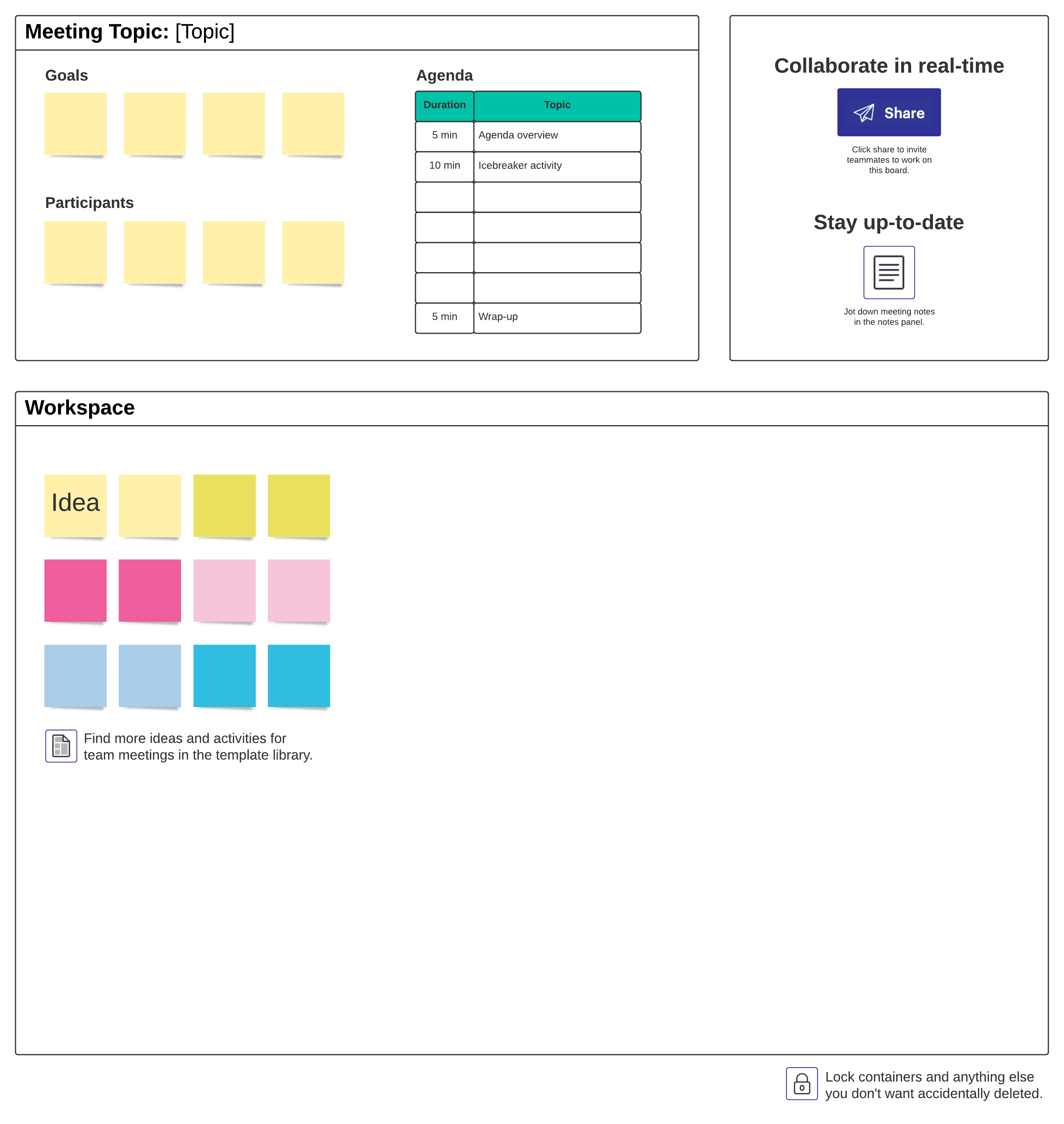
Weekly meeting agenda + workspace template
Use Lucidspark’s meeting agenda template to plan weekly meetings and collaborate with your team during meeting discussions.
The weekly agenda template outlines space to fill in your meeting topic, goals, participants, and agenda items. Plus, it includes workspace on the whiteboard to brainstorm, collaborate, and share ideas all in one place.
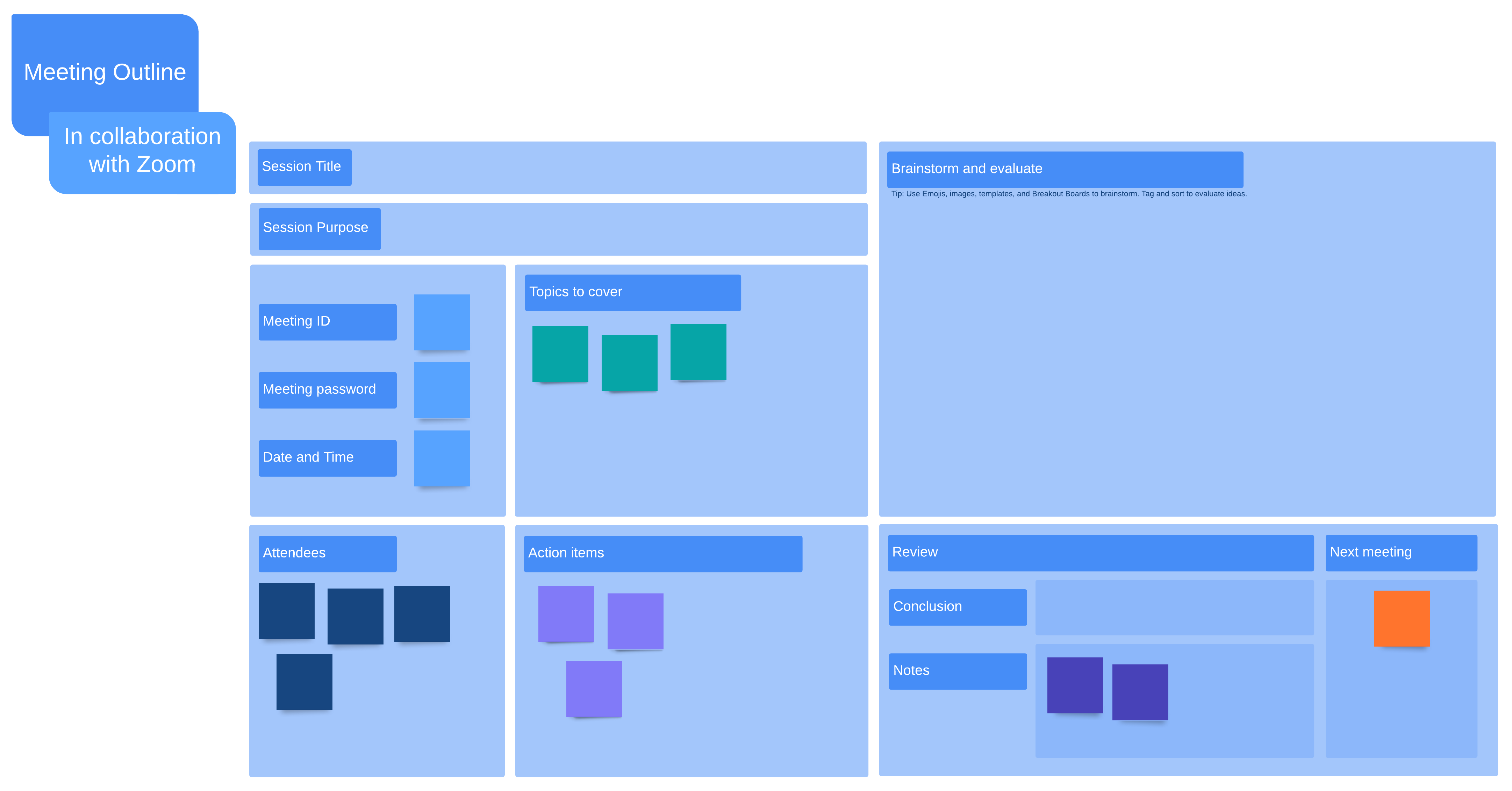
Zoom meeting agenda template
Keep everyone on the same page during your virtual meetings with an agenda specifically created for Zoom calls. Lucidspark’s flexible template makes it easy to fill in all the key information you need for a successful virtual meeting, including fields for:
- Session title
- Session purpose
- Meeting ID
- Meeting password
- Date and time
- Topics to cover
- Attendees
- Action items
- Brainstorm and evaluate
Whether online or in person, meetings don’t have to be a drag. Level up your meetings today with effective meeting agendas that set your discussions up for success. If you're looking for other weekly agenda options, make sure to try our weekly schedule template.

Want even more tips for having more effective meetings?
Download our free ebook