If the idea of a brainstorming session sends waves of dread through your veins, you’re not alone. We’ve all sat through unproductive brainstorming sessions in which dozens of ideas are tossed around with no end result.
But with the right approach, brainstorming can turn from a dull, dread-inducing activity into an exciting, effective, and productive means of solving problems and putting new ideas into action. Follow the tips below to give your brainstorming session the leadership and focus it needs to get the job done.
What is a brainstorming session?
A classic brainstorming meeting is a gathering in which a group of people focuses on generating new ideas or solutions surrounding a particular topic. Each idea is noted, explored, and evaluated by the group without judgment or criticism.
The brainstorming session as we know it originated in the 1930s when an ad executive discovered that his team was much more effective in generating new ideas as a group. Today, brainstorming sessions are recognized as a powerful collaboration tool in virtually every industry.
Why is brainstorming important?
Brainstorming offers a number of advantages, both on an individual and group level. By creating an atmosphere where ideas can be introduced and dissected without judgment, you allow for exploring innovative and out-of-the-box concepts that might not be approached otherwise. The ability to collaborate openly and comfortably can introduce different perspectives and solutions, which you and your group can refine, expand on, and put into action.
Brainstorming is also great for generating a large number of ideas quickly. Instead of getting stuck on mediocre or predictable ideas, you and your team can work through a larger number of ideas to come up with the ideal solution. Since no one team member has ownership over your end result, your team can refine its ability to work together as an inclusive, collaborative unit that values creativity and results over credit.
How to conduct a brainstorming session
While brainstorming sessions offer plenty of benefits, they can also turn into less-than-productive meetings where outspoken team members or lackluster ideas dominate the conversation. Below are a few tips to maximize the effectiveness of your brainstorming meeting.
1. Define your topic or problem
Start your brainstorming session by introducing a problem question or topic for discussion. Focus your brainstorming session by asking your group a question with implementable solutions, such as “How can we cut production costs?” or “How can we increase engagement on social media?” Then, set clear boundaries for your team by including possible time constraints, budgets, or organizational limitations.
2. Set a good foundation
Before you dive into new ideas, go over what your team already knows about your problem or topic. Define key terms, review what solutions you’ve attempted to implement, and relay any other key information your team will need to provide potential solutions.
3. Set a brainstorming session agenda
Brainstorming sessions work best with a little structure. Give your team guide rails that will help you stay on track without hindering the creative process.
- First, you’ll want to allow time to discuss your central topic, boundaries, definitions, and valuable context.
- Next, spend time generating and exploring new ideas.
- Finally, come together to sort, discuss, and gain consensus on your best ideas. This may involve a formal vote in which group consensus is clearly laid out.
4. Select your brainstorming technique
How you brainstorm matters. Here are a few creative brainstorming techniques you and your team can use to inspire more innovative thinking:
- The stepladder technique: Introduces one member at a time to promote input from everyone, even quieter members of the group.
- Brainwriting: A written approach to brainstorming that can be used to generate and develop ideas.
- Brainwalking, opens in a new tab: A method of sharing ideas anonymously as participants physically move around a space.
- Reverse brainstorming: Can be used to better improve specific services or products.
- Rolestorming: Asks participants to brainstorm while assuming the identity of a group (such as your customer) in order to gain additional insight.

Determine your tools
Whether you’ve chosen a physical brainstorming session or a virtual one, the right tools can facilitate participation from your entire group, save time, and keep your brainstorming session organized. Determine which tools you’ll use before you get started and ensure that your team is prepared to use them before your session begins.
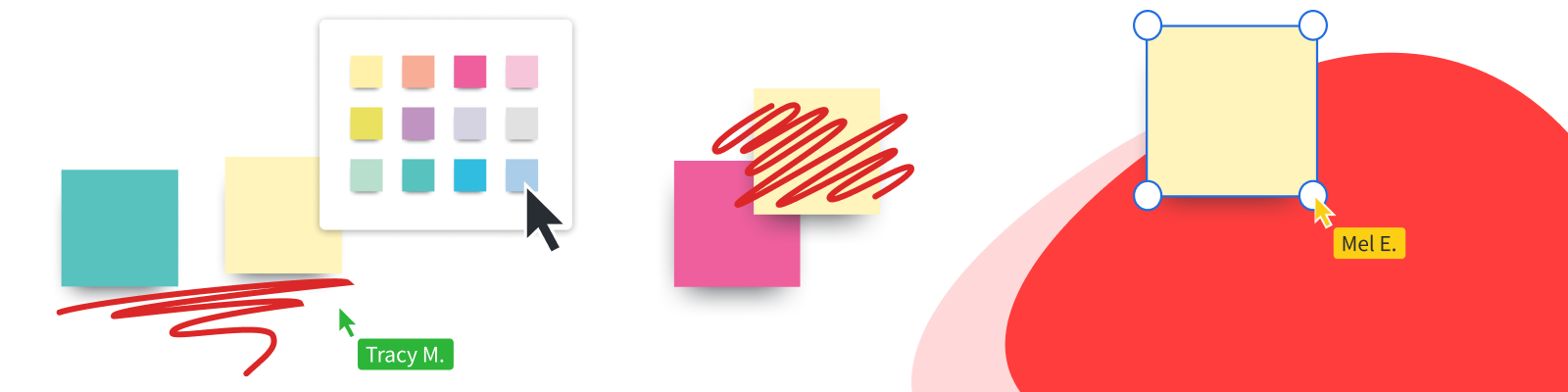
- Sticky notes: Sticky notes are a tried-and-true brainstorming tool used to record and organize ideas, usually on a whiteboard. Sticky notes can be easily color-coordinated, edited, removed, re-arranged, and more to accurately paint a picture of your ideas. Sticky notes can also be implemented virtually using a program like Lucidspark. Simply enter your information on your online sticky note or upload your text from a CSV or Excel spreadsheet to create sticky notes in bulk.
- Timer or time-keeping system: A timer or alarm can help you and your team stay on task as you move from one phase of your brainstorming to another. A time can also help you schedule short breaks during which your group can reset and recharge.
- Whiteboard: Physical brainstorming sessions usually involve some version of the classic whiteboard to display ideas as they’re presented.
- Online whiteboard: An online whiteboard like Lucidspark can record and organize ideas from several users, even when team members are working remotely. Lucidspark’s online whiteboard comes complete with tools like a notes editor for centralized note-taking, sticky notes, a timer, and diagram templates to add structure to your team’s thoughts.
Keep it short and simple
The longer your brainstorming session runs, the more likely your team is to lose focus. Instead of scheduling a longer meeting where your team is likely to become fatigued, ask your team to come to your meeting prepared with a few ideas that will help get brainstorming off to a productive start. Limit your sessions to short 15-30 minute bursts with short breaks in between to allow for maximum productivity and prevent burnout.
In addition to scheduling a shorter meeting, consider limiting your brainstorming team to essential team members that you’re sure will be able to contribute valuable ideas to your brainstorming meeting. A team of 10 or fewer will allow for a variety of ideas to be heard without overcrowding your session with too many voices.
Focus on quantity
You read that right! By focusing on quantity over quality, you’ll be able to facilitate a meeting in which you can produce many ideas that will eventually lead to the right one, rather than waiting for the “perfect” idea before anyone opens their mouth. In the end, quantity should facilitate quality by allowing your team to explore divergent, innovative thinking.
Focus on collecting ideas quickly, then come back later to reflect on and build off of the ideas you shared earlier. Each idea should be expressed and recorded simply to keep your team from getting too hung up on details.
Avoid criticism
Brainstorming sessions operate best in open, supportive, encouraging environments in which participants feel free to express any idea. Criticism is counterproductive to the creative process, discouraging potentially thought-provoking ideas and preventing participants from opening their mouths for fear of judgment.
Welcome the unusual
While you may not be in the market for outlandish or wild ideas, they can serve to ignite better, more innovative ways of thinking. Encourage your participants to approach your topic or problem without assumptions or from a new point of view to promote more inventive ideas.
Not only should all ideas be vocalized—they should all be recorded and revisited. No idea is too outlandish to be considered.
Combine and build on ideas
One of the benefits of working in a group is the synergy that comes from feeding off the ideas of others. Encourage your team to listen to each idea shared within the group and use them as inspiration for their own ideas. The ability to dissect, build on, and improve ideas that have already been shared can be just as valuable as the ability to generate ideas out of thin air. It can also be a great exercise in encouraging active listening and team-building amongst your team members.
Brainstorming online
Online brainstorming software like Lucidspark can give you the space, structure, and flexibility you need to generate and share ideas with your group when in-person brainstorming isn't an option. With infinite space to spread out and come up with new ideas, as well as tools to keep your meeting running and reach consensus, Lucidspark can help you facilitate an energetic, productive meeting in which your best ideas are highlighted.
When brainstorming online, make sure your team comes prepared with ideas at the ready. Use your whiteboard space to break out into groups if needed, then call participants to follow the meeting host when it’s time to share ideas as a group. Vote on your ideas to make sure that only your best are turned into action items.
Get started with Lucidspark
Lucidspark’s canvas gives you the space you need to explore your ideas—and the structure you need to turn them into next steps. Sign up today to get all of the benefits of a classic brainstorming session—with the convenience of remote access, cloud-based features, and integrations that keep you connected with apps like G Suite, Slack, and Lucidchart.

Turn your next team brainstorming meeting into an idea machine using these four group brainstorming techniques.
Learn more