Key takeaways
- User story mapping breaks user stories into component actions and behaviors, making it easy to see what features and functions need to be built or updated to meet the user's needs.
- User story mapping offers many benefits, such as highlighting roadblocks, promoting constant improvement, and ensuring team unity.
- The process of user story mapping involves understanding your users, identifying the problem, mapping user stories and activities, prioritizing them, identifying roadblocks, and then planning the sprint.
The end user should be the priority of any development team. By anticipating user needs and preferences, you can create a better experience and encourage continued use of your product. But how do you start?
Enter user story mapping. Like outlining a plot before writing a novel, story mapping helps teams plan the product's narrative so they don't get lost as the details pile up.
This article will teach you how to build user story maps and use them to plan a more effective user experience.
What is a user story?
A user story is a short, simple description of a product feature from the perspective of the person who wants to use it, usually a user or customer.
A user story typically follows this formula:
As a [type of user], I want to [action/function] in order to [benefit].
For example, a user story might say, "As an email user, I want to be able to search my email by keyword so that I can quickly find the information I'm looking for." Because user stories focus on behavior, they're especially useful for understanding what drives customers to your product and how they move through it once they arrive.
What is user story mapping?
User story mapping visualizes user stories, outlining how users interact with a product and showing how those user needs can be accomplished within a sprint.
Product Managers rely on user stories as a compass to keep everyone on the right track through development. Production members utilize user story mapping to understand what the customer wants from the product and how they wish to interact with or use it. In this way, user story mapping offers an alternative to a simple product backlog list, providing a more dynamic visual and strategic tool for product planning and development.
As you can see in the user story map example below, user story mapping breaks the user story into the user's component actions and behaviors. By placing high-level user activities at the top, with the smaller tasks required to complete each activity underneath, it's easier to connect activities to features, spot dependencies, and decide what to build first.
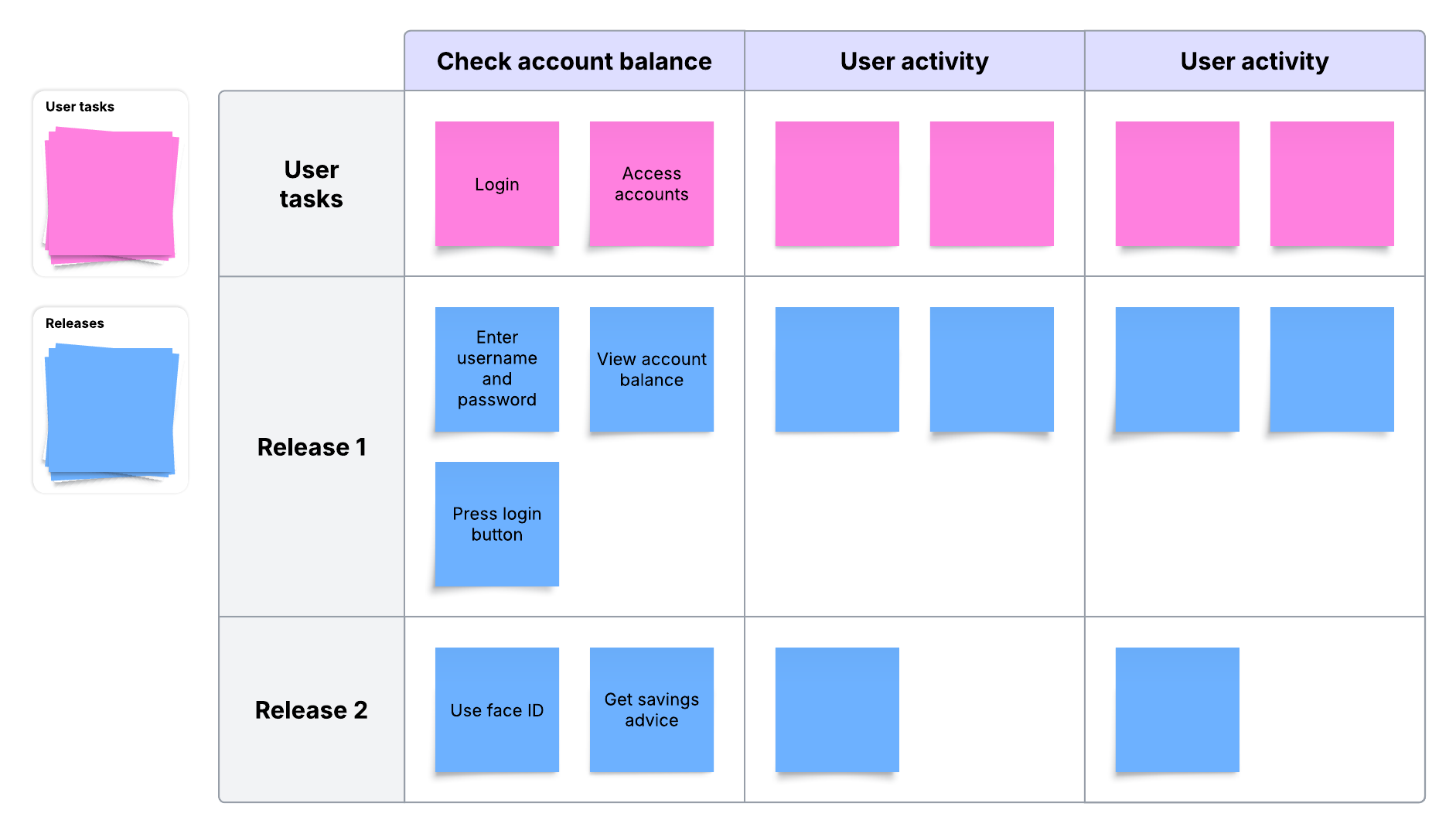
The customer-focused approach of user story mapping leads to more satisfied customers because the development team considers their needs from the beginning.
Why use story mapping?
User story mapping offers the following benefits to help teams build a product or service that users will enjoy:
-
Prioritizes work: Because user mapping provides teams with a holistic view of the user experience, team members can easily identify essential tasks and organize work into sprints or releases.
-
Determines the correct requirements: Backlog items can quickly balloon without any requirement constraints. Story mapping determines the appropriate size for product requirements and then allows you to break large projects down to the right size for your teams.
-
Puts an emphasis on user value: By focusing on the user's perspective, story mapping can prevent teams from over-designing for edge cases. For example, a team might be excited about adding facial recognition login, but mapping and discussion can reveal that most users log in via desktop, shifting effort toward improvements that would provide greater benefit to users.
-
Highlights roadblocks and dependencies: User story mapping illuminates any risks, issues, and dependencies by providing a high-level view of the product, helping teams address potential problems before they arise.
-
Ensures team unity: True to its name, user story mapping creates a map that the team agrees on and follows throughout the build. The team can refer to the map any time they are unsure of where to go next
-
Allows for constant improvement: A well-defined user story map groups stories by priority, which, in turn, can be batched out in iterations to gather feedback earlier in the process and make improvements as the project moves forward
Who is involved in user story mapping?
There's no set rule about who must be involved in user story mapping, as this is largely determined by the project and the team working on it. In general, though, when thinking about who should collaborate on the user story map, it's useful to consider the following people and teams:
-
UX/UI
-
Product managers
-
Sales teams
-
Marketing
-
Customer service and support teams
-
Engineering teams
-
IT
-
Legal department
-
Finance teams
Because each group sees different parts of the user experience, cross-functional collaboration is especially valuable during mapping. Product, UX, and engineering can quickly surface tradeoffs (like reducing cognitive load on a landing page versus including every detail) and align on what matters most to users.
How to make a user story map
To begin the process of user story mapping, the development team first decides how to format their story map. If you're using a virtual whiteboard like Lucidspark, you can run the entire mapping workshop in one shared, cloud-based space—whether your team is in-person or remote. Lucidspark even lets each team member use their own collaborator color as they contribute to the user story map, so if clarification is needed on a particular point, it's easy to ask the original contributor.
Follow these steps to write a clear and helpful user story.
1. Understand your users
Who do you see as the primary audience for your product? While there may be several different types of users, identifying the primary audiences will keep development on the right track to deliver a successful product.
Focus groups and A/B tests can provide insight into how your users interact with your product. Looking at past results and industry research also ensures you're putting the user first.
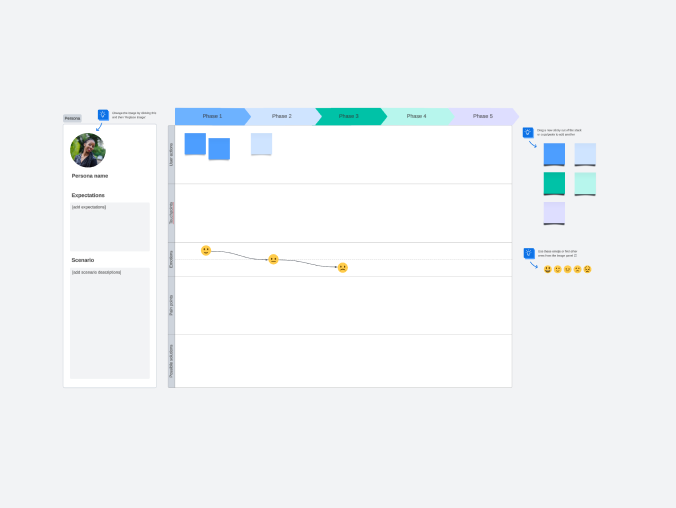
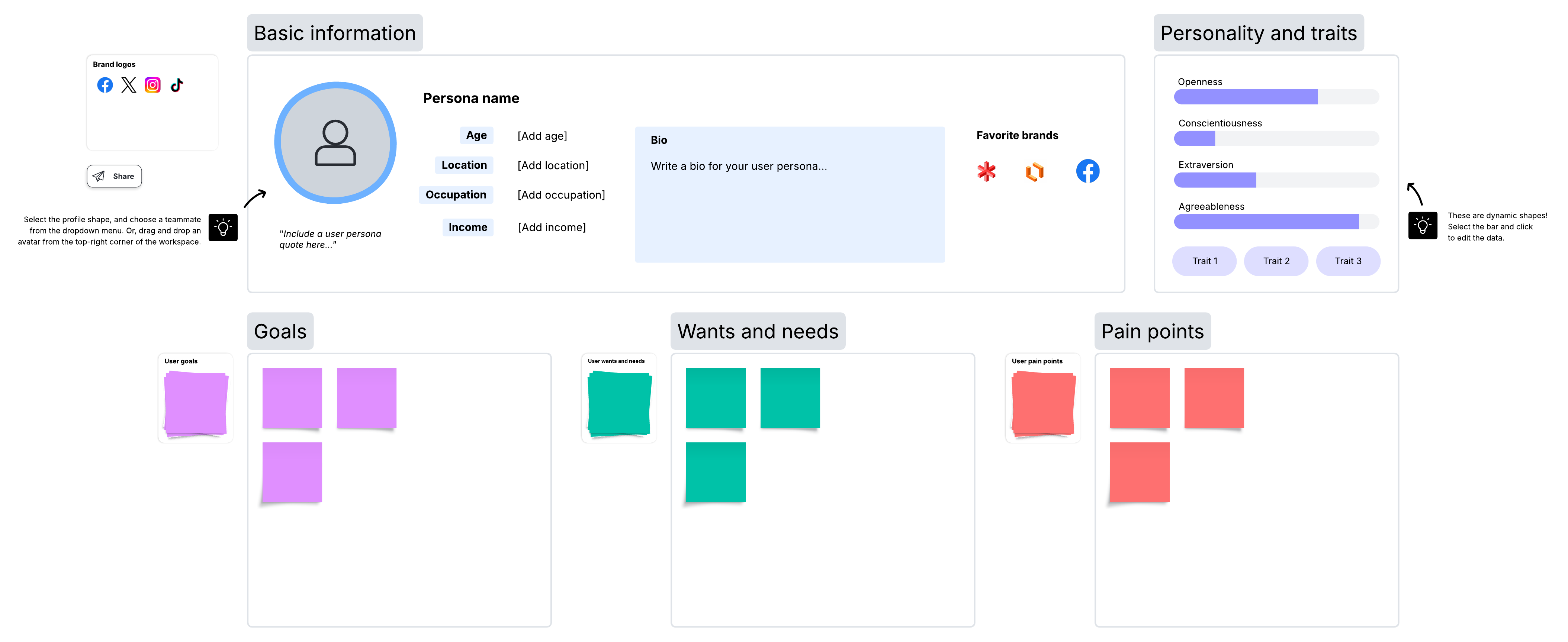
Many teams choose to create personas to capture motivations, frustrations, goals, and wants, then use those personas to pressure-test assumptions about what users truly value.
You can also pair story mapping with customer journey mapping to understand what users are thinking and feeling at each stage, helping you remove friction and add moments of delight.
2. Identify the problem
What problem is your service or product helping the customer overcome? Keep a user-first mindset during this step to visualize how the end user will experience the product. If you're stuck on how to convey this information, remember the format given earlier: "As a user, I want to [the action], so that [the benefit] happens."
3. Map user activities
Interactions with your product will take the form of user activities. These activities act as anchor points as you create your user story map. Under each activity, a series of user stories creates the larger customer journey.
If you are facilitating a workshop, brainstorm user activities before moving to related pain points and goals. Working systematically through these categories allows your team to focus on one objective at a time. Whether working in person or remotely, allow for periods of quiet contemplation where team members can consult their notes or research independently. Giving your team space for deep thinking leads to higher-quality insights than rapid-fire discussion alone.
When you are ready to structure the map, place the high-level activities across the top and list the specific tasks required to complete them underneath. For example, the activity "Edit a video" would include tasks like logging in, recording, and exporting.
Pro tip: Prepare your board before the workshop
A little setup can make the mapping session run faster and feel less chaotic. Before your team meets, set up your Lucidspark board. You won't be jumping into the organization of the story map just yet—you'll need to start with a brainstorm. But the key to useful brainstorming sessions is to provide guidelines. First, add containers to organize your brainstorm. Potential containers could be labeled:
-
User activities
-
User pain points
-
Objectives and goals
It's useful to label your board, add collaborators, and even share a brief tutorial before the brainstorming happens.
4. Prioritize
After you identify and map out user activities and their corresponding stories, the production team can start prioritizing user stories. Rank stories vertically from most to least important to help the production team understand which stories have the greatest impact on the customer journey.
If you're using Lucidspark, you can also tag activities, pain points, or stories to make prioritization visible at a glance (e.g., "must-have," "should-have," "later," or by release). To keep the map usable, capture lower-priority ideas without forcing them into the current release plan.
5. Identify roadblocks
As the user story map takes shape, the team may begin to spot gaps in information, bottlenecks, or other issues that could slow down production. Use this step to identify solutions and workarounds.
6. Plan the sprint
All the mapping work culminates in the project planning phase. After user activities and stories are prioritized, they can be batched into sprints, where each piece of the user story map is assigned to a member of the production team with a clear explanation of how it should be completed.
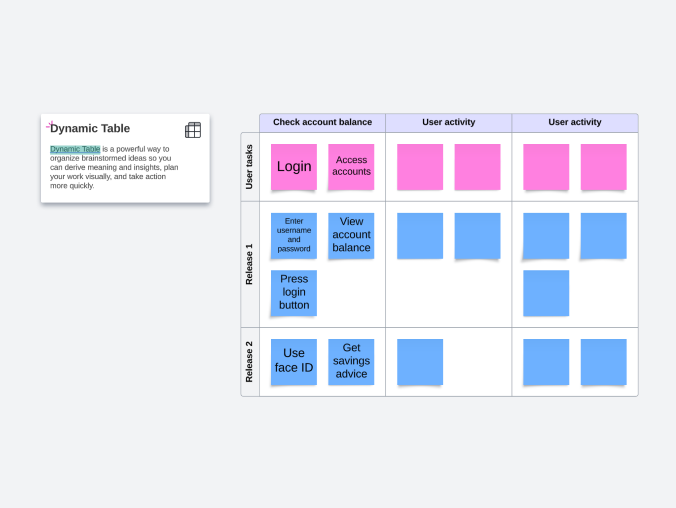
In Lucidspark, you can carry that work directly into execution by breaking features down into sprint-sized tasks using timelines or Dynamic Tables. This is a satisfying part of the process because you'll see how a brainstorm can lead to clear, bite-sized tasks assigned to team members. Better still, when everyone participates in user story mapping, they understand how smaller tasks serve the larger picture of the user experience, which can add clarity to the whole process.
Challenges of user story maps (and how to overcome them)
Here are some common challenges associated with user story maps, along with some tips to address them:
-
Your map is too generic or too detailed: There's a happy medium in how much detail to include. If your team isn't on the same page, you might not have enough detail, and you need to add more until everyone is aligned. If your team is becoming confused, then the steps are too detailed. Use simple language to minimize the risk of becoming too detailed.
-
You don't know your users: If you don't know who your users are, you can't make a map for them. Use demographic data to understand who's using your product.
-
Your map is out of date: Creating a map on a cloud-hosted environment makes it easy to update anytime, anywhere. Cloud-based collaboration can also make it easier to keep stakeholders involved over time, whether they're co-located or remote.
-
You don't know why your product exists: This is a big problem. If you don't know what problem your product solves, you can't build a story map to determine how to solve it.
Next steps after user story mapping
Once the user story mapping exercise is complete, relevant stakeholders will usually review the mapped activities and stories. Remember that nothing is set in stone—you can and should make changes where needed. After all involved parties have agreed on a final user story map, the production team can begin development.
To get started, you can leverage any of the following diagrams and processes:
-
Quality function deployment: Develop a framework focused on addressing customer needs with this methodology.
-
Product backlog: Take a look at what you have in the pipeline for projects and identify levels of priority.
-
Product roadmap: Identify your product goals for the future.
-
Scrum or Kanban boards: Visualize which employee is in charge of each task, clarifying what's in progress, what's complete, and what's still to do.
-
Customer journey mapping: Take a closer look at the customer journey to guide decisions for the product or the business at large.
User story mapping is a useful practice for visualizing which work should be executed first to create the most effective end product. While it can be tempting to treat story mapping as extra, it's often a key step for uncovering user pain points and motivators early, before they become expensive rework.
In Lucid, teams can collaboratively build a user story map to increase customer understanding and strengthen alignment.
Try for free