Meeting outline in collaboration with Zoom
Note: For all Lucid plan types
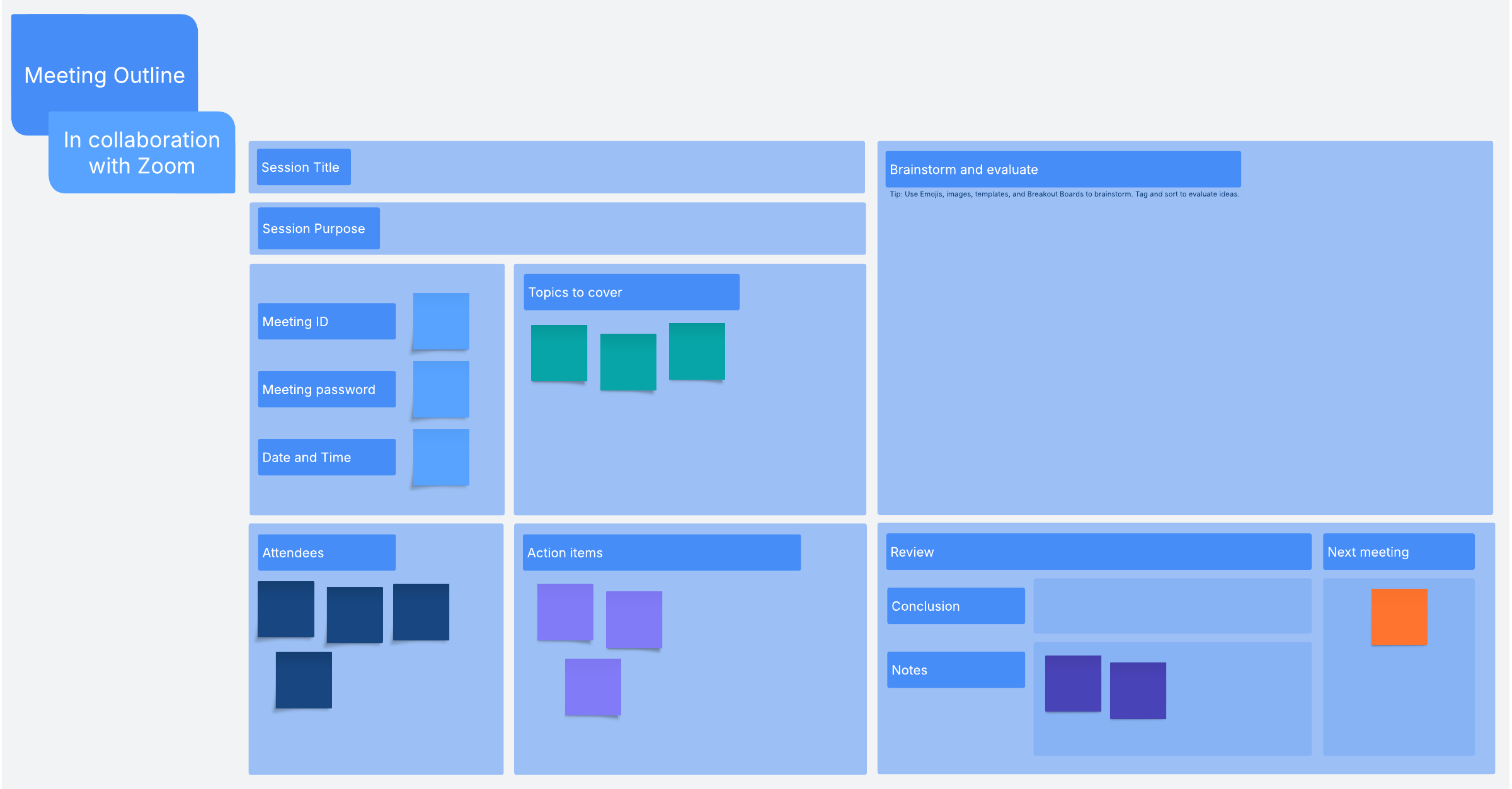
Created in collaboration with Zoom, use this template to plan and execute meetings.
Keep your Zoom meeting organized with a meeting outline template
If you have an important Zoom meeting coming up, use this meeting outline template to keep track of the specifics, make sure the proceedings run smoothly, and encourage participation. When everyone participating in the meeting has access to this template, you’ll all be able to stay on the same page, literally, in real time.
Lucidspark, our customizable virtual whiteboard, offers easy integration with Zoom, so you can seamlessly use our meeting outline template during your Zoom meeting. This means you’ll have access to all of Lucidspark’s handy collaboration features without the hassle of having to switch between screens or applications.
All of these perks make our meeting outline template the perfect tool for facilitating hybrid or remote team meetings in which you need to brainstorm, gather feedback, or make group decisions.
How to use Lucidspark’s meeting outline template to improve your Zoom meetings
To use our meeting template to greatest effect, begin by preparing before the meeting begins. In the template, be sure to:
- Title your session and state the purpose of your meeting.
- Include the Zoom Meeting ID, the Zoom meeting password, and the date and time of the meeting.
- List topics to cover and attendees.
Note: Be sure that everyone participating in the meeting has installed the Lucidspark app for Zoom before the meeting starts.
Once you’re in the Zoom meeting you can open the Lucidspark app—without leaving the Zoom interface—and share your meeting outline from your Lucid documents home page with all your participants. Then, during the meeting:
- Use Lucidspark images, emojis, GIFs, icons, Voting, or Breakout Boards to make the session interactive and collaborative.
- Evaluate ideas by Tagging and then Gathering based on themes.
- Record action items, jot down any notes, and answer any remaining questions.
- Schedule your next meeting using Zoom and Lucidspark.
As everyone collaborates in the same space, you’ll be able to swiftly communicate effectively and have access to a wider variety of feedback and participation than you would during a traditional meeting. You’ll also have a handy record of the meeting that you can then use for future planning.