Key takeaways
-
A business process repository is the backbone of efficient organizations. Teams save time searching for critical documentation, and they have a single source of truth that they can rely on to get the context they need, when they need it.
-
Process repositories connect knowledge silos. When everyone can access relevant information, knowledge is disconnected from any one individual, meaning that as teams evolve, everyone still has access to pertinent information.
-
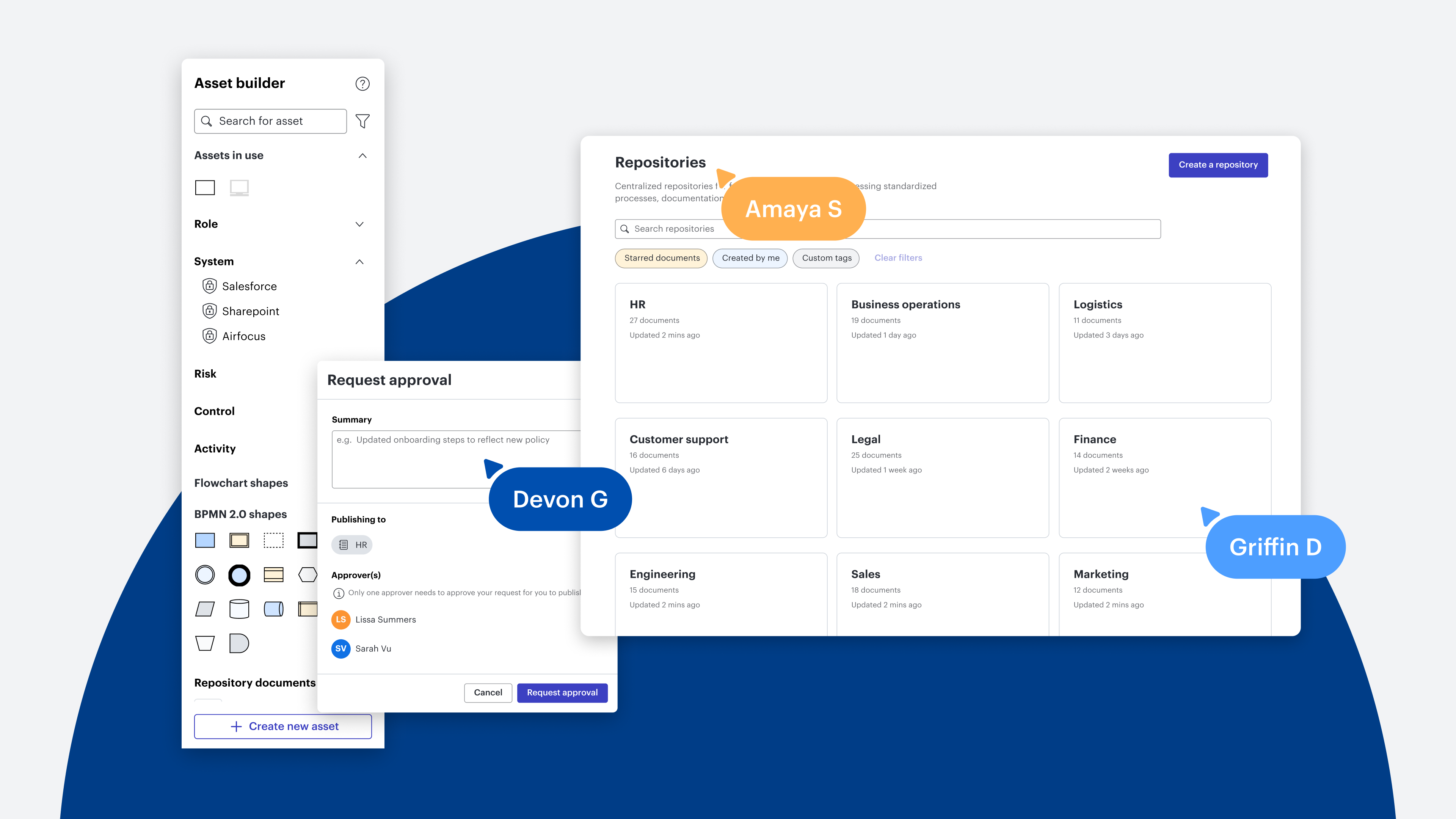
Lucid’s Process Accelerator provides the collaborative tools and built-in approval flows needed to organize, launch, and maintain a high-quality process repository.
Have you ever been on a call, eyes fixed on a shared screen, while the presenter navigates a canvas with vital project information, only to find yourself later in a frantic search for the document? You have no choice but to send messages, dig through files, and wait for a response. Time is wasted, and momentum is slowed.
This scenario is unfortunately all too common for many teams. The reality is that managing scattered documentation is a big challenge for organizations. In fact, a study commissioned by Lucid revealed that the number one barrier to following established processes is the lack of adequate documentation and knowledge of where this documentation lives.
The solution isn’t mapping out more processes; it’s creating a process repository. When important information is scattered, alignment becomes nearly impossible. A process repository is a centralized source of truth to house critical documents, processes, and workflows.
We sat down with Kinsley Gerks, solutions consultant at Lucid, to hear her tips and proven best practices for how she helps our customers create, structure, and maintain a process repository. Follow along to learn how you can make information more accessible within your organization and collaborate with confidence.
Benefits of a process repository
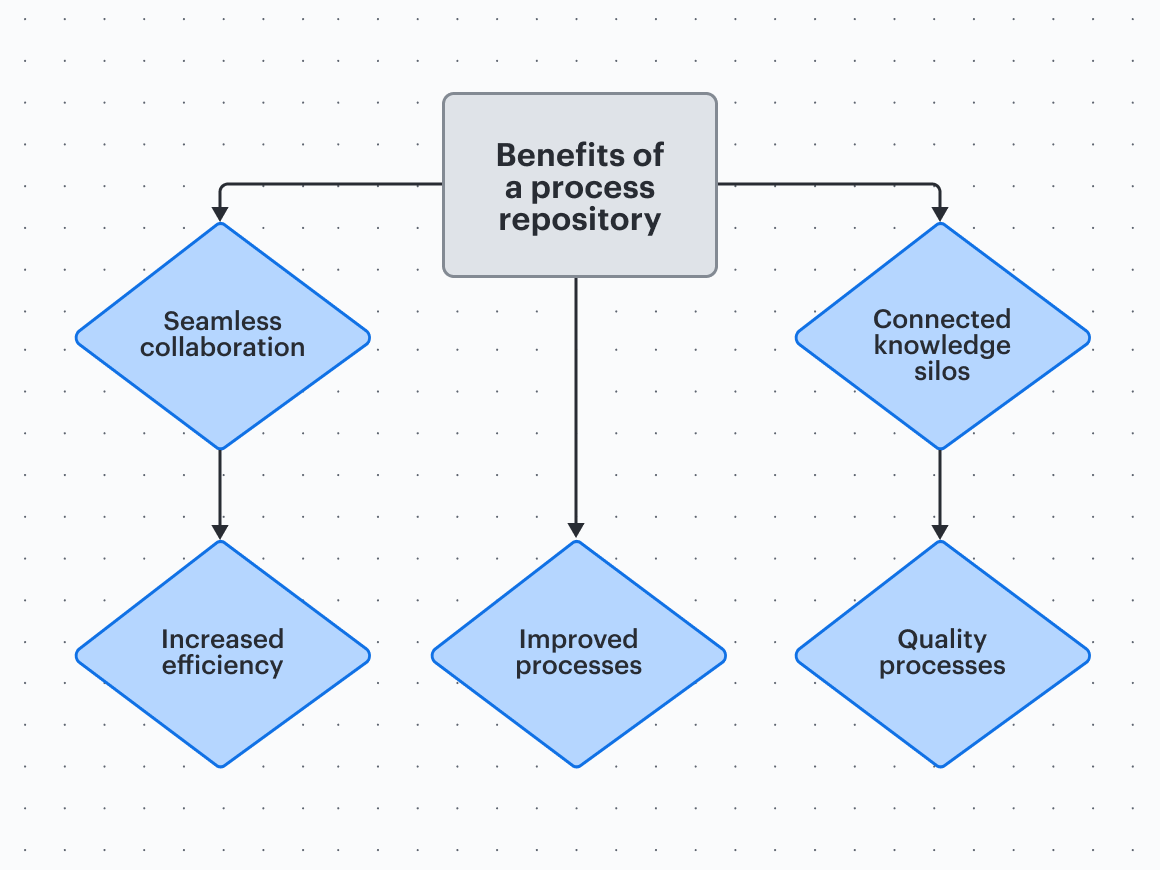
The initial thought of sourcing and centralizing every important document across your organization might sound like a logistical nightmare. However, it's a strategic investment with exponential benefits.
The burden of documentation shouldn’t fall on one person’s plate. The Lucid Work Acceleration Platform is specifically designed to make creating and maintaining documentation a collaborative and straightforward process. More than just filing documents, building a centralized document repository is for creating lasting organizational alignment. The benefits of a process repository include:
-
Increased efficiency: Eliminate wasted time searching for files, deciphering outdated information, or asking for clarification. Knowledge is immediately accessible, freeing up time to focus on high-value work.
-
Seamless collaboration: A centralized document repository ensures every stakeholder is working from the same, up-to-date source. This removes confusion, speeds up decision-making, and keeps projects running smoothly.
-
Improved processes: Housing all workflows and documents in one place makes it easier to identify bottlenecks, measure performance, and iterate to drive continuous process improvement.
-
Connected knowledge silos: Critical processes are documented, visualized, and shared. This disconnects information from specific individuals and makes it available to all. That way, when employees transition to new roles or leave the organization, the critical information stays.
-
Quality documentation: Processes that make it to the repository are more reliable because they’ve been through the necessary approval flows that ensure compliance and consistency.
Process repository best practices
1. Organize
How are processes currently organized within your organization? The key here is to match the repository to an existing structure so that it is familiar to employees. You can either structure your process repository by organizational structure (department) or by value stream (capability). Depending on your business, one will likely make more sense over the other.
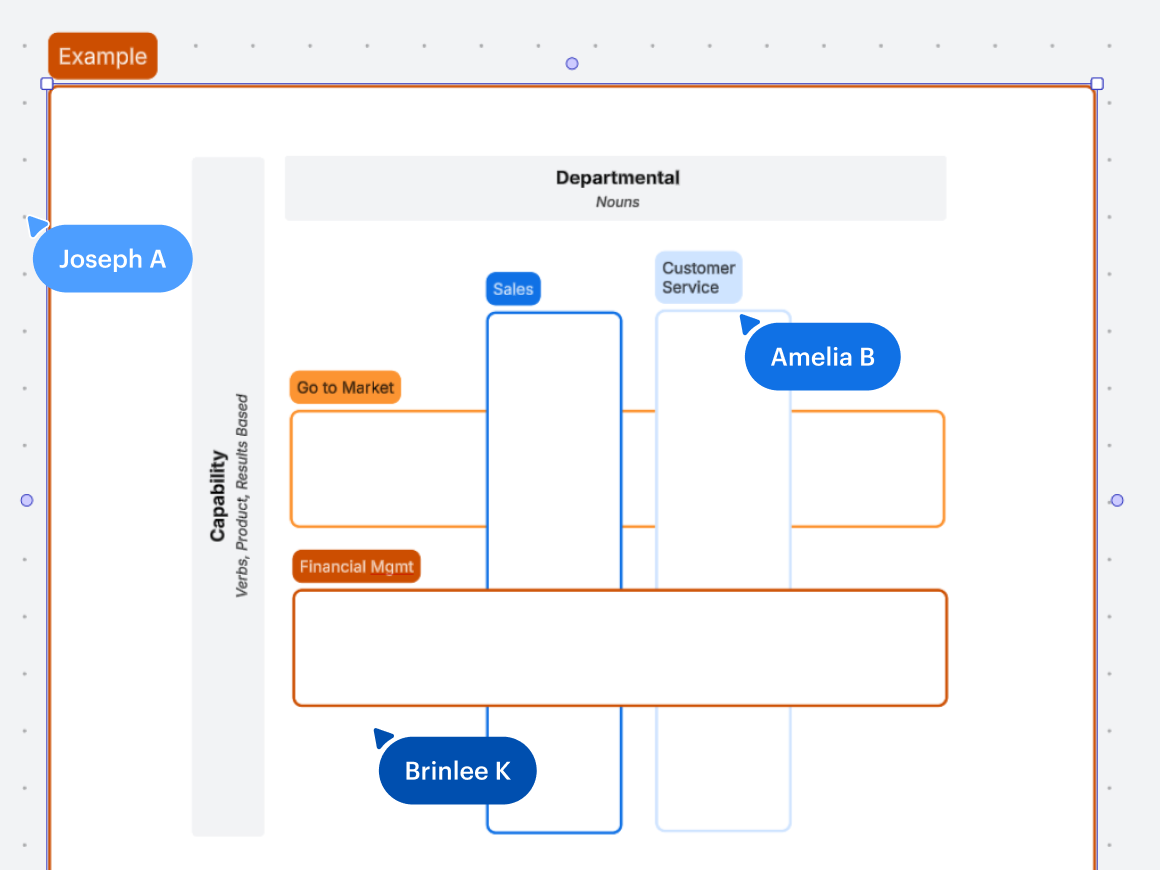
Identifying your team’s process priorities beforehand will help identify how to organize your repository. If this isn’t super clear, consider using our prioritization matrix and discussing possibilities with your team.

2. Evaluate
Once you’ve decided how to organize your document repository, you’re ready to evaluate your processes and decide where to break them down into subprocesses. Start with the broad, more well-known processes first. This will help build confidence and provide a framework for the more intricate procedures.
Note that procedures will exist within processes, so you may need to check if it makes sense to create documentation on that.
For example, a marketing team has many processes. One of the larger processes within marketing is content creation. Within the content creation process, more specialized or technical subprocesses may exist, such as publishing blog posts, sending emails, writing case studies, creating ads, and more. These processes could all be broken down into subprocesses. This ensures that the main processes remain clear while providing detailed information for more specialized tasks and workflows.
“Before going down the rabbit hole of defining all the levels of sub processes and tasks, it is important to set up a framework for how you are defining your repository.”
—Kinsley Gerks, solutions consultant, Lucid
3. Consistency
A business process repository is only effective if everyone understands how to use it. When you have distributed teams, establishing a shared language is vital for eliminating miscommunication.
Gerks recommends:
-
Standardizing your repository with a template to ensure every element is uniform.
-
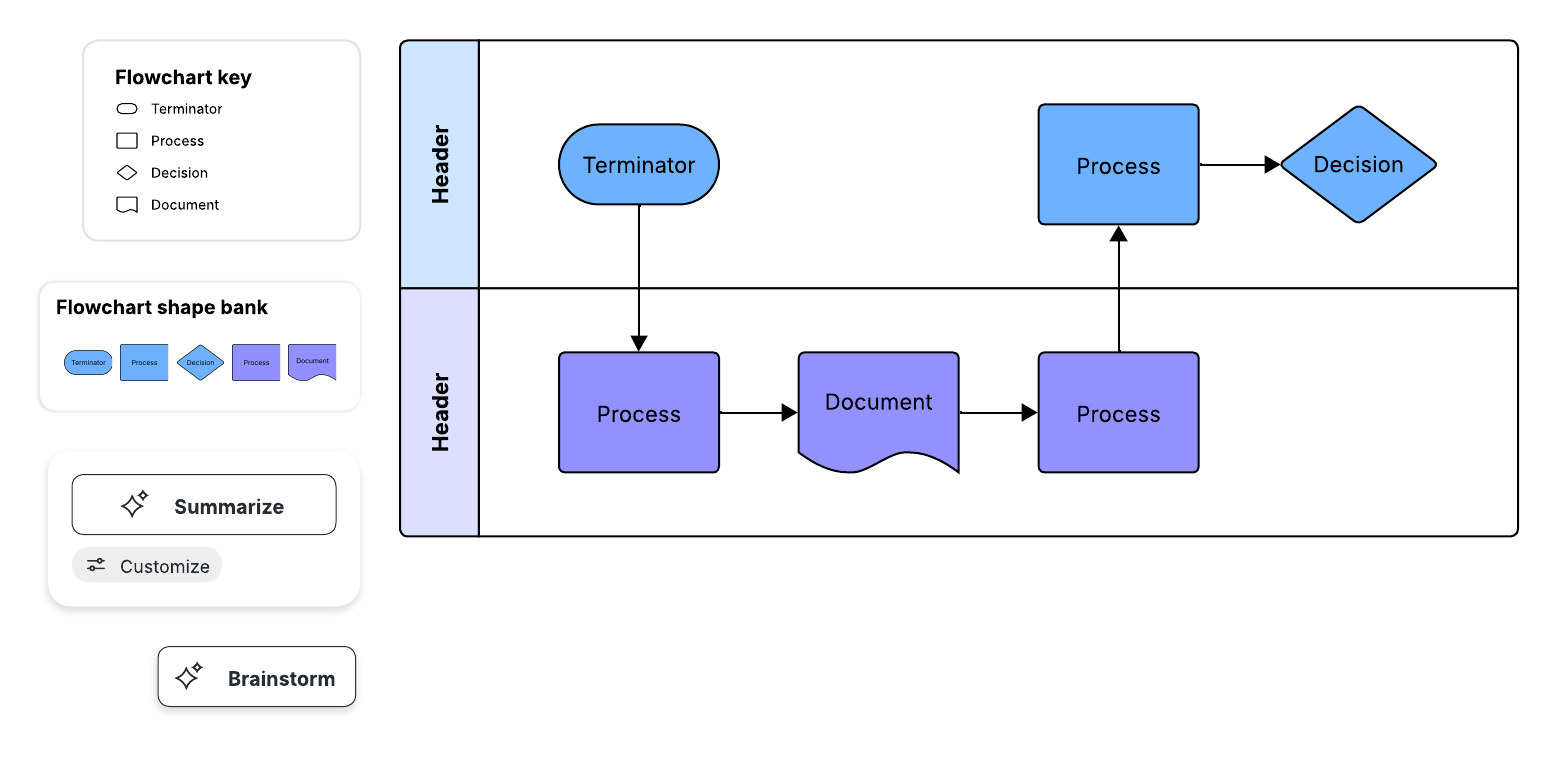
Creating a unified set of custom shapes and an official theme that uses consistent color palettes.
-
Adding a repository key that defines symbols, colors, and terms used throughout the canvas.
-
Using standard naming conventions, making it easy for people to reference the repository.
-
Leveraging conditional formatting to incorporate consistent visual callouts that add detail to your processes.
4. Share
Possibly the most important step after the repository is built is sharing it so that people can see it and learn how to use it. If your process repository is in Lucid, we recommend leveraging integrations like Slack, Confluence Cloud, Microsoft Teams, and other apps where your team is already working. Building the repository is half the battle, and visibility and adoption are the other half.
Once the repository is shared, consider scheduling brief, focused training sessions to demonstrate where to find the repository, how to navigate it, and why it’s valuable. This will establish the single source of truth and become something that your teams actually want to use.

Explore all of Lucid’s powerful integrations.
See now5. Governance
The true value of the process repository is tied to its accuracy. Establishing clear ownership of the repository is imperative for maintaining it. If too many people have edit access, it is harder to control the information.
Here’s how to effectively manage governance:
-
Designate a repository owner. Who will be in charge of creating and sourcing documentation for your organization? Often, these are individuals in middle management.
-
Empower SMEs to suggest changes. Let SMEs know that they can request changes as they see fit. These requests will then be reviewed by the repository owner before anything is approved.
-
Implement a review schedule to make updates. Set a consistent review cadence. This is when the repository owner will assess current processes against stakeholder feedback, ensuring the documentation remains accurate and adaptive to evolving organizational needs.
6. Feedback and refinement
Once you’ve launched your repository and your organization is actively using it, establish a habit of capturing feedback. This ensures that any changes accurately reflect how your teams work and incorporate any new processes.
Feedback from repository users is your most valuable asset. And when you implement that feedback, it guarantees that the repository remains trusted, used, and valued.
There are various ways to capture feedback about your process repository. If you’re using Lucid’s Process Accelerator, you can streamline feedback and approval flows directly within the repository. You could also create a visual activity to collaboratively prioritize changes and determine focus areas. Additionally, in-document comments are another quick way for stakeholders to leave their thoughts.
Investing the time and resources to create a unified document management repository transforms how documentation is managed, maintained, used, and stored across the organization. The Process Accelerator maximizes this investment by drastically improving efficiency.
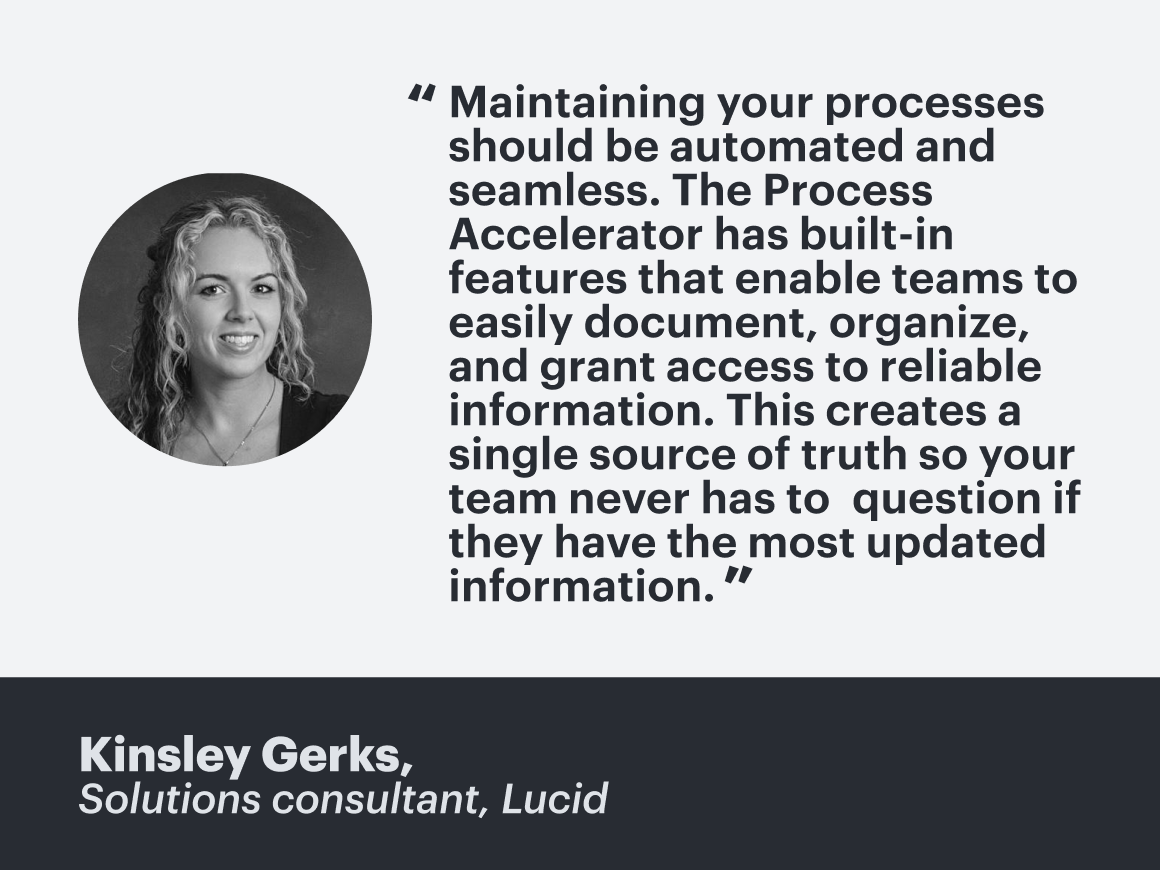
With built-in approval flows, automatic sharing, and customized access controls, the accelerator streamlines stakeholder reviews and the creation of new documentation. In turn, your organization establishes a single source of truth that teams can trust for understanding and following critical business processes.

Explore all of Lucid’s powerful integrations.
See now