We don’t need a crystal ball to predict that the future of the workplace is hybrid.
Besides the plethora of data available that shows what we already know about hybrid work (that employees not only prefer but expect flexibility), we’re finally coming face to face with the reality that teams never will be—and never really have been—100% in office.
Consider these scenarios:
-
You have employees away from their desks because they’re traveling to events, picking up their kids, out sick, or on vacation and need a way to stay in the loop.
-
Your company has a large campus, so employees may have to collaborate with colleagues who are technically “in office” but are working several buildings away and are difficult to reach.
-
You have offices in other countries, where trying to schedule real-time meetings is a pain and inconvenient for at least one group.
No matter what your hybrid workplace model looks like, it’s time to enable it properly. In this guide, we’ll share how to set up both your physical office space and culture to maximize collaboration.
Ongoing challenges in hybrid collaboration to address
Hybrid work isn’t a new concept, but we still haven’t fully figured it out. Many organizations have a handful of helpful tools (likely adopted during the pandemic) but haven’t figured out a long-term strategy. What challenges persist today? The following are the greatest areas where we still see room for improvement:
-
Too many inefficient, inequitable meetings: Many companies still view meetings as the only way for hybrid teams to collaborate, leading to virtual meeting fatigue. All too often, these meetings start (and end) late due to either technology issues or poor meeting facilitation. Plus, hybrid meetings can be especially poor experiences for remote attendees if they can't properly see and hear everyone in the room.
-
Accommodating different time zones: Having employees spread across the globe dramatically boosts diversity of thought and innovation, but it’s not always easy actually bringing everyone together to share ideas and plans.
-
Lack of standardized technology: Collaboration is difficult if remote and in-office participants aren’t using the same tools—and if every meeting room doesn’t use the same tech, employees may struggle to “learn” new technologies just to begin a meeting.
-
Difficulty sharing content or accessing resources: For hybrid collaboration to work, all employees need equal access to information. If key details are shared only verbally or it’s unclear where to find information, employees will feel out of the loop, and projects will likely take longer.
All of these challenges can leave employees feeling frustrated, undervalued, and uncommitted. And when employee morale sinks, attrition skyrockets.
According to a recent Lucid survey, opens in a new tab, most organizations aren't doing enough to address these challenges. The survey results show that:
- Only 43% of respondents say their organization has implemented digital collaboration tools.
- 39% say their org has equipped meeting rooms with technology to support both remote and in-office team members.
- 37% report that their org provided hybrid facilitation or collaboration training.
- 34% say their organization has created hybrid meeting guidelines.
The good news? Even though we don’t have all the answers to hybrid work, we do have a few proven ways to start addressing these challenges.
“Any team or company that can’t figure out how to ‘hum’ in whatever type of work environment they’re in will see struggling performance, high conflict, quiet quitting, lack of drive or ownership, and ultimately high attrition rates.”
—Ellen Thompson, director of learning, development, and inclusion, Lucid
The hybrid office: How to set up your space for maximum collaboration
The office will never be the same as it was pre-pandemic. And quite frankly, this is a good thing. Remote work has taught us many valuable lessons, and employees’ expectations around the workplace have changed dramatically.
In order to get the most out of your hybrid workplace, you need to be intentional about how you set it up—from the types of technology you use to how you design the office space.
Technology considerations
Before you start buying new tools, take inventory of what software and hardware you currently have. Note whether you have multiple tools doing the same thing—or if there are major gaps that no tool is filling. Are there opportunities to consolidate tools? What challenges are your remote team members facing with the tech? And your in-office team members?
“It’s important organizations understand the need for hybrid tools even in heavier return-to-office settings. There will be a need for video conferencing and live collaboration with people in differing locations, along with a need for tools enabling asynchronous work.”
—Kristen Sewell, senior design UX manager, Post-it®
As you work through your audit, keep the following technologies in mind for your hybrid office:
-
Cameras, microphones, speakers, and touchscreens: For a truly effective hybrid office, every meeting space needs to be equipped with high-quality cameras and speakers—and, in many cases, interactive touchscreens. It’s crucial that remote attendees can see and hear in-person attendees, and vice versa. For instance, the Board 65 by Avocor is designed with hybrid collaboration in mind—providing an interactive touchscreen to engage in-person colleagues with optimized audio and video quality to ensure remote participants are an equal part of the conversation.
-
Meeting software: To simplify the meeting experience, be sure the entire org is using the same meeting software—whether that’s Google Meet, Zoom, Webex, or another option. Standardizing tooling eliminates time that would be spent on installing or learning new software, so teams can jump right into valuable discussions.
-
Visual collaboration: Use visual collaboration solutions like virtual whiteboards and diagramming software to give hybrid teams a common working space to collaborate. Teams can use the infinite canvas to ideate, plan, and prioritize during meetings—and keep working in the same canvas asynchronously to stay aligned.
-
Digital collaboration tools: Hybrid collaboration is (thankfully!) about more than just meetings, so we recommend supplementing your physical office space with digital collaboration tools—like document management tools, video recording software, or project management software—to keep teams working together asynchronously.
The most important consideration for your hybrid office? How well the tools work together. Make sure your hardware and software technology integrate to ensure a seamless experience for both remote and in-office employees.
“I’ve seen a lot of scenarios where companies have a hardware stack and software stack, but they don’t necessarily work together. Consequently, employees are walking into a room and having a difficult time getting a meeting started on time.”
—Jeff Boggess, director of product marketing, Avocor
See an example of how teams can integrate their meeting software, hardware, and visual collaboration platform to create an engaging hybrid experience for in-office and remote employees:
Designing the hybrid office
The right technology on its own isn’t enough. To truly enable your hybrid workforce, you have to be intentional about how you incorporate this technology into your overall office design.
Historically, many of the major decisions made around workspace design, such as setting up conference spaces or purchasing desks, were based on headcount.
Now, hybrid workplace design decisions should be centered around creating space for different needs—whether that’s quiet focus time, interactive brainstorming space, large gatherings, or anything in between. Ian Spencer, Lucid’s real estate and facilities manager, suggests that organizations look at the office as a tool to enable collaboration, not just a place to do work.
It’s time we take everything we think we know about an office and throw it away.”
—Ian Spencer, real estate and facilities manager, Lucid
A recent study showed that employees’ top three priorities in the office are hybrid collaboration spaces (64%), single-person enclaves for hybrid meetings (62%), and privacy (61%).
These priorities represent the wide variety of hybrid collaboration scenarios employees may experience: Maybe the entire team is in the office except for a couple of people who dial in remotely. Or, maybe the team is largely dispersed other than a couple of in-office employees who need a private space in the office to meet virtually with their teammates. Or perhaps the entire team is remote but needs to travel to the office for quarterly planning sessions.
So, how can we design the hybrid office to accommodate employees’ needs and, ultimately, make the office a desirable place to work?
-
Design it for a variety of activities—not just traditional conference room spaces. Start by making a list (with employee input, of course) of the different types of activities teams do on the day-to-day that the office needs to accommodate. “For example, we have some call rooms that were built out for people on calls who need quiet areas, lounging spaces for teams to come together organically, hot desks so project teams can be near each other, and training spaces for more formal experiences,” Spencer explains about Lucid’s office set up.
-
Then, make sure you’re equipping the spaces with the appropriate technology. Consider how to support each space with hardware such as cameras, microphones, speakers, and touchscreens. For instance, it may make sense to mount an interactive touchscreen on the wall in some meeting rooms but keep the touchscreen on a mobile stand in other areas that require more flexibility. And for spaces without an interactive whiteboard, give your teams a way to easily transition analog collaboration (like handwritten Post-it® Notes) into digital formats. “The Post-it® App, opens in a new tab does the digitizing and allows for continued work in a digital format within the app or exported to other digital tools, like Lucidspark, to build upon those in-person or hybrid collaboration sessions,” said Sewell.
-
Our last tip here? Promote an environment of continuous feedback. “Teams need the opportunity to experiment with and provide feedback on different room formats, meeting styles, and technology,” said Boggess. By being open to feedback, you’ll be able to continuously improve your office space to best fit your unique hybrid workplace.
View the webinar below for more tips on creating engaging workspaces for distributed teams.
Hybrid culture: How to create the right conditions for maximum collaboration
Once you’ve configured your technology, you need to configure your culture for collaboration. What do we mean by that? Let’s take a look.
Prioritize digital-first collaboration
Regardless of what hybrid work looks like for your organization, you’ll need a way to keep all employees aligned: remote, in-office, and those who simply miss conversations due to illness, travel, or other reasons. This is where digital-first collaboration comes in.
Digital-first collaboration—an intentional workplace strategy that prioritizes digital means to ideate, plan, and communicate throughout projects—naturally leads to increased transparency and alignment. It doesn’t replace live discussion but rather supplements it with digital artifacts that serve as a blueprint of the business.
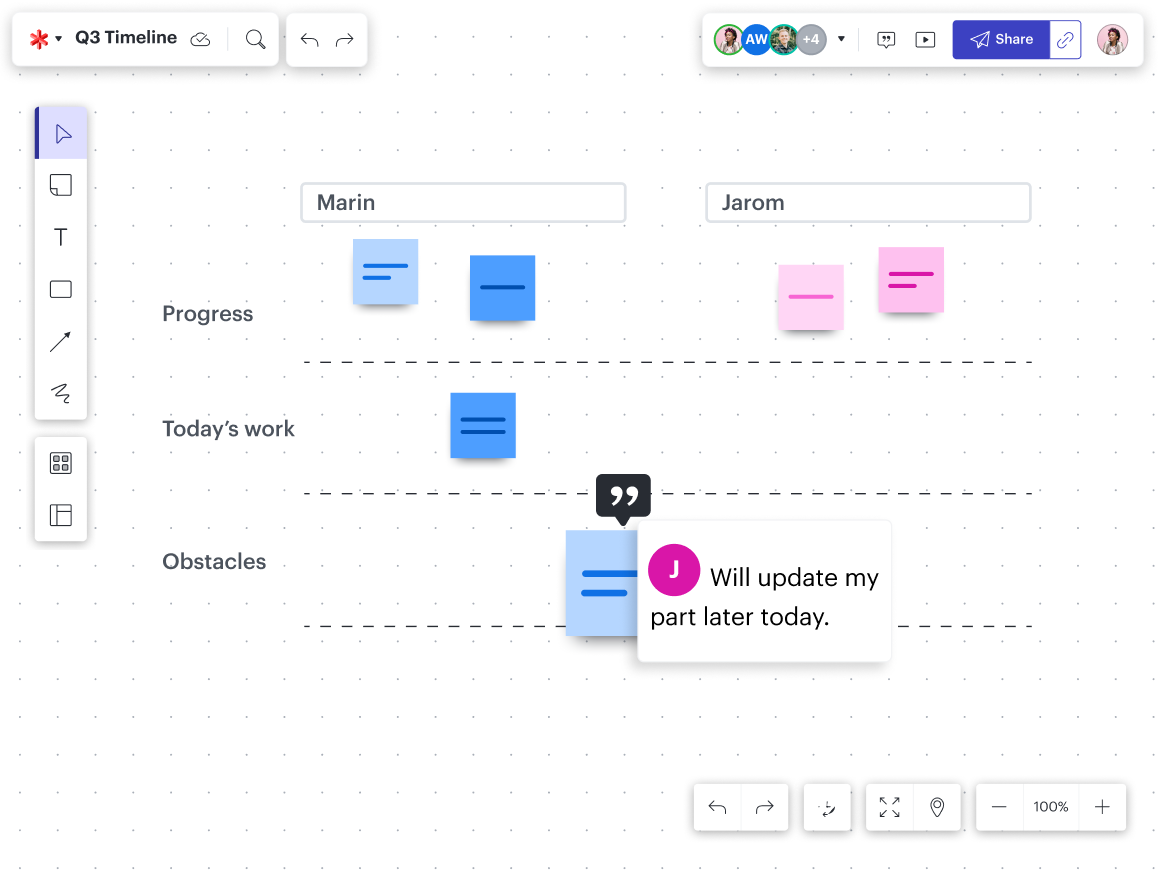
For example, a team that prioritizes digital-first collaboration may have an agreement that they always use a virtual whiteboard or shared document to record notes, ideas, or action items during recurring team syncs. Not only does this method allow teams to easily capture the input of every team member, but it also gives them a digital record of their conversations and decisions to reference back at any time or share with those who may have missed the meeting.

Guide to digital-first collaboration
Digital-first collaboration is more than just using a few digital tools. Learn how to fully integrate digital-first into your culture.
Learn moreSet and standardize organizational best practices for hybrid collaboration
Don’t leave your organization guessing on how best to collaborate. You can eliminate ambiguity and create consistent, equitable experiences by standardizing practices across your hybrid workforce.
Here are a few examples of best practices to get you started:
- If at least one person is remote, everyone should use their individual laptop camera and the conference room’s shared audio.
- Keep the microphone in the meeting room on at all times.
- Include an agenda in the meeting invite so everyone can prepare ahead of time.
- Designate an in-person advocate for remote team members (and ensure they know who this person is).
- Use breakout rooms (and breakout boards in Lucid) to facilitate small group discussions.
- Actively call on remote attendees to get their opinions.
As you standardize how your organization can collaborate, be sure to also articulate the why. For instance, you may explain that in-office participants should keep the microphone on because going on mute can unintentionally make remote team members feel left out (especially if you have side conversations in the meeting room). By including your reasoning, team members are more likely to follow the guidelines.
You’ll also want to be sure you’re making this information easily accessible and widely known. At Lucid, we have printouts of our hybrid meeting best practices in every meeting room so employees can begin each meeting with these in mind.
Regularly check in as team members put these practices into action. “Encourage teams to provide feedback on what works and what doesn’t,” said Boggess. “This could involve adjusting camera angles for better inclusivity, experimenting with different meeting cadences, or trying out new interactive features available on your collaboration platform.”
You likely won’t nail the perfect policy right off the bat—but by involving the entire organization, you can continually improve these over time.
Create team-level working agreements
While establishing best practices at the organizational level is key for consistency, team-level best practices are where the real magic happens. According to a recent Gallup report, “...hybrid employees are most engaged when their team collaboratively determines their hybrid work strategy.”
When a team co-creates its own standards, every team member feels a greater sense of ownership and accountability in upholding their commitments.
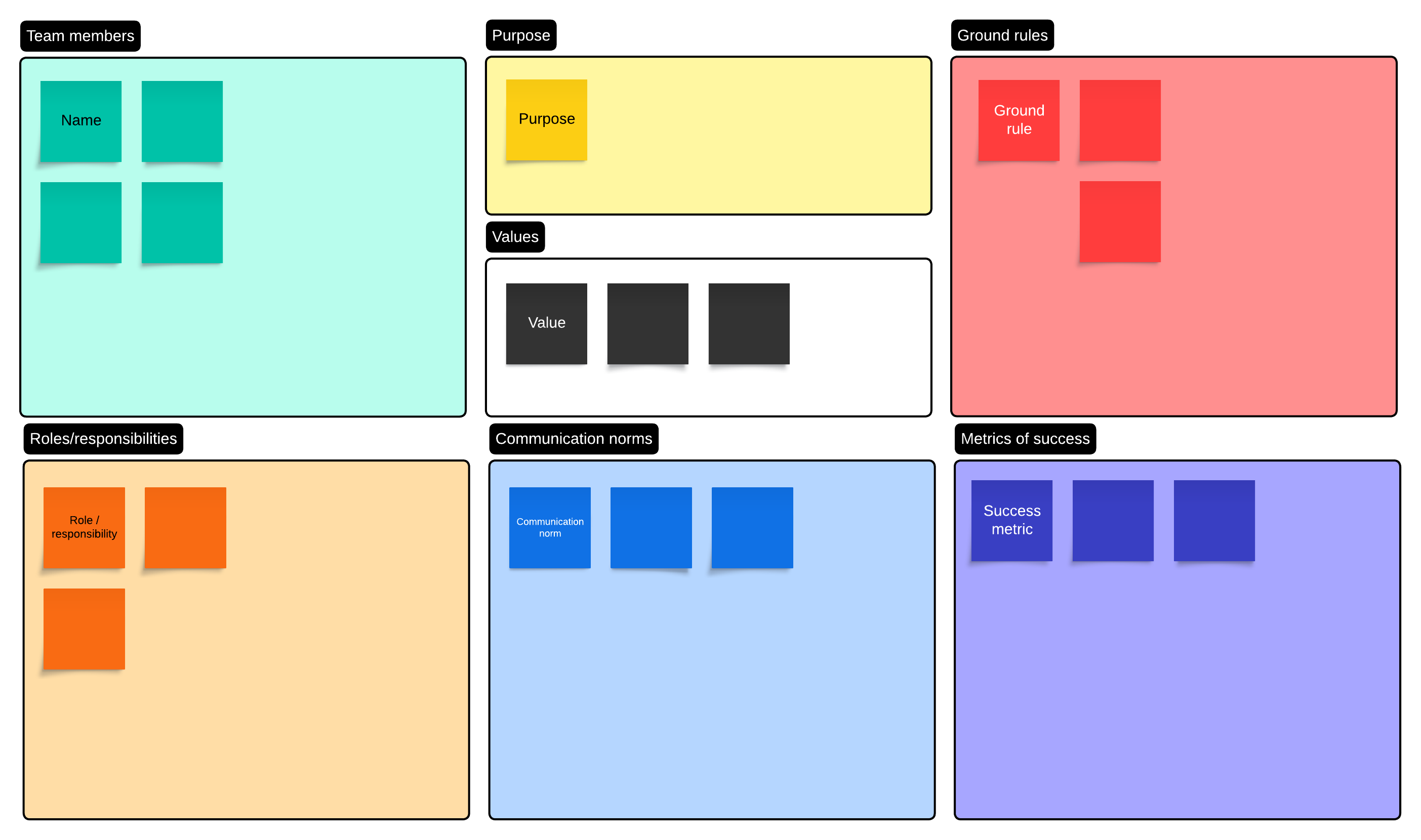
These working agreements may look different for each team, but you’ll likely want to include:
- Team working hours and time zones
- Where to share information and updates
- Expectations for response times
- When to work live vs. asynchronously
- Camera expectations for video meetings
Keep this team agreement in a centralized location and revisit it frequently to ensure the practices are still working for your team.
Focus on experiences, not meetings
Effective hybrid collaboration goes beyond meetings.
Start by looking at each cultural touch point—whether it’s a program, meeting, training, or event—and assess the goals, staffing resources, time available, team context, and budget. From there, you can make an intentional decision about whether this experience should be in person, fully virtual, hybrid, asynchronous, or a mix of formats.
By making a deliberate choice on what format would be the most effective, you can properly enable the experience with the right tools and expectations.
“For remote employees, meetings may be their only time to experience any ‘macro culture’ your team, department, or company is trying to create,“ said Thompson. “It’s not just a meeting—it’s an experience.”
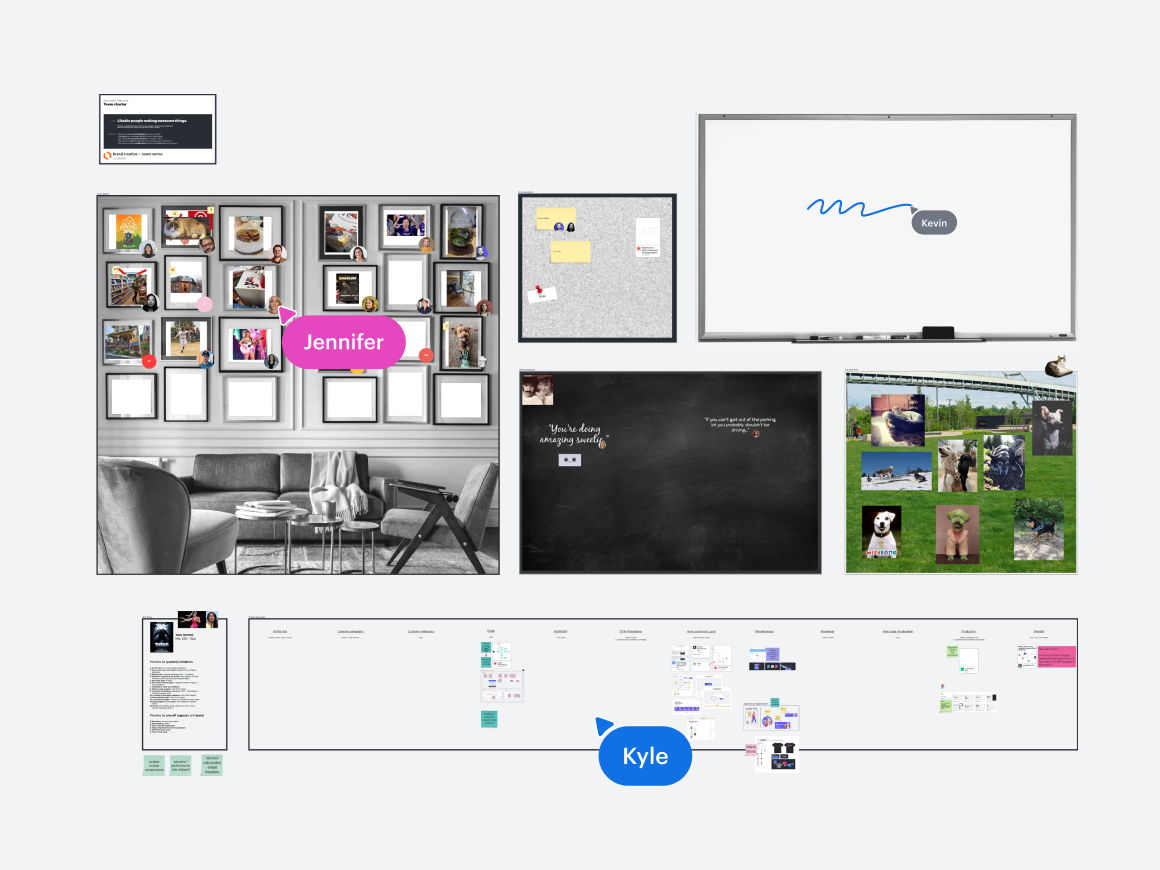
At Lucid, we’ve intentionally created interaction between employees by having dedicated Slack channels as companion experiences to meetings (like a Slack channel for the entire company to chat into, ask questions, and celebrate with each other during our all-company events).
In addition to creating a sense of community between the entire company, be intentional about creating a feeling of community between in-person and remote team members (such as with a virtual space to share personal updates) as well as between in-office employees (such as casual lounges for connecting).
It’s also important to consider that some experiences are just more efficient, more equitable, and admittedly more enjoyable when done asynchronously. By taking some activities (like providing project feedback or status updates) to an async format, you can accommodate the needs of hybrid teams while reducing meeting fatigue.

Asynchronous collaboration guide
Learn what tools and strategies are needed to embrace asynchronous collaboration for your hybrid team.
Get the guideBear Shelton, senior manager of customer education at Lucid, recommends using visual collaboration software like Lucid in tandem with video recordings through Loom to explain concepts asynchronously or to present on a topic when you know you won't be able to join a meeting or session.
The ability to collaborate async or provide a live update when you can't be present helps us eliminate more unnecessary meetings—and streamline the ones we do have.”
—Bear Shelton, senior manager of customer education, Lucid
Help employees cultivate hybrid collaboration skills
80% of hybrid workers have not received any formal training on how to best work in a hybrid environment. And while most people have the best intentions, this skills gap can lead to major problems like inefficient meetings and inequitable collaboration.
The good news is that effective hybrid collaboration is a skill set we all can develop and improve. It’s the organization’s responsibility to provide this education, whether that’s through on-demand videos, resources, guides, or live training.

The most important workplace collaboration skills today
Get tips, resources, and courses to improve your collaboration skills.
Go nowA few of the areas to focus on include:
- Facilitating equitable hybrid meetings
- Making strategic group decisions
- Using conferencing tools and digital collaboration software
- Working cross-functionally
- Creating documentation
“In tandem with training, curate a ‘try it out’ mentality,” said Thompson. “If there are new features or functionality in a tool, give it a go! And most importantly, ask for feedback from multiple participants to see how it went for them.”

Hybrid collaboration course
Through a series of videos and practice activities, learn how to cultivate focus, trust, and equity for a hybrid team.
Start nowImprove collaboration among your hybrid workforce with Lucid
With the Lucid Suite, teams can collaborate on a shared, infinite canvas while working from anywhere—live or asynchronously. In our latest user survey, 86% of users said that Lucid increases collaboration among hybrid teams, and 83% cited an increase in alignment.
With Lucid, hybrid teams can:
-
Effortlessly document everything from project plans and priorities to technical systems and architecture in one central repository.
-
Make hybrid meetings more efficient and equitable with facilitator tools, voting, and Visual Activities.
-
Choose from over 100 integrations, including with your most-used apps and hardware like the Google Board 65 and Desk 27.

See why hybrid teams rely on Lucid
Maximize collaboration and alignment no matter what hybrid looks like for your org.
Learn more