Key takeaways
- Unlocking the true value of AI requires moving past transactional prompting and treating AI as a collaborative specialist and team member.
- AI is a catalyst that boosts collaboration and automates routine tasks, freeing human teams to focus on high-value tasks and strategy.
- To prepare for powerful human-AI collaboration, teams need to first understand their own workload and processes, establish jurisdiction boundaries, and plan for a supportive cultural shift.
You don’t need stats to know that AI is everywhere, but Lucid’s data reveals that AI is also becoming commonplace in collaboration, specifically. Over the past year, intelligent feature usage on our platform has surged by 67%. To put that into perspective, what was considered a novelty just a few years ago is now standard practice. Today, one in three documents created in Lucid are intelligent, powered by data-linking features or AI.
While all the stats confirm high AI usage, most organizations still approach it purely transactionally, treating the technology like a calculator where you type in a prompt, get a single answer, and start fresh. However, as AI tools rapidly evolve past the limitations of a single session to become more robust and context-aware, the industry itself is shifting. To leverage the most value from AI, our collaboration must shift too. Teams need to move beyond these one-off interactions and adapt to a more continuous, integrated way of working.
As Jeff Rosenbaugh, Sr. Director of Professional Services at Lucid, elaborates, “The way most teams collaborate with AI today is leaving most of the value on the table, and the shift from tool to teammate is how you unlock it.
The goal isn't to simply adopt AI, but to make it a true partner that understands your team's history, workflows, and goals. The future is clear: Collaboration will require humans and AI agents to work together. Human-AI collaboration will, at some point, be known simply as collaboration.
We chatted with Rosenbaugh and Christopher Bailey, Director of Consulting Services at Lucid, about what this type of significant shift looks like in practice and how to prepare your organization for it.
Benefits of human-AI collaboration
When organizations start treating AI more like a strategic partner and less like a productivity hack, it will fundamentally change how teams think, innovate, opens in a new tab, and problem-solve. Here are three of its most significant benefits:
-
Up-leveled capability: Because AI can handle the heavy lifting of research, human employees can spend less time digging for information and more time analyzing it, innovating, and making important decisions.
-
Added diverse perspectives: Every team, no matter how diverse, experiences some degree of cognitive bias by approaching problems using the tools and frameworks they know best. AI changes this by offering perspectives and expertise you might not have represented on your team otherwise.
-
Scaled institutional knowledge: In a collaborative environment, experts can train AI agents, passing on their specific knowledge, context, and decision-making frameworks. This ensures that an organization's expertise is always accessible, even when a human expert is unavailable.
Perhaps one of the largest benefits? Our research shows that people who use AI are actually up to 30% more likely to engage in active collaboration the following week than the average person, and 57% say they primarily use AI to enhance collaboration. So in this way, AI isn’t a replacement for human interaction at all—it’s a catalyst for it.
Examples of human and AI collaboration in the workplace
So, what does truly effective AI and human collaboration actually look like? Teams must move away from a “low-trust” mindset, where they just delegate thoughtless grunt work to AI, and instead treat it like a junior specialist—someone you invest in, who retains context, and builds skill over time.
In practice, a team’s day-to-day interaction with an AI teammate relies on three types of collaboration:
Type #1: The connected contributor that carries information across workflows
Instead of starting from scratch with a blank prompt every time, a collaborative AI team member remembers the project’s history and context, understands your team's specific working style, and bridges the gap between ideation and execution.
What this looks like in practice: Think about the steps required to go from from a blank canvas to a formal diagram. You don't need to be a design or process expert to get started. Instead, an AI consultant like Lucid’s Process Agent can step in and do the heavy lifting. Acting as a proactive collaborator, the Process Agent can ask discovery questions to highlight crucial details you might otherwise overlook such as triggers, risks, and approval handoffs. By generating high-quality documentation for you, Lucid AI allows your team to skip the tedious build phase and get straight to analyzing, refining, and innovating.
AI generate a diagram
Type #2: The rigorous researcher who handles time-intensive tasks
While the human expert remains in the driver's seat, owning the final outcome, guiding parameters, and tweaking results, the AI team member acts as the specialist. Unlike humans, it excels at pattern recognition. In an instant, it can retrieve and sort information and immediately generate related documentation.
What this looks like in practice: LLMs and chatbots can do more than simply search the web for information and write text. Teams can use AI to instantly summarize massive user journey maps, complex technical diagrams, or hours of collaborative notes into a clear, actionable executive summary. Because AI is eliminating the time required to organize information, teams can move into action and do their best work.
AI summarize the canvas feature
Type #3: The persistent partner that bridges team gaps
Teams don't have to stall when they reach a project roadblock. Instead, they can consult their AI team member, who has been trained on important data and past project post-mortems. That way, workflows will maintain momentum without waiting for answers, context, or access to a certain folder or file. Rosenbaugh emphasized:
“It’s important to remember that your goal of incorporating AI should be about scaling expertise, not replacing experts.
What this looks like in practice: Imagine mapping out a new product launch mid-week, only to lose all momentum the next day when the lead technical architect gets sick and is out of the office. Instead of having to table your work until everyone is well, the team can consult their AI coworker to review the architect’s documented system diagrams and historical decision logs. Based on this, it can recommend a path forward, leaving the architect to simply review and tweak the recommendation when they return, rather than trying to make up lost ground after getting several days behind schedule.
Steps to prepare your organization for AI and human collaboration
Most leaders skip straight to asking, “What should we use AI for?” But the better question to ask is: “Do we understand our own work well enough to collaborate with AI on it?
If you want to adopt effective human-AI collaboration in your org, it requires workload literacy, or the ability of an organization to understand and describe its own key processes. This capability is vital for determining what can be delegated, what requires human judgment, and where handoffs occur.
It also requires AI literacy, or the training to actually use artificial tools effectively, such as prompt creation and critical thinking. Our research shows that nearly half of entry-level knowledge workers feel unprepared for AI-powered features. If you don't prioritize this type of training, you'll leave untapped AI potential on the table and limit your efficiency as an organization.
Here are three ways to prepare your team for an AI teammate.
#1: Map your workflows
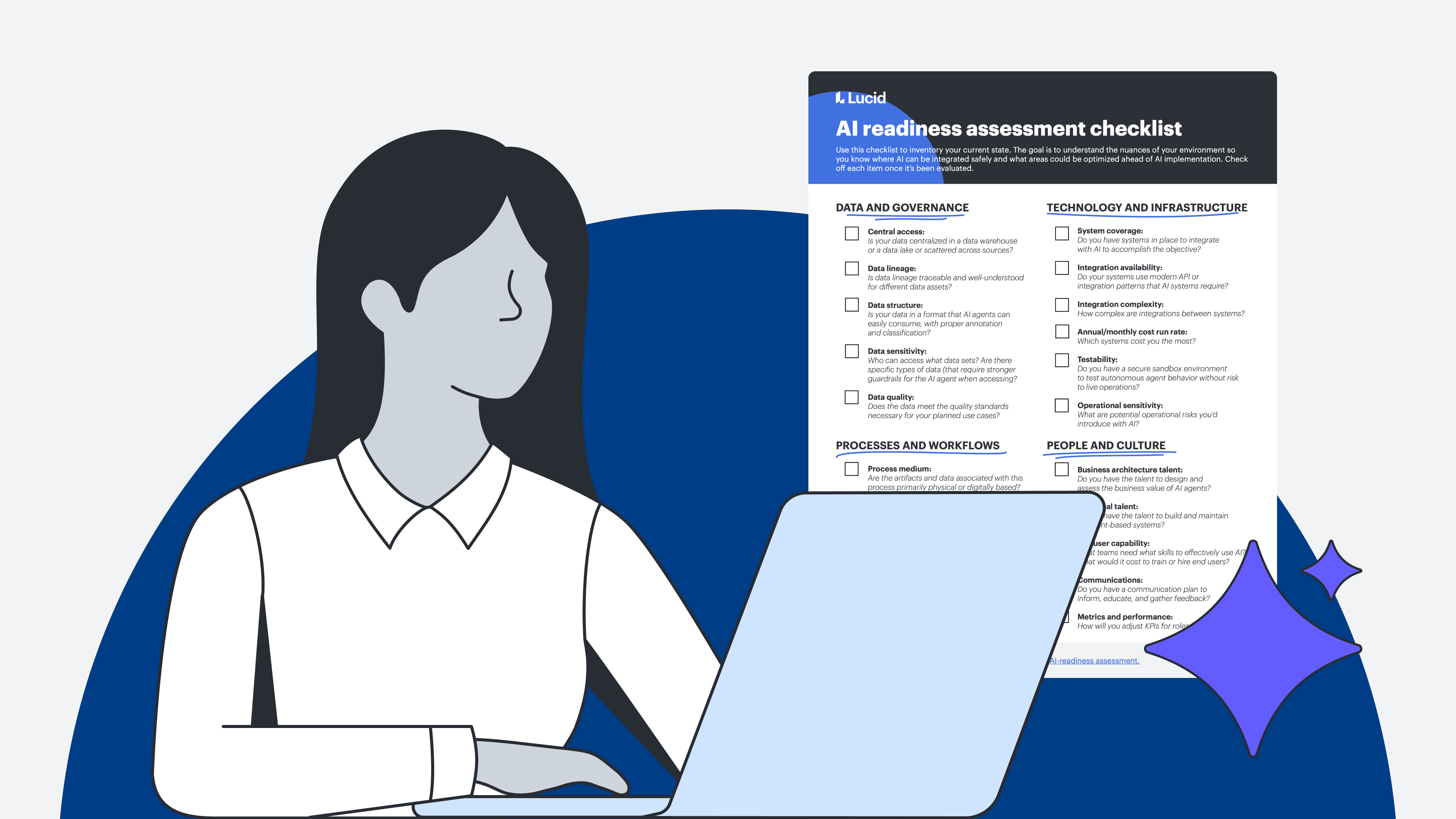
Pick a workflow your team runs regularly and map it out visually from memory. If you can't describe it clearly enough for another human to follow, an AI agent certainly won't be able to navigate it, either. And even if you can describe it, have you documented it? Bailey specifies, “Even teams that understand their workflows often haven't documented them in a way that's usable.
Keep in mind that documenting for human and AI collaboration has different requirements than standard onboarding. This documentation will serve as training for your agents, so it needs to be extremely clear and comprehensive. A simple “Review and approve” won't cut it. Write, “Approve if X, escalate if Y, reject if Z.” Define clear inputs and outputs at every single step.
A visual collaboration solution like Lucid makes this easy by turning bulky documentation into a centralized, visual workflow. As you diagram, you're organically building the literal playbook that your AI teammates will work from.
#2: Establish jurisdiction boundaries
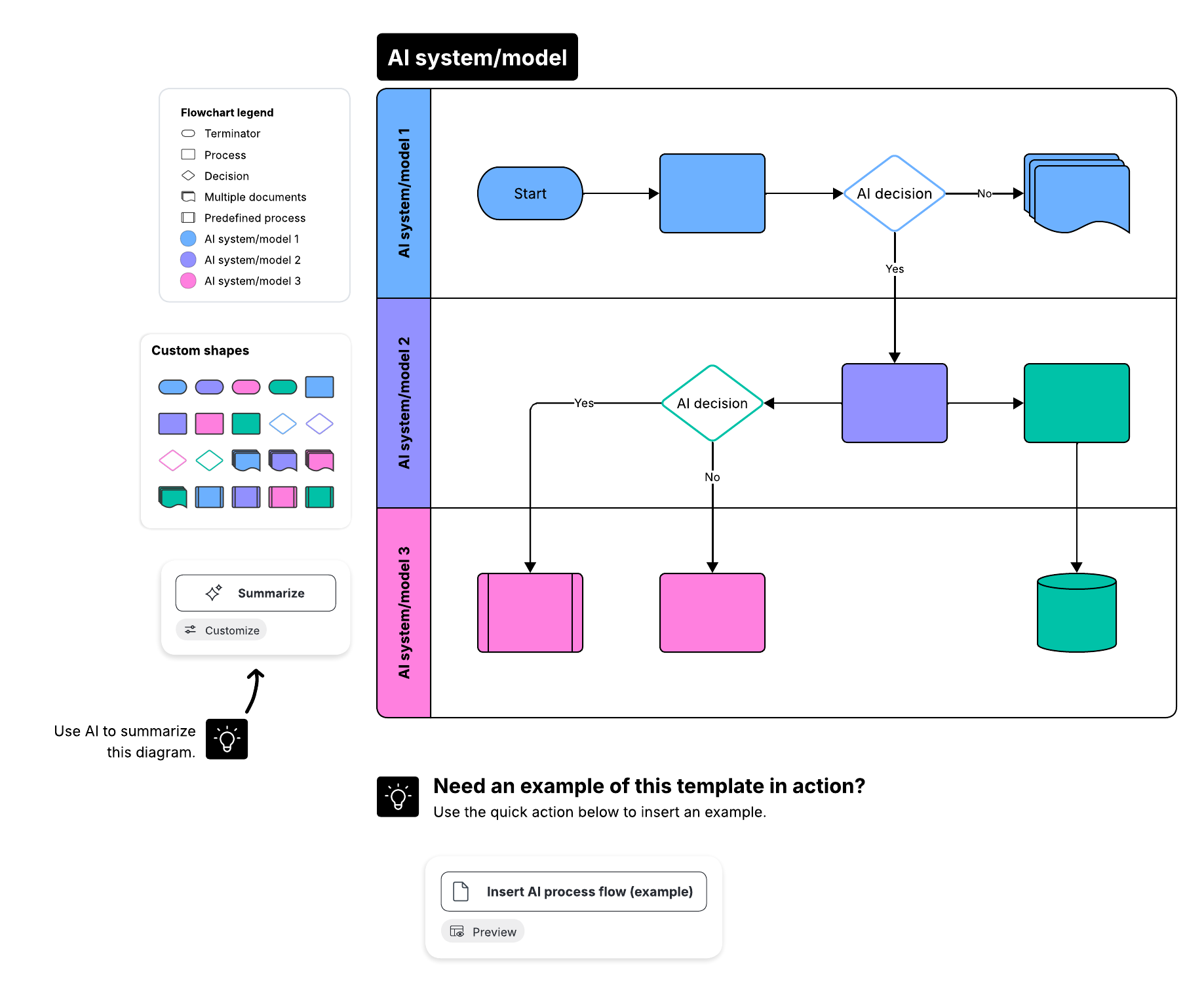
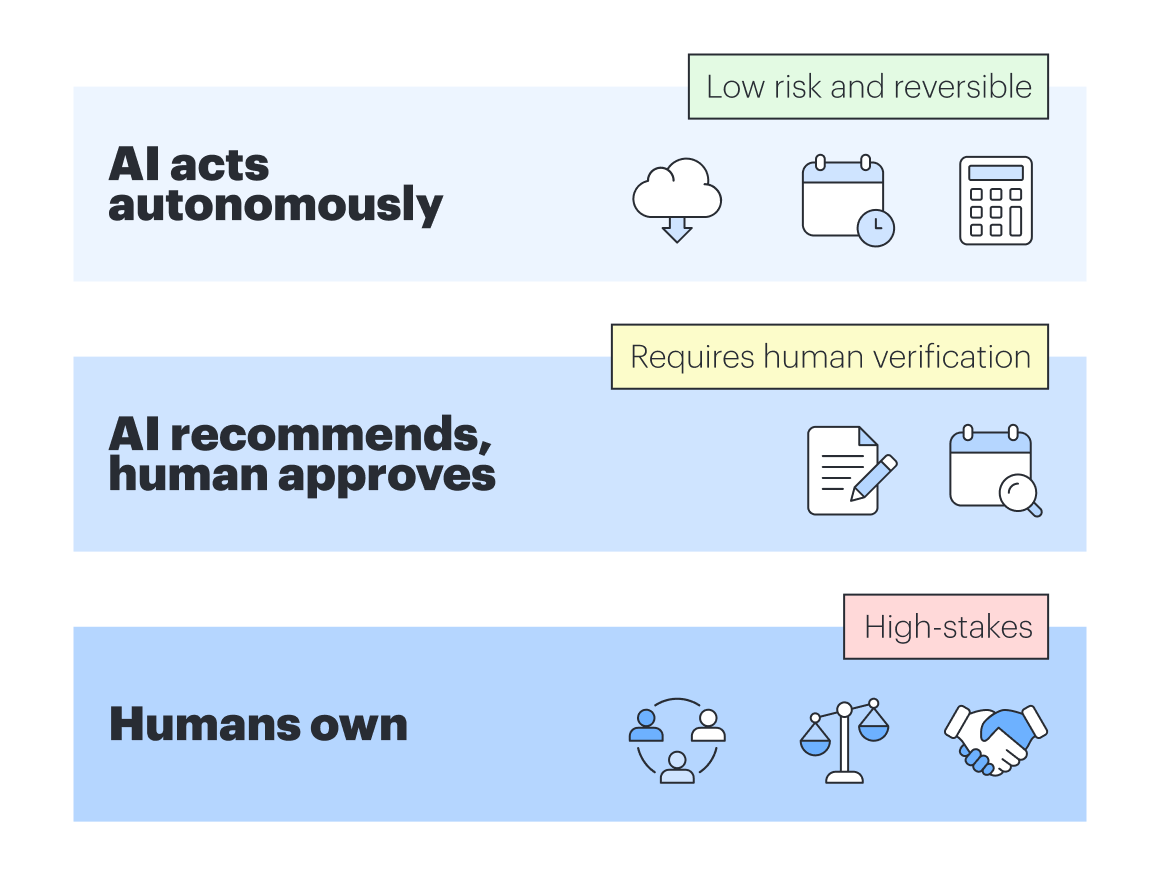
Breaking down decision rights and responsibility boundaries before you deploy AI will prevent chaos down the road. Divide your tasks into three clear tiers.
-
AI can act autonomously: Low-risk, easily reversible tasks with well-defined criteria, such as data syncing between systems or standard calendar scheduling
-
AI can recommend, but humans need to approve: Moderately complex tasks that require human judgment or verification, such as drafting project comms or brainstorming forecasting options during an organizational shift
-
Humans own entirely: High-stakes, ambiguous, or deeply relationship-dependent tasks, such as resolving team conflict or determining ethical boundaries of a project
Bailey elaborates, “Most orgs haven't defined decision rights for human employees, so doing so for AI agents will feel wild. That said, this kind of collaboration requires it.”
Along with decision rights, explicitly defining responsibility jurisdiction can also be helpful. For example, here are two categories of tasks that shouldn’t be delegated to AI agents:
-
When the value of the task is in the process, not in the output: AI is programmed to find the fastest path to an answer. It will inevitably look for shortcuts. But in business, there are many tasks where the value lies entirely in the process itself, such as team-building or strategic alignment meetings. These are poor candidates to delegate to an AI agent.
-
When verification takes more time than execution: AI should be treated as a junior specialist who needs guidance, not a babysitter. If you have to spend more time verifying the quality of the AI agent's work than it would take to just do the task yourself, reserve the task for humans. If a task requires nuance, highly specific institutional context, or is high-risk, the “trust tax” of verifying the AI’s output will offset any productivity gains.
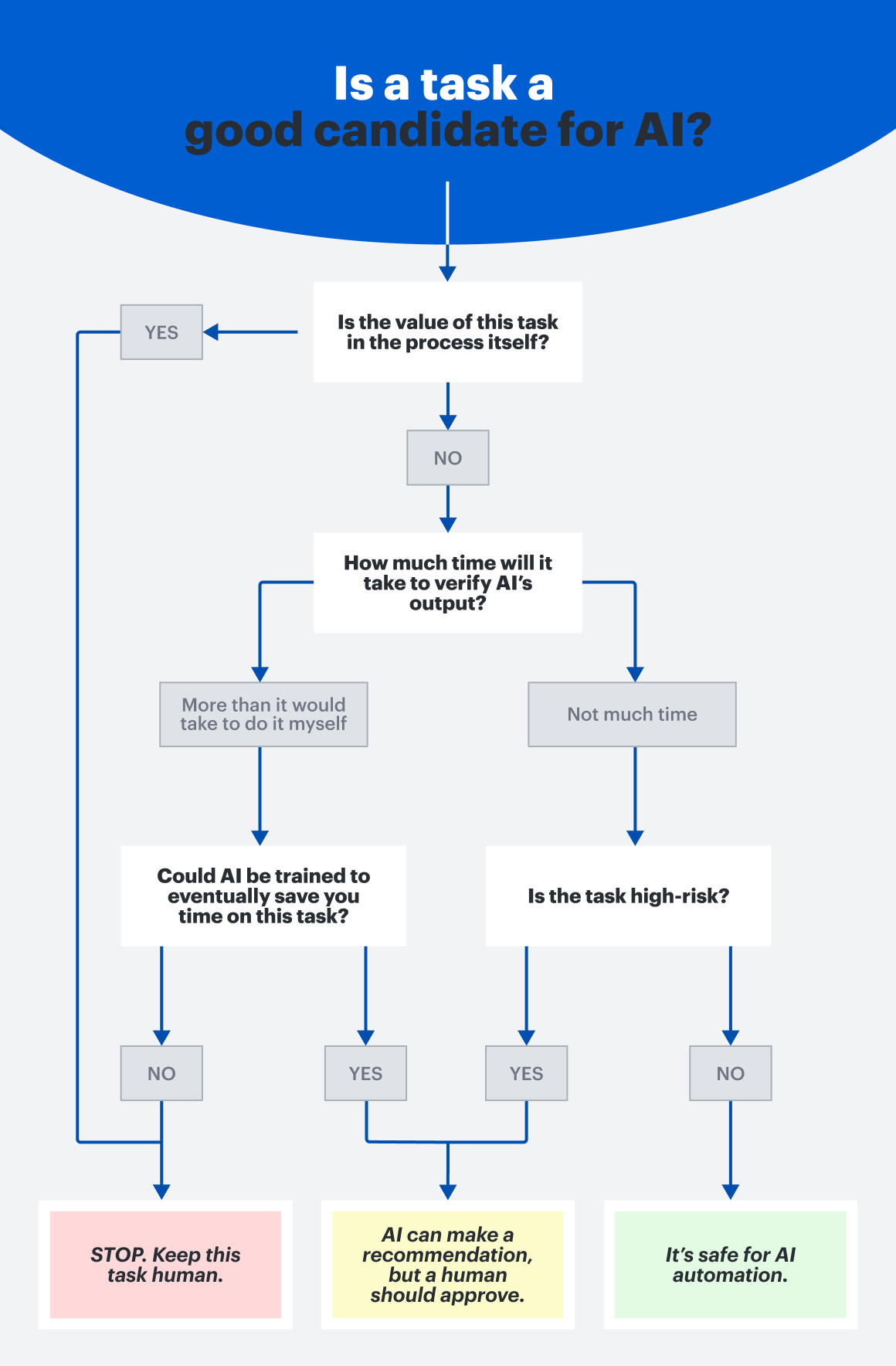
Without clearly defined boundaries, you risk AI being too constrained to actually be useful, or so unconstrained that it acts autonomously in places where it shouldn't. Regardless, humans should always own the final outcome.
#3: Plan for a cultural shift
Transitioning to an AI-augmented workplace will likely trigger concern and anxiety. To successfully manage this change, leaders need to intentionally shift the narrative from displacement to a powerful opportunity for evolution.
Rosenbaugh suggests that one of his favorite ways to do this is to encourage lower-stakes play. Give your team members plenty of low-pressure opportunities to experiment and collaborate with AI tools before the stakes are raised. After all, says Rosenbaugh:
“Confidence doesn’t come from mandates; it comes from repetition.”
Bailey also suggests visualizing what an AI future looks like in practice with team members. Creating RACI charts directly on top of process flows is a good way to create visibility for others so they know where they fit in an AI-supported future.
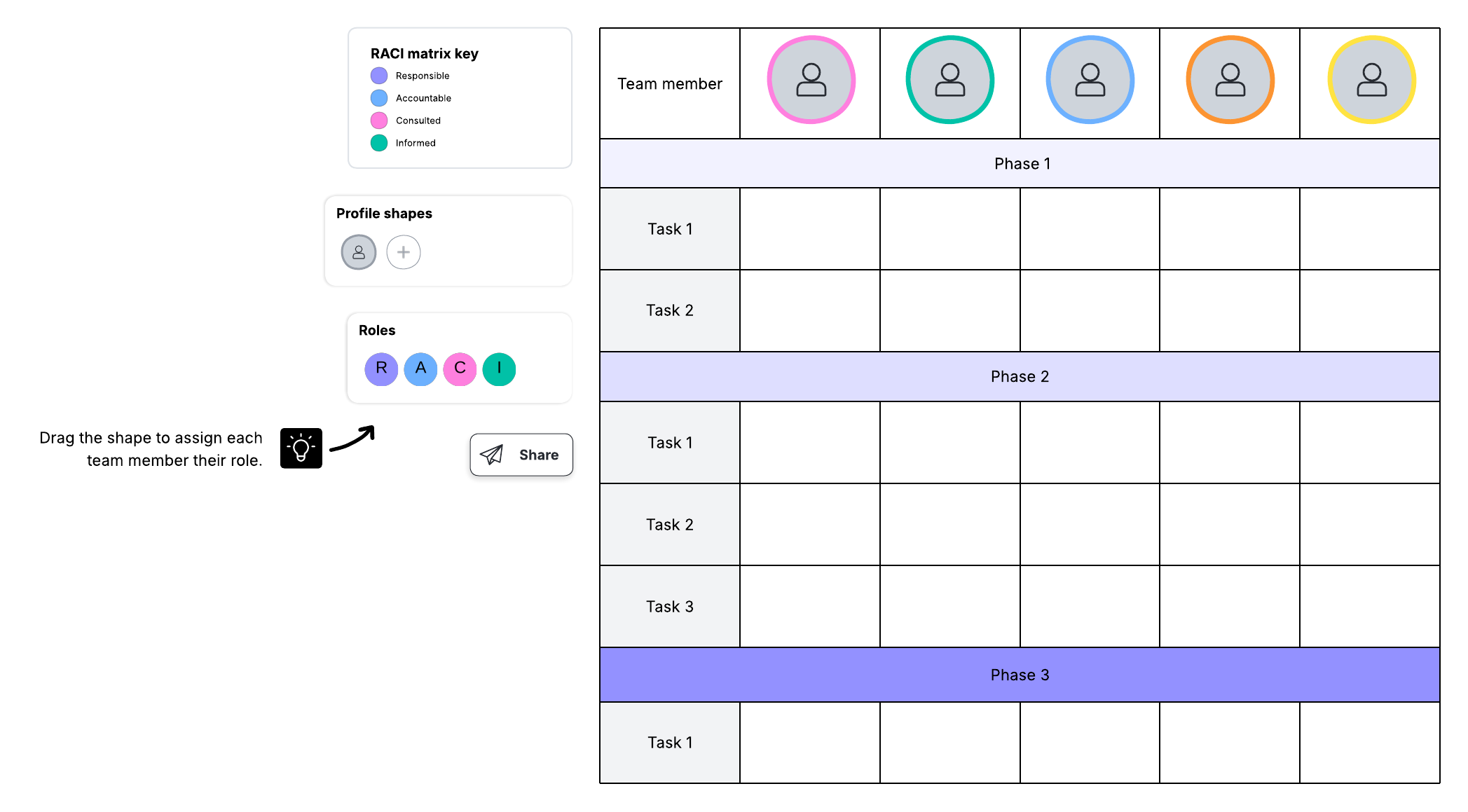
Lucid's scenario planning features are also valuable for mapping out “what-if” operational changes before actually deploying any AI agents. This type of planning will help leadership identify where human intervention is required and where AI can safely automate to provide the most value.
AI scenario planning feature
AI is constantly evolving, and organizations that have prioritized planning and documentation are more agile and ready to adapt for what comes next.
The future of collaboration
The future is arriving now with the continual incorporation of AI into our workflows and everyday lives. According to McKinsey research, 75% of workplace roles will need reshaping as human-AI collaboration matures. And while on the surface this stat may seem intimidating, it also undoubtedly presents an exciting invitation to evolve. The teams that will thrive are the ones building workload and AI literacy today, documenting processes, and preparing team members to step into a higher-value, more strategic future.

Lucid can help your organization prepare for human-AI collaboration, accelerating work and transforming how your teams operate.
Learn how