We use the concept of “float" in our lives more often than we may like to admit. When your maintenance light turns on in your car, you know you have a window of time before your car actually needs maintenance. When your rent is due, you know you have three days after the first of the month to pay without being penalized. And you know that when the dryer finishes a load, you’ve got a couple of hours before the clothes start to wrinkle. There are concrete deadlines in life—and then there are soft deadlines.
What is float in project management?
Float in project management refers to the amount of time that a task can be delayed before the hard deadline. Think of it as a buffer that accounts for delays—it is helpful for avoiding a domino effect of delays that can hinder the project as a whole.
Knowing how to properly incorporate float can help ensure all your projects are delivered on time, no matter what issues arise. Float enables you to set realistic deadlines instead of relying on best-case scenarios. By thinking critically about timelines from the beginning, project managers can get a more accurate view of how the project is likely to go.
Types of float
The five kinds of float are:
- Total float: This is how much time a particular task can be delayed without affecting the overall project. This kind of float requires particular attention because if the float time runs over, the project is at risk.
- Free float: This is how much time a specific task can be delayed without affecting other tasks. It doesn’t ordinarily affect the overall project delivery.
- Project float: Project float means there’s a soft deadline and a hard deadline for the project delivery. There is a certain amount of time the project as a whole can be delayed before missing a critical deadline.
- Interfering float: Interfering float refers to the delay in starting a task rather than a delay in finishing it. For example, if you know a task will take six days to complete, but you’ve planned for it to take ten days, you can safely delay starting the task by four days.
- Independent float: This kind of float defines the amount of time you can put off completing a task before it affects the early start of dependent projects. For example, if you want to edit a blog on September 3, the blog needs to be written by September 2.
How to calculate float
Each of the five types of float above has their own calculations. Here are their formulas:
Total float
latest start - earliest start = total float
or
latest finish - earliest finish = total float
Free float
early start of dependent task - early finish of current task = free float
Project float
latest finish of the project - earliest finish of the project = project float
Interfering float
total float - free float = interfering float
Independent float
early start of dependent task - late finish of prior task - total time of prior task = independent float
Benefits of float
Having a built-in allowance for contingencies is really a no-brainer for anyone who manages projects. But in case it seems scary to have deadline flexibility, here are some benefits to sway you:
- Establish prioritization: Prioritizing tasks is one of the most difficult parts of project management. Float helps by determining which tasks are flexible and which need to be completed quickly to avoid missed deadlines.
- Alleviate stress: Managing a project with no time included for potential delays adds a significant amount of pressure for everything to go perfectly. But as is the case in most things, something is likely to go wrong. Don’t set your team up for failure—account for project float to alleviate team stress.
- Avoid missing deadlines: Float allows you to account for unexpected issues, so the project as a whole stays on track for success. Maintaining deadlines, even when things go wrong, strengthens your team’s efficiency.
- Give space for superior performance: If there’s a choice to submit a “meets expectations” task on Tuesday or to take the time to deliver an “exceeds expectations” task on Wednesday with no penalty, your team will choose to deliver the better product. Float ensures your team doesn’t have to prioritize deadlines over quality.
- Adjust pacing: Float makes projects and tasks more flexible. Having float means you can prioritize time-sensitive tasks and easily adjust timelines since you’ve already accounted for them.
- Allow for the unexpected: There will likely be blockers that arise throughout the project that are out your team’s control. If your deadlines have no flexibility, your project will inevitably be delayed. Allowing for the unexpected provides enough time to problem solve without endangering deliverables.
How to use float with Lucidspark and Lucidchart templates
Kanban board template
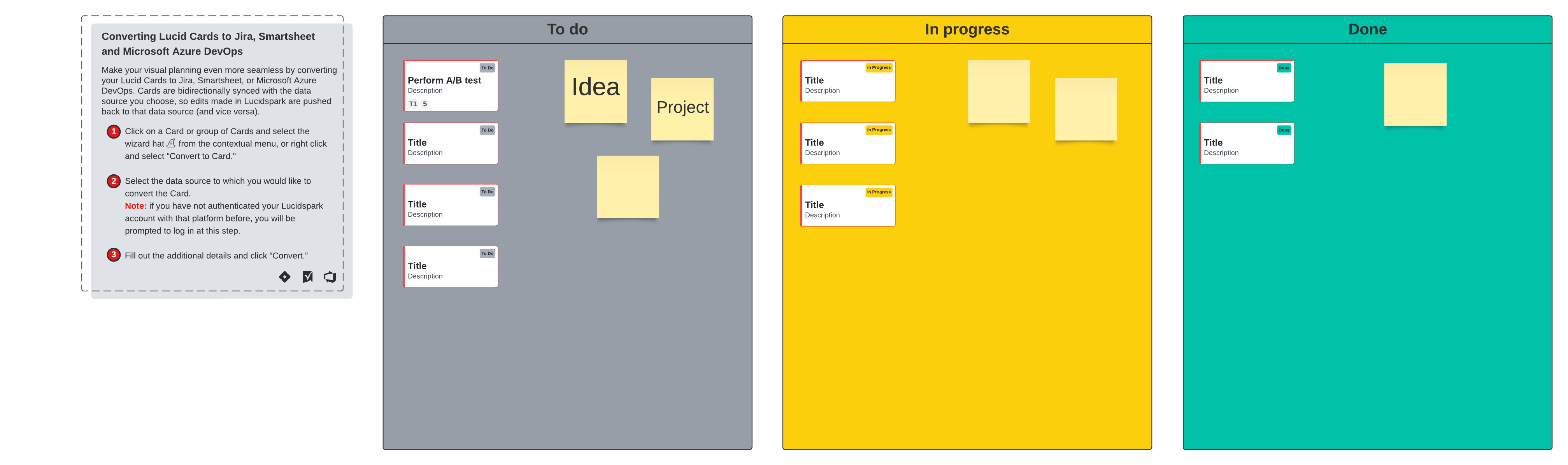
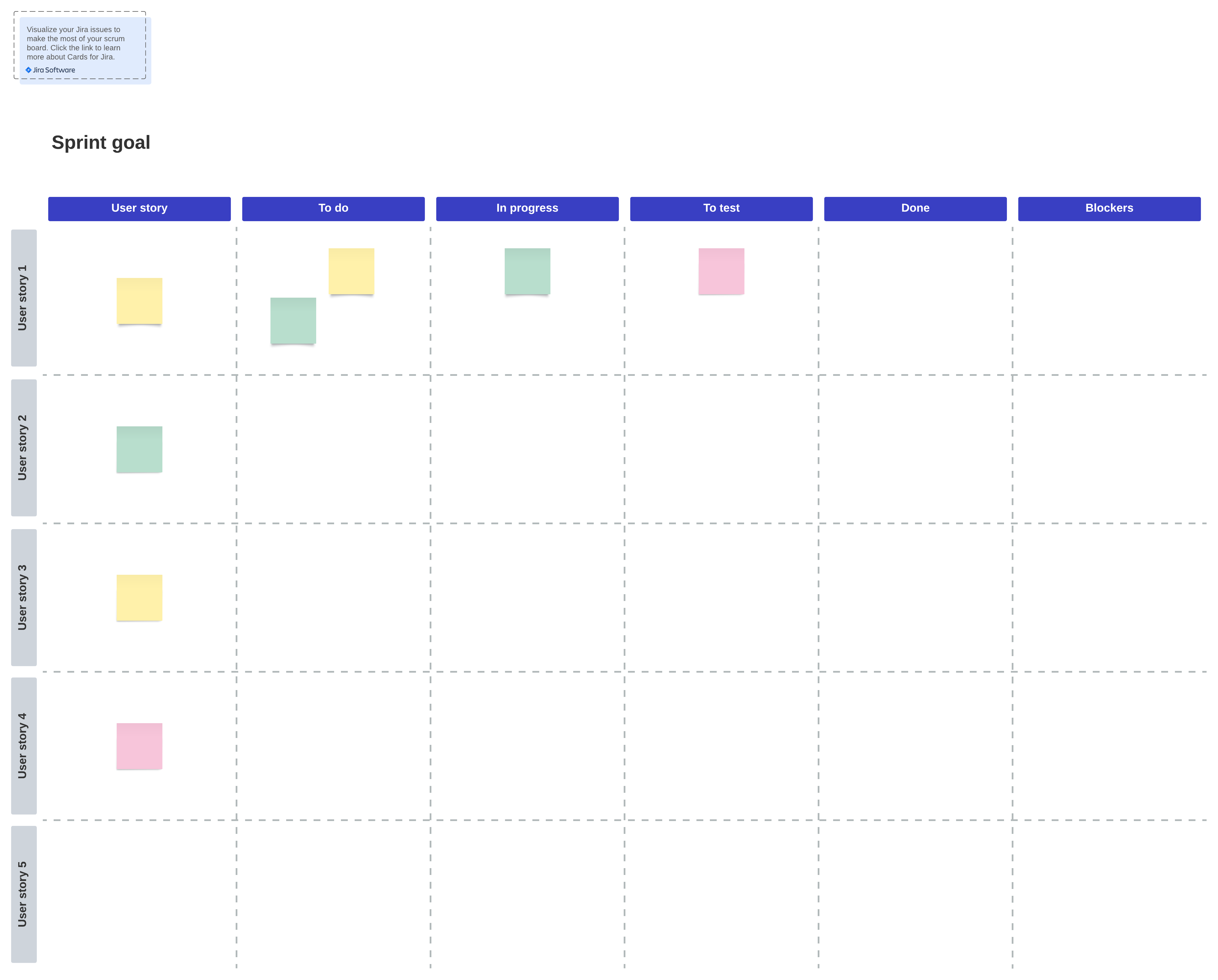
This Scrum board template allows you to reverse engineer float time per task as you generate deadlines. It also helps your team identify potential blockers, so you can account for the extra time if necessary.
Multi-room Scrum team space
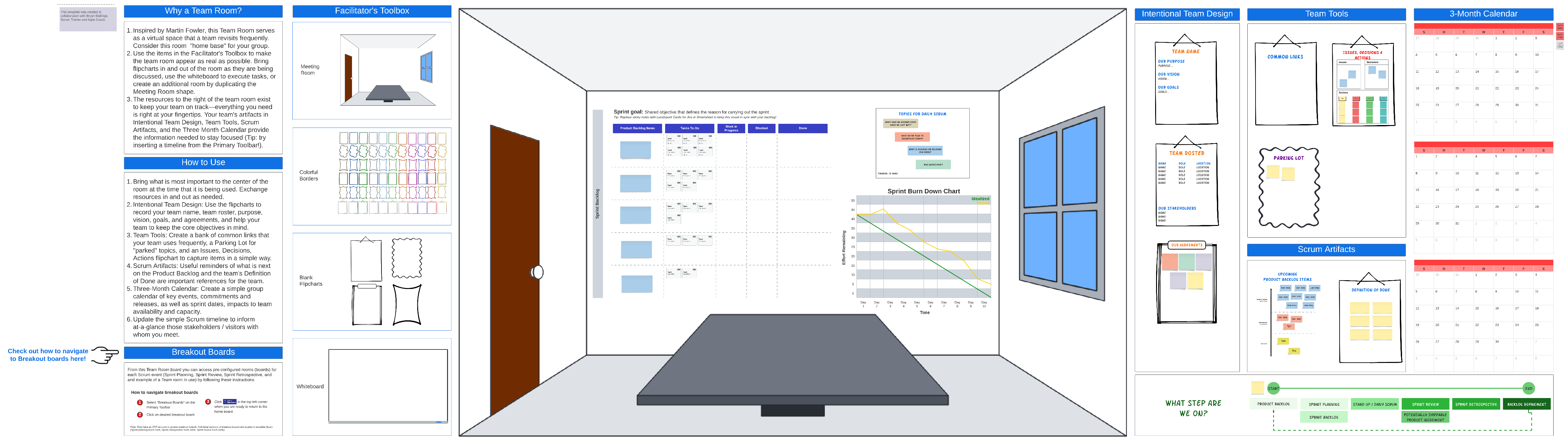
Input due dates, stay aligned on early and late task completion, and keep hard deadlines in check. This multi-room Scrum team space is great for increasing visibility across the entire team.
Gantt chart template
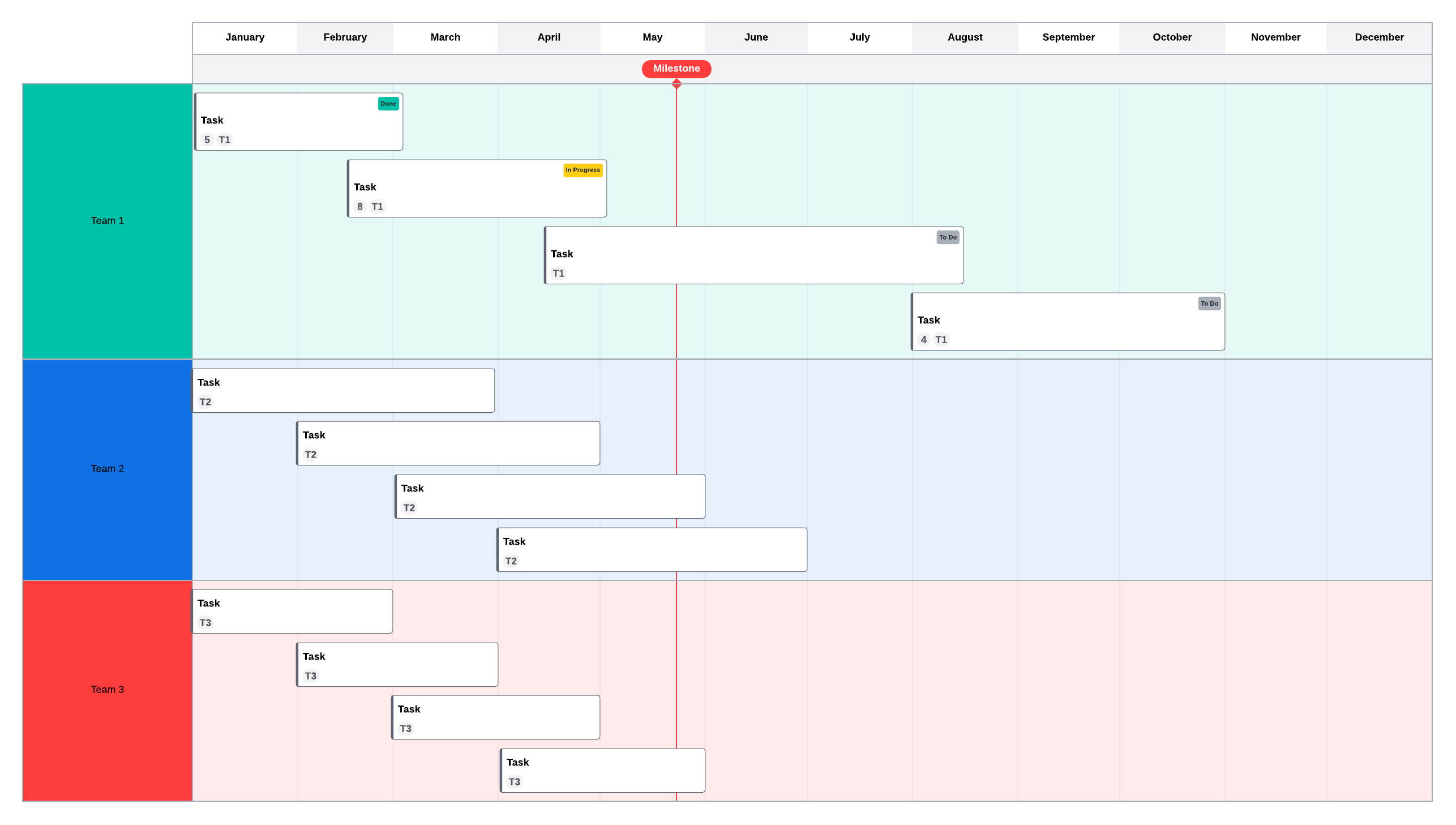
This Gantt chart template has a built-in overlap capability, allowing you to visualize float at a glance. It’s also a useful way to determine dependencies and adjust them in real time.
PERT chart
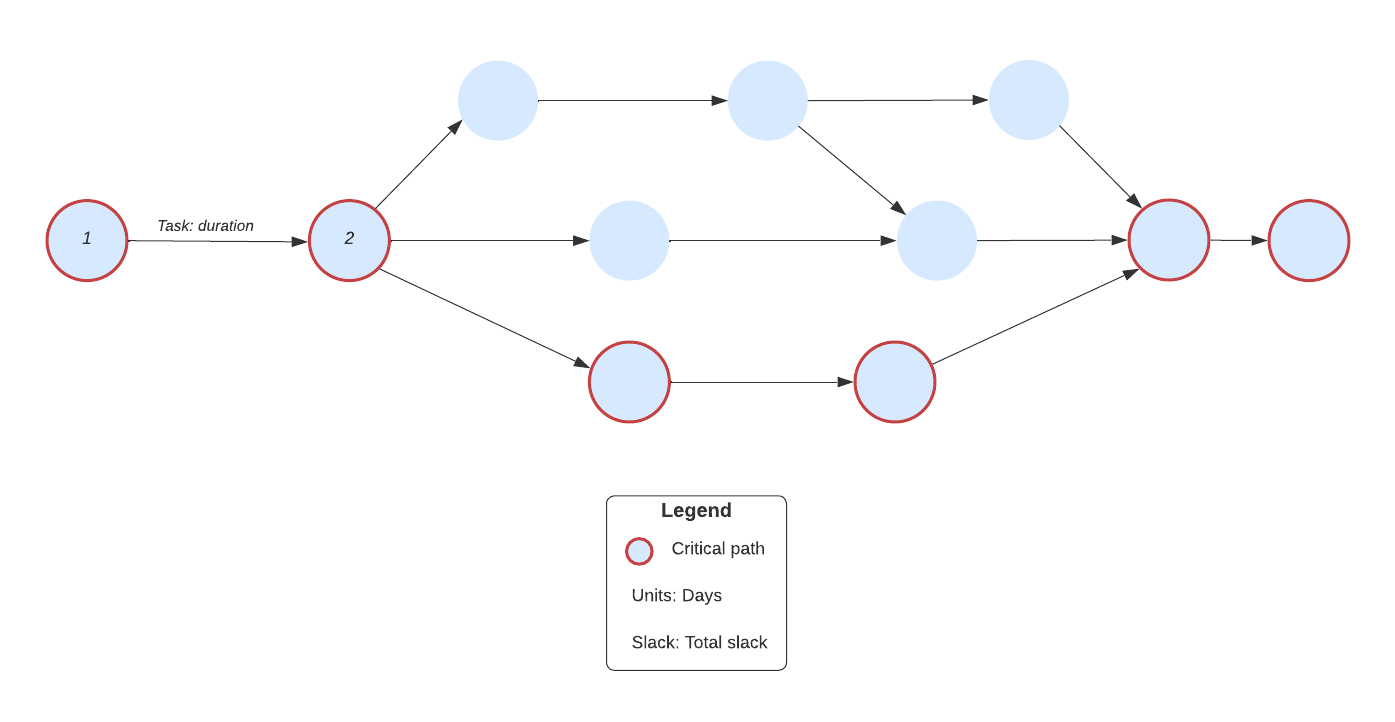
A PERT chart helps you anticipate the critical path to production. The “slack” referred to within the template is essentially float. Use a PERT chart to determine how long a project will take by breaking down tasks into duration of days.
Waterfall breakdown methodology
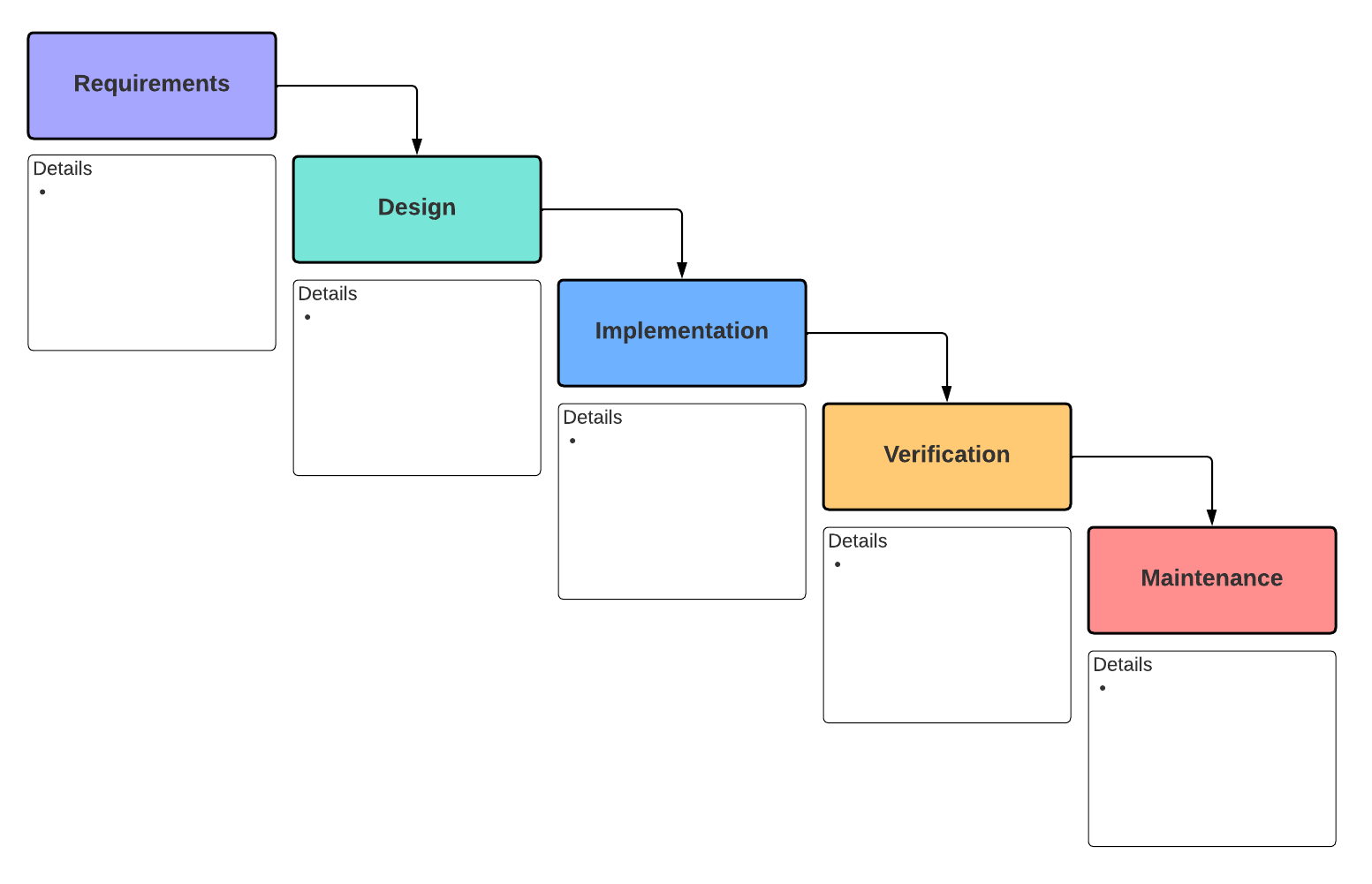
Use this waterfall breakdown template to calculate each step of the project process. Details can include possible issues, blockers, and hard deadlines.
Use float to strengthen your project management
Project management is difficult because it’s a practice of managing variables. Beyond wrangling people, you’re also supposed to account for issues that may arise, which is essentially an exercise in predicting the future. Though you’ll never know exactly what to prepare for, accounting for float in your project management timeline can give you flexibility to deal with whatever occurs.
Float also allows your team members to take the time they need to deliver quality work instead of rushing to meet a deadline. This decreases stress in your team while boosting trust, flexibility, and efficiency. Ultimately, you’ll deliver projects on time—and you’ll develop greater time management proficiency along the way.

Explore our project planning templates to see which would boost your team’s productivity.
Check them outThis Kanban board template allows you to account for float time as you are scheduling due dates in each task. This will allow you to generate both an earliest possible deadline for the project as well as an absolute final deadline.