Storyboard template
Note: For all Lucid plan types
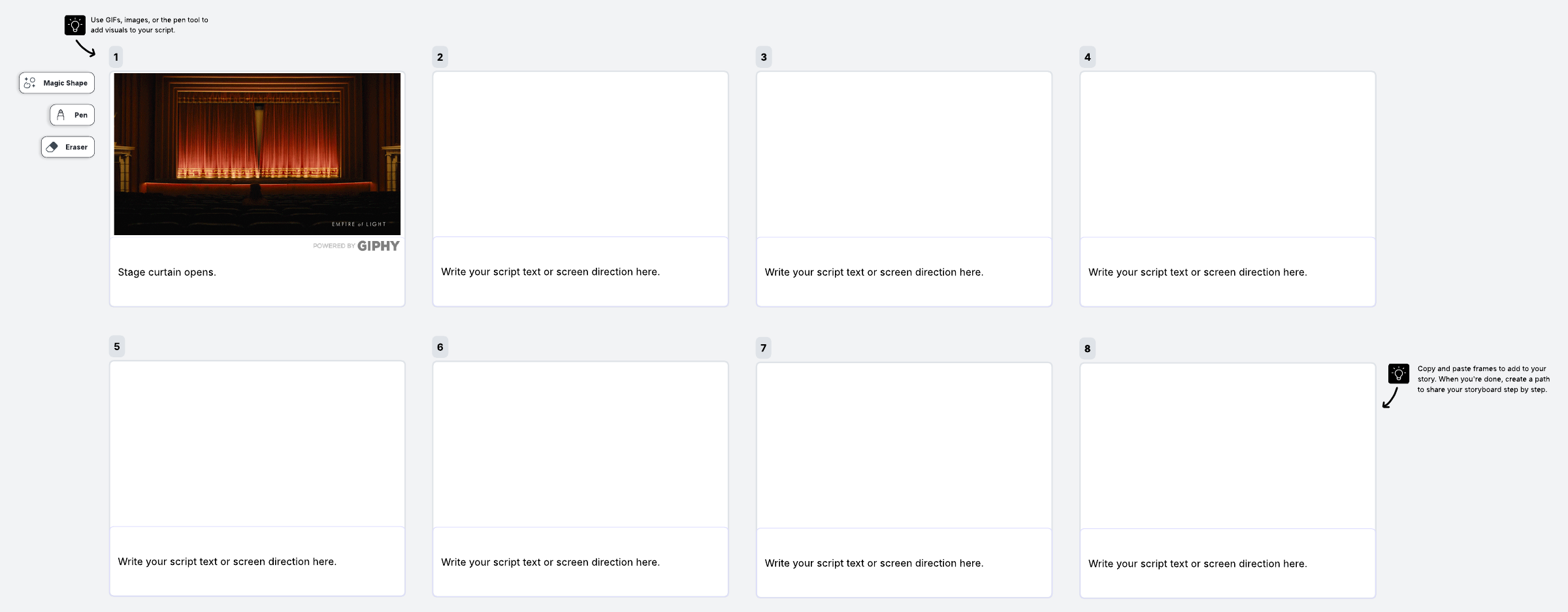
This storyboarding template makes it easy to provide a high-level view of your project. Use it to map out scenes of a story, presentation, video, or other creative project.
What is a storyboard?
A storyboard is the visual representation of a plot. In the film industry, a storyboard is used to show the narrative sequences of a movie in the form of a pictorial graph. The entire plot of a movie can be shown in one place for better collaboration and greater understanding among the team.
But storyboarding isn’t just for films and books—it can also be a useful tool for showing the narrative of customers who interact with your product. Storyboarding for business can be a great way to understand customer experiences and display those experiences easily. If you’re completely new to storyboarding, read more on how to storyboard here.
Benefits of using a storyboard template
If you’ve ever started writing a book and abandoned it, it was likely because you hit a point where you didn’t know what was supposed to happen next. The same thing can happen when trying to understand your customer journey: you may simply not know what they’re doing next. A storyboard can help.
See the whole picture: Visualize the customer journey from start to finish at a glance, and easily spot gaps or areas to improve the experience.
Collaborate and achieve buy-in: By showing your customer journey instead of just talking about it, you’ll be able to align team members who learn best through visualization—and communicate your story more effectively to stakeholders.
Gain empathy: Storyboarding allows you to take a journey along with your customers, which helps you develop greater empathy with how your customers think and feel at every step of the way.
How to use the storyboard template in Lucidspark
- Name your persona in the template. Be sure your team understands your customer’s needs, goals, and motivations before attempting to map out the journey.
- Decide on a single use case to map out in the template.
- Describe each step as a “scene,” using freehand drawings, images, GIFs, and emojis to show the scene.
- Use Breakout boards to gain clarity around any step in the process by breaking the team into smaller working groups.
- The storyboard template can be converted to any format. So if you’re looking for a printable storyboard template, simply export it into a format of your choosing and print it.