Daily schedule example
Note: For Team and Enterprise plans
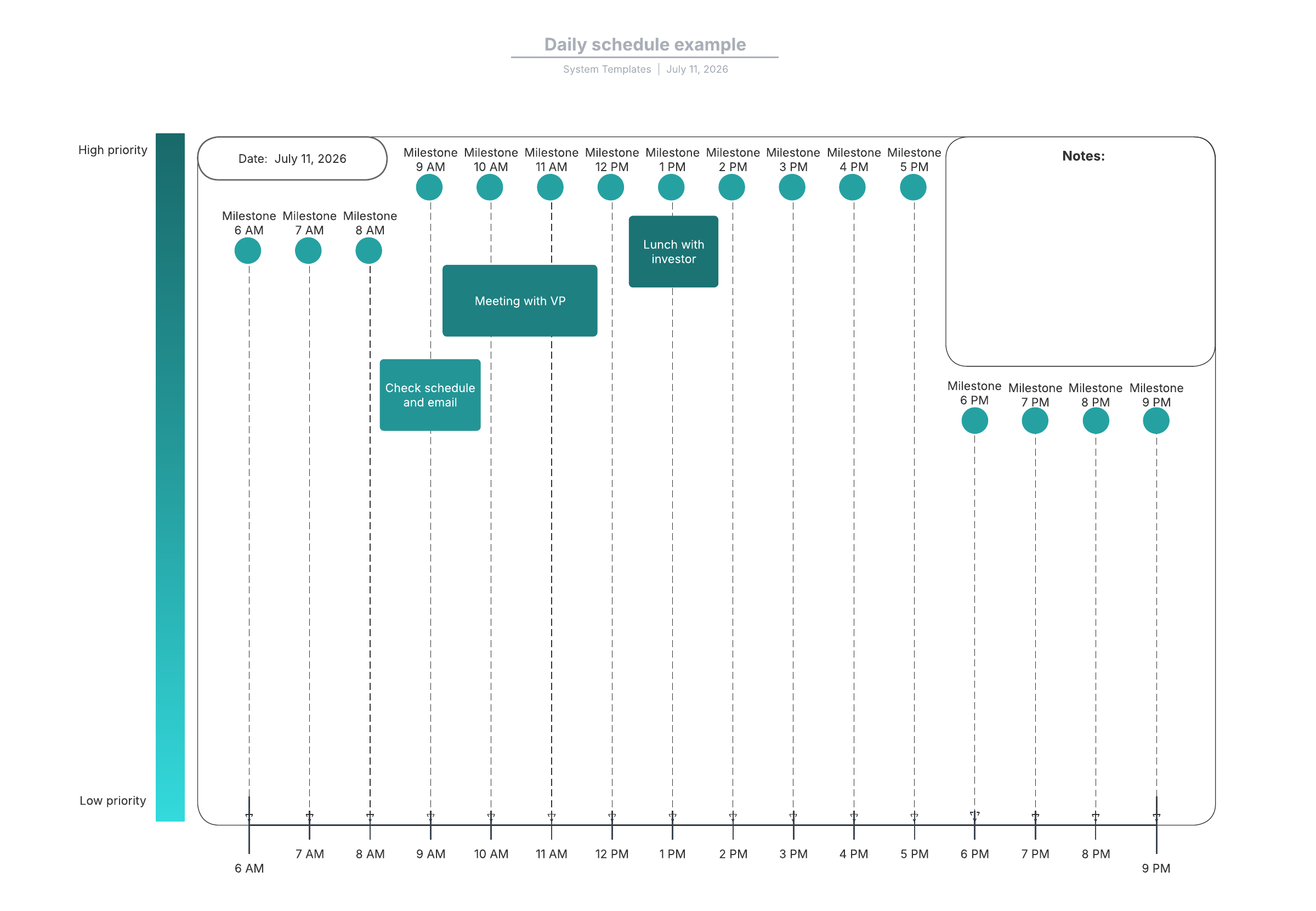
This daily schedule diagram template can help you:
- Prioritize and schedule daily tasks, meetings, and activities.
- Access the timeline shape library.
- Share your schedule with colleagues and supervisors.
Open this template and add content to customize this daily schedule diagram to your use case.
What is the daily schedule example template?
This template shows an example of a filled-in daily schedule. You can take a look, and then customize it to make it work for you. When you use it, you’ll be able to better plan and prioritize your tasks each day, making you more productive and focused on the things that matter most.
Benefits of using the daily schedule example template
If you use this daily schedule template, you’ll be able to get a handle on what needs to be done each day. You’ll stay organized, and you’ll have a better idea of how much bandwidth you have—in other words, you’ll know when you can take on another task and when you need to say no. This will help you follow through on your commitments and ensure you have the time to do each task well.
Additionally, if you use this template daily, you can share your schedule with others at the click of a button. Your colleagues, direct reports, or managers will know when you’re available.
How to use the daily schedule example template in Lucidchart
Take a look at the example that’s already filled in so you can get an idea of what it looks like. When you’re ready, start filling it in with your own information.
You can customize colors to change the feel of the template, along with the information itself, such as the times and milestones shown on the template. For example, if you want your daily schedule to stop or start at a different time, go for it! The daily schedule template should reflect your work and lifestyle.
You can select rectangles in different hues to represent how important each task is. Drag your shape to the right spot on the diagram: The x-axis is the time of day you need to complete the task, and the y-axis is the priority level. Double-click on each shape to add text.
If you need to share your schedule, Lucidchart’s integrations make it easy. We integrate with popular software like Slack, Zoom, and Microsoft Teams so you can communicate seamlessly with your organization.
Keep your schedule updated and on hand, and you’ll have a better chance of staying on track each day.
Related templates

Product roadmap with Smart Containers example
Go to Product roadmap with Smart Containers example template