
Agile enterprise development can be an unwieldy process. Teams can get disconnected from one another and end up working in silos with little understanding or appreciation for what other teams are working on. When we’re talking about things at the enterprise level, this kind of arrangement quickly leads to misalignment, confusion, delays, and inefficiency.
The Scaled Agile Framework was created to solve these issues and help organizations develop at scale. But it’s no secret that UX research and agile methods can have a tough time mixing.
So how can UX teams not only survive, but thrive within a Scaled Agile Framework?
Below we’ll cover how UX fits into the SAFe model and the best practices you can start implementing to perform UX research under this framework.
How UX fits within a Scaled Agile Framework
The Scaled Agile Framework, or SAFe, is a framework for implementing Lean-Agile development at scale. Think of it as more of a knowledge base of best practices and patterns than a prescriptive methodology. It’s designed to help organizations deliver value efficiently, continuously, and predictably.
SAFe helps enterprises align teams and their projects with broader organizational goals. It eliminates silos and empowers individuals and teams to collaborate and iterate concurrently.
So how does UX fit in?
SAFe is built on three pillars or levels:
- Team
- Program
- Portfolio
SAFe doesn’t clearly define the UX role within this Lean-Agile framework so the practical UX process may not be immediately clear at first glance. But with careful discussion and planning, you can apply SAFe principles to UX and work effectively with cross-functional teams.
The basic UX structure within SAFe might include a UX architect on the Portfolio team, information architects on the Program team, and a UX designer on each feature development team.
The beauty of SAFe is that it distributes UX across multiple teams and stages. SAFe brings UX input into discussions earlier and keeps UX involved longer throughout the development stages. The result? A more transparent and collaborative approach between cross-functional teams that is strategically aligned with organizational objectives.
How to perform UX research in the SAFe framework
Performing UX within a Scaled Agile Framework will require some adapting, but it’s worth it. When done well, SAFe leads to greater alignment, transparency, and quality.
Give these best practices a try to perform UX research within the Scaled Agile Framework.
Align research with your business strategy
SAFe focuses on alignment at every level and throughout each stage of development. If your project doesn’t fit into the business’ strategy and user value, your final output will be less effective.
As you conduct UX research, make sure you’re identifying and connecting business value to your proposed projects.
Pro tip: Optimize the research process by creating an inventory of pain points and their connected business value. In other words, outline how the business benefits from addressing each issue (like cost savings or revenue growth).
Avoid team silos
One of the greatest strengths of SAFe is its emphasis on cross-functional teamwork and connecting silos.
UX should be on the ground collaborating at each stage of development. Assign at least one UX researcher to each product team. If you don’t have enough people, your researchers can float between teams.
Integrating with your product teams allows UX to develop greater product expertise and build rapport with developers. The more face time you have with the product and engineering teams, the more they will trust your recommendations and rely on your input.
Enhance PI planning
PI planning stands for program increment planning. PI planning sessions happen throughout the year and bring multiple teams together with the same Agile Release Train (ART) to align on a shared vision, discuss features, and identify cross-team dependencies. PI planning is fundamental to implementing a successful SAFe framework.
PI planning helps large-scale organizations break down development silos so that there is communication and alignment on shared goals. Without this alignment, teams are forced to compete for resources and budget and they might end up producing work that inadvertently impacts other teams’ projects.
Everyone meets during PI planning to get on the same page, including UX.
To optimize the PI planning session, work with product managers to understand their priorities. Compare the product and research roadmaps to uncover any gaps. This will help you develop relevant stories that align with product goals.
Pro tip: An online whiteboard like Lucidspark makes it easy for multiple distributed teams to collaborate in real time to brainstorm and plan the Agile release roadmap. A PI planning board, opens in a new tab helps you visualize features, dependencies, and milestones while tracking what work needs to be done and who is responsible for it.

Deliver on demand
Continuous, value-oriented, on-demand work is fundamental to SAFe. On-demand delivery emphasizes UX design that is always ready to release or dive into a new project to address new business needs.
Keep in mind, on-demand delivery is not intended to turn UX into a design factory line. Instead, UX should integrate and align closely with product management to facilitate a collaborative design process. By educating your product team on design and working closely to develop projects, you can create an environment of continuous learning and delivery.
Collaborate with product managers and IT
We’ve mentioned this already, but it bears repeating. SAFe is about collaboration and alignment. For UX, this means becoming key partners in the planning, development, and delivery of features across team functions.
Buddy up with product management and IT. Position yourself as design educators, facilitators, and leaders. This will not only improve communication between cross-functional teams, but it will also create greater synchronicity within the development process itself.
Leave plenty of time for your design runway
Designing on demand is not the same as a “just-in-time” delivery model. UX designers work best when they have plenty of lead time to iterate and reiterate.
To achieve this, the Program team needs to communicate closely with the Features team designer to provide enough context for the designer to hit the ground running on the first sprint. If you can position your UX team to get into the trenches early, they will have enough runway to get the design where they need it to be and start working on the next iteration one or two sprints ahead of development.
Divide and conquer—split up responsibilities
In order for UX research and design to work seamlessly within the SAFe, UX can’t get bogged down in the prescriptive nature of SAFe. Working too rigidly can create a UX bottleneck that slows all production.
A simple way to streamline the process is to break down UX responsibilities into manageable, clearly defined tasks, and split them up among the UX team. By dividing up the UX workload, everyone can operate with greater agility and keep the ball rolling on development.
Perform plenty of user testing and usability testing
Frequent user testing is key to UX research and a core part of delivering on the value of continuous improvement within SAFe.
Prioritize user testing and usability testing throughout the research and design process. Frequent testing means better iterations and cleaner deliverables by the time you are ready to ship.
UX may not look like a natural fit for Agile. However, under the right conditions and with the right approach, UX can thrive within a Scaled Agile Framework.
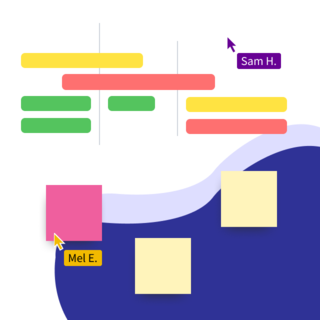
Now it's your turn! Use a PI planning board template to visualize dependencies and milestones to track the work that needs to be done.
Get started today
