
What do you think of when you hear “documentation”? Do you think of an easy-to-read, cloud-based process diagram or hundreds of pages of outdated information that you rarely reference? If it’s the second one, the way your organization manages documentation likely needs a reset.
We sat down with our professional services team to get to the crux of process documentation. In their experience helping teams create and manage documentation, they find that the manual work required to maintain documentation is one of the most common reasons it falls out of date. Over time, critical context fades, system updates slip through the cracks, and static files fall out of sync with what’s actually happening. This is known as content drift.
While traditional documentation quickly becomes obsolete, storing your processes as dynamic assets changes everything. You can eliminate process maintenance headaches, keep business process documentation relevant, and ensure your alignment persists through organizational changes.
It’s time to rethink what we know about documentation. In this article, we'll debunk the common misconception about documentation, explain why process documentation is crucial for any organization, and share how to prevent content drift so that your teams can work in alignment.
The misconception about documentation
Historically, organizations would create lengthy documents outlining their ideas and then hand them off to product development teams with little context. The teams would then spend anywhere from 9 to 18 months developing a product based on their interpretation of the documentation. The resulting deliverable would often miss the mark on business units and customer expectations.
This type of documentation serves only as a rigid compliance exercise, created mainly to satisfy a checklist or to assign blame when projects fail. Team members rarely understood how to apply the information, turning documentation into a source of friction.
But when managed correctly, documentation becomes a living engine that transforms how your entire organization collaborates. And, it isn’t as difficult as it may seem.
The need for dynamic, up-to-date documentation
Not maintaining or skipping documentation altogether creates massive operational risk. True alignment begins with clear, accessible, and continuously updated records.
Here’s why you need to rethink your approach to documentation:
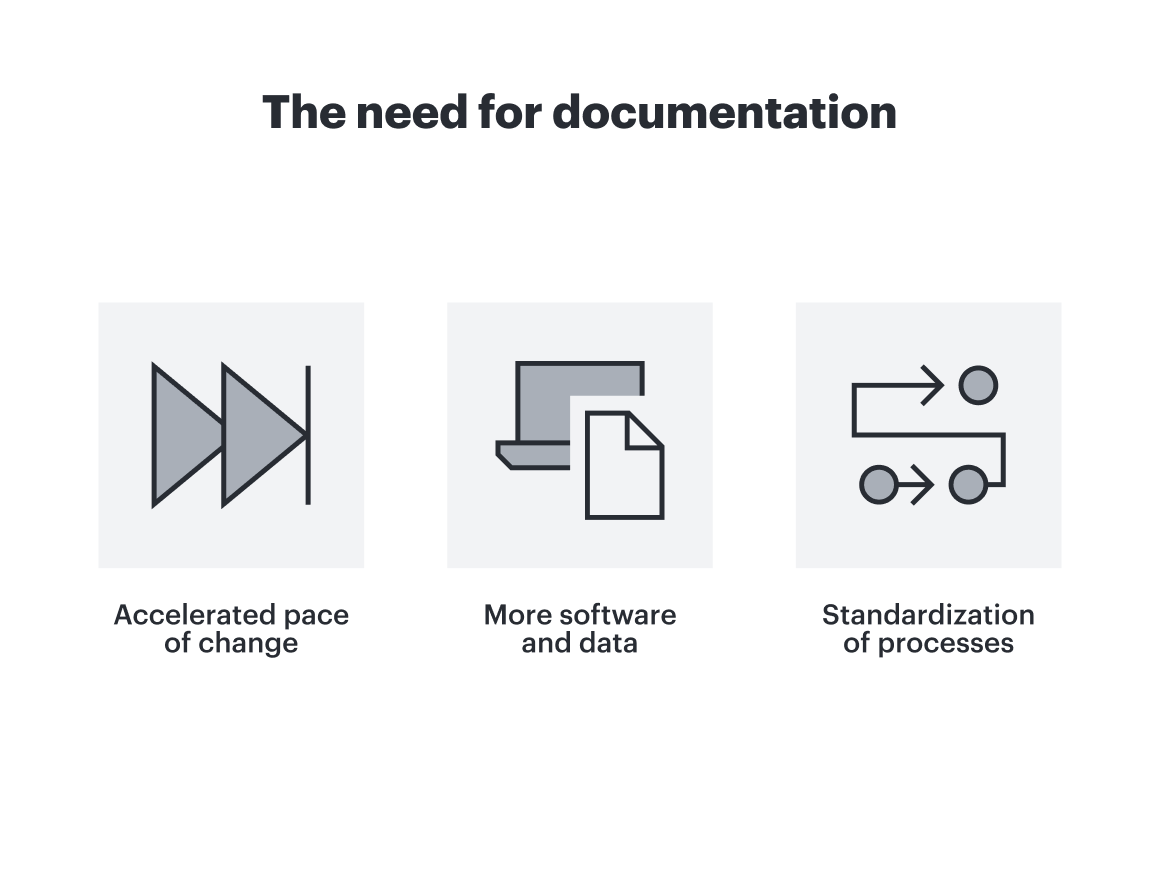
Accelerated pace of change
You can’t decide on the next steps if you don’t know where you’ve been.
Being proactive first requires knowing where your processes currently stand. For example, an executive might announce a messaging shift or operational change during an all-hands meeting. While the attendees might hear the message, what happens to everyone else? Having clear documentation of that strategy ensures every employee, whether they attended the meeting or not, gets the context needed to drive change.
Furthermore, as AI transformation, opens in a new tab accelerates, large language models (LLMs) and AI agents rely on internal data to function. If your organization’s underlying process maps are outdated or non-existent, your AI tools will make uninformed decisions simply because they do not have enough context.
More software and data
High-quality, connected apps prevent wasted budget and effort.
Teams frequently purchase software to solve an immediate pain point. But as team members transition and workflows evolve, those platforms often become obsolete or forgotten. When applications and data proliferate across an enterprise, well-maintained documentation becomes the only way to bring order to the chaos. It ensures your team can access and leverage your tech stack while actively eliminating tool sprawl.
Ask yourself:
Where is software going unused across the organization?
Which applications have duplicate functionality and create unnecessary waste?
Are multiple teams paying for different tools to solve the same problems?
Standardization of processes
Consistency is the foundation of agility.
Standardizing how processes are documented establishes clear benchmarks across the enterprise. It forces teams to explicitly decide how work gets done, eliminating inefficient workflows and rogue steps. In fact, according to a workplace survey commissioned by Lucid, opens in a new tab, one in five respondents felt that having access to standardized, updated process documentation would save them three or more hours a day, nearly half of a workweek.
Having a standard in place up front ensures that the process creation is clean and structured. This helps both humans and AI alike to scale automation and boost organizational alignment.
How to prevent content drift for your teams
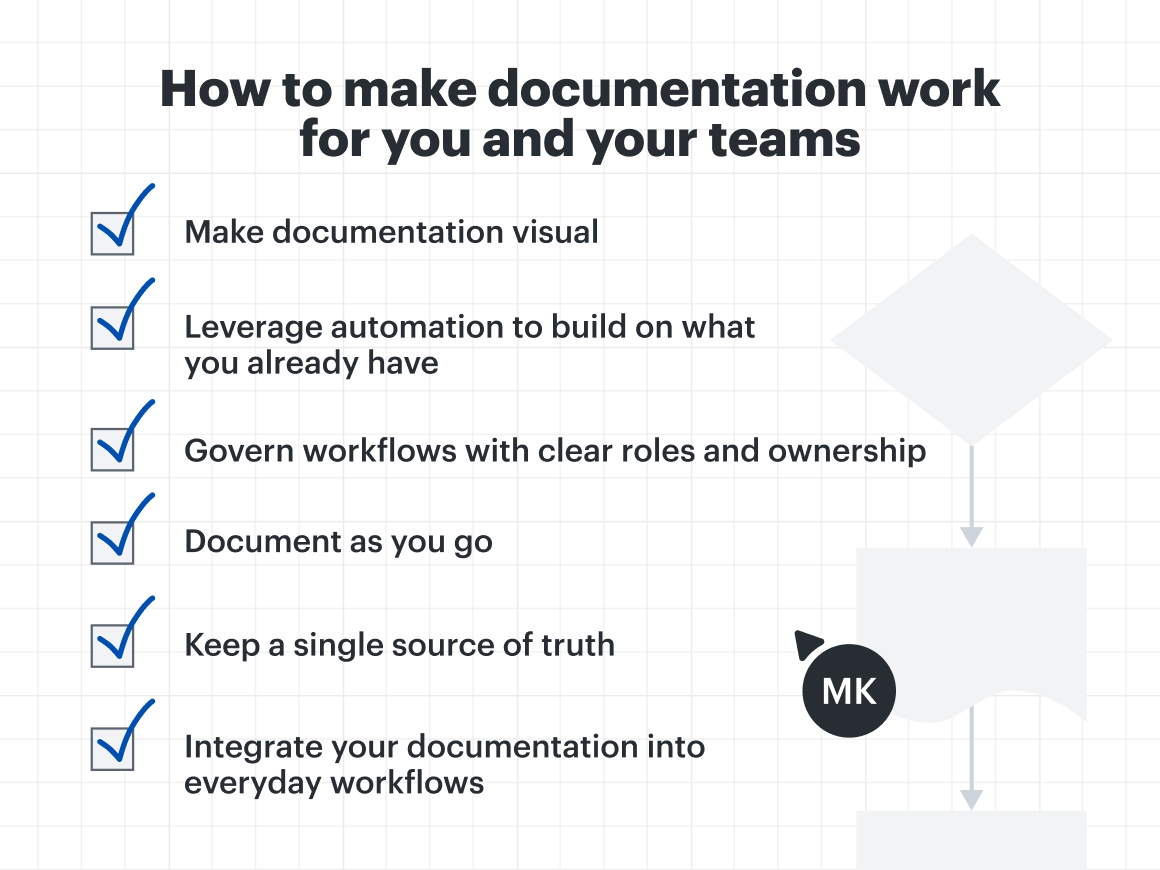
Creating effective documentation that influences how your teams operate isn’t a one-and-done endeavor; processes need to be maintained, reevaluated, and updated.
“How does the value of the work you’re putting in now benefit those who have to support it, maintain it, and add on to it later? We want whatever value we create now to persist through hard times, difficulties, or upset customers. We want to be able to go back and get the guidance we need from the documentation.”
—Bryan Stallings, Chief Evangelist, Lucid
Documentation is only as effective as how well it’s understood and implemented. If static files are gathering digital dust in a forgotten folder, they aren't helping your enterprise scale. Making documentation work for your team means turning existing assets into living tools—without doubling your workload. Let’s explore how to do that.
Make documentation visual
Processes and systems are best understood in visual formats like interactive diagrams and videos. Text-heavy SOPs often hide critical details, leading to misinterpretation and friction. Shifting to interactive diagrams and visual workflows makes complex systems easier to understand.
Visual assets align engineering, product, and business operations on a single canvas without losing context. More importantly, visual documentation is much easier to update in real time and manage consistently, creating a single source of truth no matter how your organization scales.
Leverage automation to build on what you already have
Likely, you don't need to start from scratch. Review the existing documentation, data, and workflows, and convert them into visual documentation.
In Lucid, you can use one of our many automation features to easily create visual process models by transforming existing static assets or creating them from a screen recording. Here’s how:
Process Capture, opens in a new tab: Instead of manually building process diagrams, simply record your screen as you walk through a live workflow. Process Capture transforms your actions into a visual diagram and step-by-step documentation, instantly capturing institutional knowledge.
Lucid AI, opens in a new tab: Turn text-heavy documentation into powerful visuals. Simply feed an SOP into Lucid AI to build an interactive diagram that your team can understand.
Lucid MCP server, opens in a new tab: The Lucid MCP server bridges your visual documentation directly with your team's favorite AI tools. LLMs can query, summarize, generate, and make updates to your Lucid diagrams using simple, conversational prompts, making complex process logic accessible across your entire tech stack.
Bidirectional syncing: Link raw data directly to your Lucid diagrams via live integrations such as Microsoft Excel, opens in a new tab. When underlying data updates, refresh your visual documents with a single click to reflect those changes in real time, curing content drift before it starts.
Clip of Process Capture in Lucid
Govern workflows with clear roles and ownership
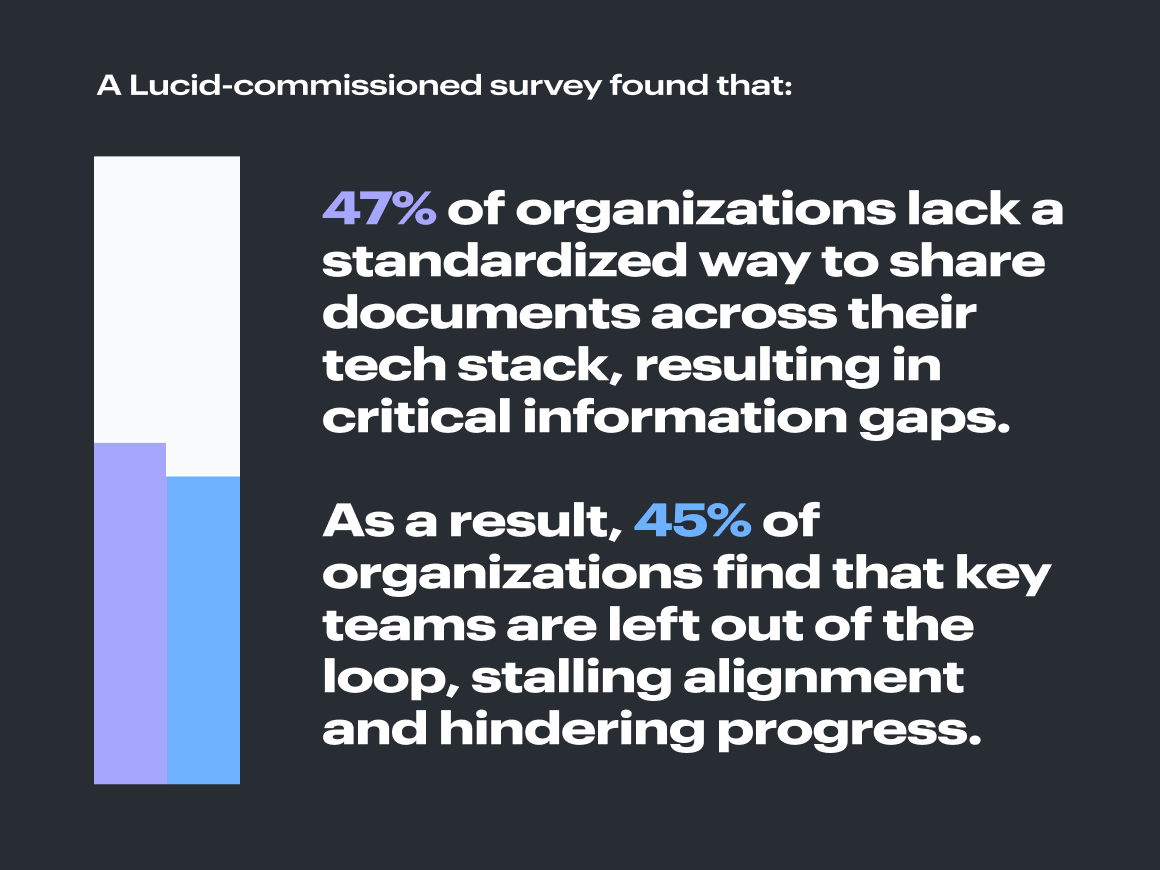
Clear process governance, opens in a new tab keeps documentation accurate without overburdening a single leader. A Lucid-commissioned survey found that 47%, opens in a new tab of organizations lack a standardized way to share documents across their tech stack, resulting in critical information gaps. As a result, 45%, opens in a new tab of organizations find that key teams are left out of the loop, stalling alignment and hindering progress.
To avoid documentation becoming a major blocker, it should be maintained continuously. Periodic audits ensure compliance across the enterprise, but an overly rigid audit process can slow momentum and distract teams from making consistent, real-time updates. Focus on embedding light documentation check-ins directly into standard team retrospectives and project reviews.
But of course, that is a huge responsibility for just one person. We recommend assigning a few clear roles to distribute the work.
Process repository owner: Oversees the overall environment, folder structures, permissions, and architectural standards.
Process owners and team members: Own day-to-day execution. suggest updates, map changes, and maintain the accuracy of the workflows their teams use daily.
Document as you go
The secret to fixing outdated documentation is to stop thinking about it as a standalone post-project task. When documentation is treated as an afterthought, it rarely gets done, and when it does, it is probably already outdated.
High-performing organizations document organically as part of the daily workflow, turning static records into living blueprints. Here’s what that could look like:
Inline context for technical teams: Progressive engineering groups write descriptive inline explanations directly alongside their code. Future developers can easily review the original team’s intent without scheduling unnecessary sync meetings.
Real-time planning assets: Leadership teams map quarterly goals on a virtual whiteboard during an OKR session, opens in a new tab, then use that exact board as a working reference document going forward.
By documenting in real time, you automatically preserve institutional memory. Your living blueprints capture not just what your processes are, but where ideas came from—building a centralized repository for everything from journey maps and cloud architecture to product roadmaps and org charts.
Keep a single source of truth
Centralizing an organization's key assets is the most effective way to eliminate content drift. Whether you store it in a team drive, a virtual canvas, wikis, or something else, the important thing is making it accessible and visible to everyone who may need it.
In Lucid, the Process Accelerator, opens in a new tab acts as a centralized hub, providing your team with a secure, governed space to house all process maps and operational standards.
Rather than keeping documentation scattered across apps and files, the Process Accelerator is a single source of truth. It simplifies process maintenance by establishing clear governance, giving admins structured control over permissions, and empowering team members to keep daily workflows up to date.
For example, when team members submit a change to a workflow, it automatically enters a streamlined approval flow, opens in a new tab. From there, designated reviewers (repository owner, folder owner, and asset owner) can review and approve the request to keep documentation accurate and up to date.
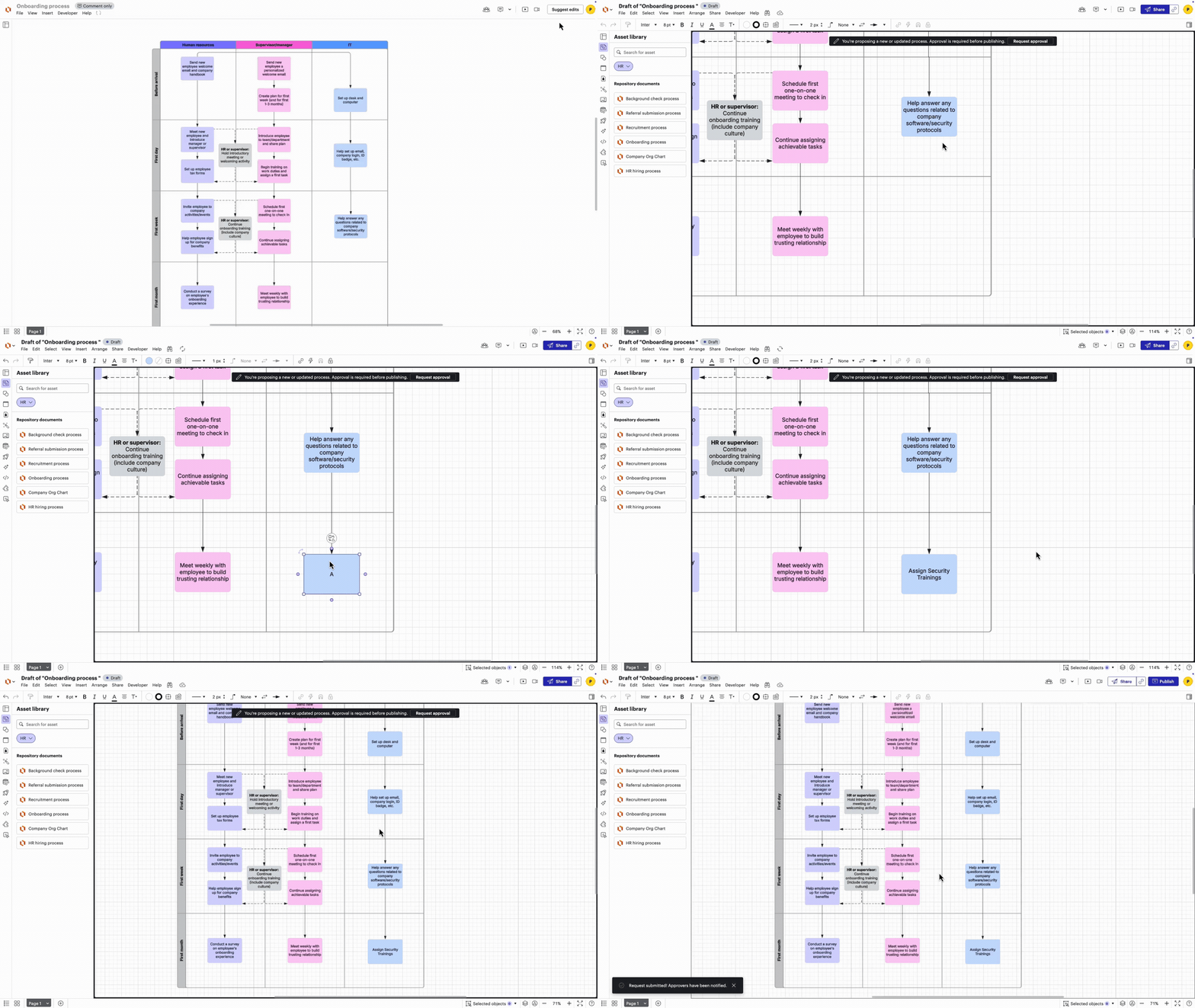
When everyone knows exactly where to find approved, real-time documentation, you eliminate guesswork, protect institutional knowledge, and keep cross-functional teams aligned as your organization scales.
Integrate your documentation into everyday workflows
Documentation only works if people actually see it. Instead of forcing team members to hunt through disconnected folders, bring your visual documentation in Lucid directly into the applications they already use every day, such as Google Workspace, opens in a new tab, Confluence, opens in a new tab, airfocus, opens in a new tab, Jira, opens in a new tab, and Zoom, opens in a new tab.
Here is how integrated workflows in Lucid keep documentation active and accessible:
Connect systems of record: Integrate Lucid with tools like LeanIX, opens in a new tab and Ardoq, opens in a new tab to enhance your process maps with system data.
Add video context: Pair visuals with embedded videos to give quick, conversational commentary directly alongside complex diagrams.
Keep wikis continuously updated: Integrate Lucid with Confluence Cloud so your team's wiki automatically reflects live, updated documentation.
Query documentation with AI: Use the Lucid MCP server, opens in a new tab to let AI assistants surface, summarize, or edit your visual assets directly within your daily workflow tools.
By embedding documentation where work happens, you remove friction, boost cross-functional alignment, and keep every team in the loop.
Maintaining documentation does not have to eat up your team's bandwidth or lead to endless maintenance cycles. By shifting from static, text-heavy files to dynamic, visual assets, you protect institutional knowledge and keep your organization moving in the same direction.
The Lucid Work Acceleration Platform, and more specifically, the Process Accelerator, lowers the barrier for building and maintaining effective documentation.
Discover more about how the Process Accelerator can help you eliminate content drift and turn your operational records into evergreen tools for enterprise agility.
Learn more