
Have you ever found yourself in a Lucidchart document resizing shapes, carefully navigating around with click-and-drag, or copying and pasting dozens of the same shape? We’ve been there too, but there’s a better way! While our tools can be used manually, there are many Lucidchart shortcuts that can make your diagramming more efficient.
Let’s dive into some popular Lucidchart keyboard shortcuts to help you diagram with ease. Even if you’re a Lucid pro, you might be surprised at what you’ll learn.
Easy navigation
Navigate around your Lucidchart document easily using the following shortcuts.
Zoom
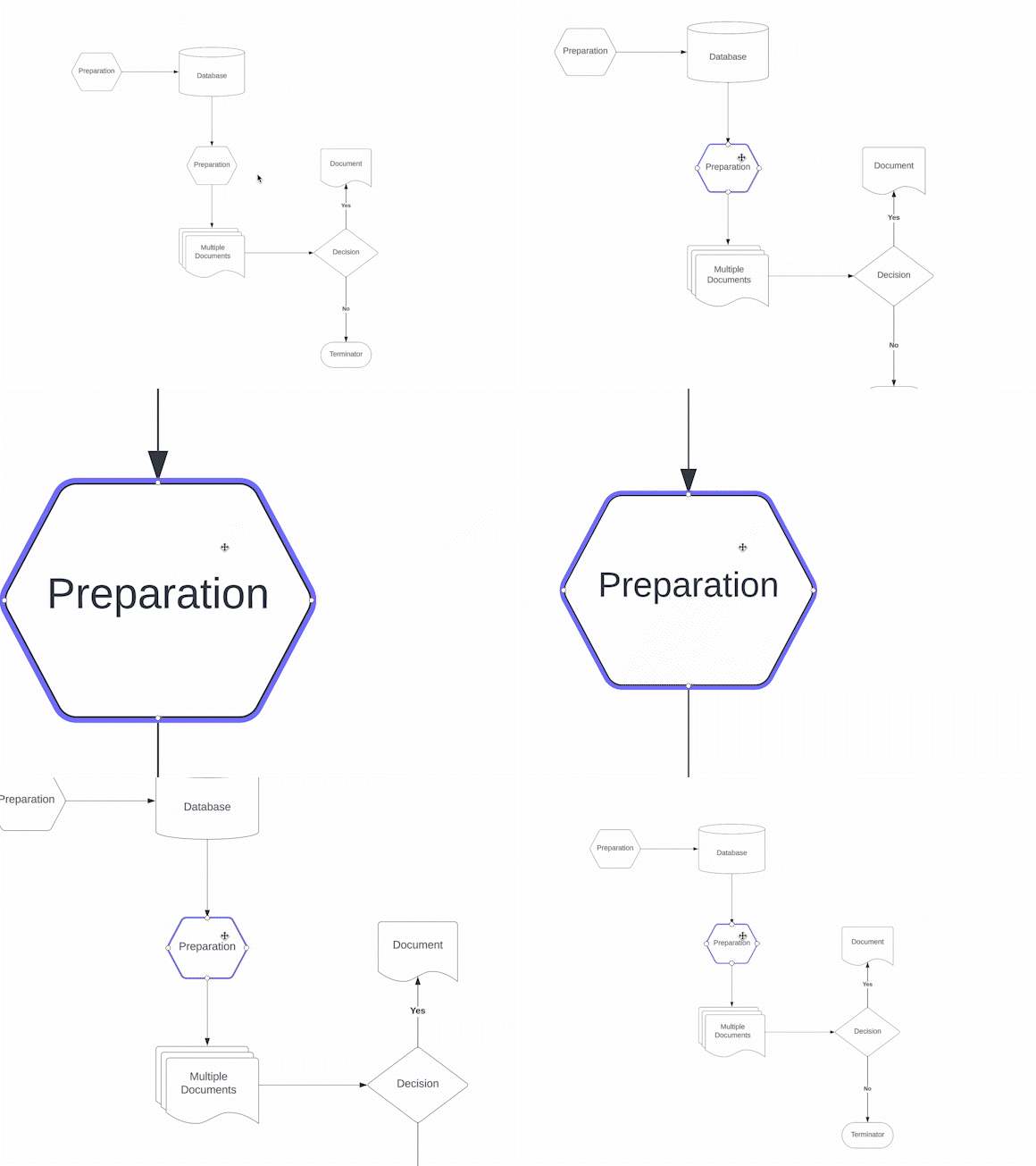
Quickly zoom in and out to view the contents of your Lucidchart document. All you need to do is press the space bar and use your mouse scroll wheel or trackpad to zoom.

Move around the canvas
Hold down the space bar and click to navigate around your canvas. You can also right-click and drag to move around the document intuitively.

Shapes
Add shapes to your board and adjust them with a few simple clicks. Keeping your colors, shapes, and styles consistent helps collaborators and stakeholders stay aligned.
Quick copy
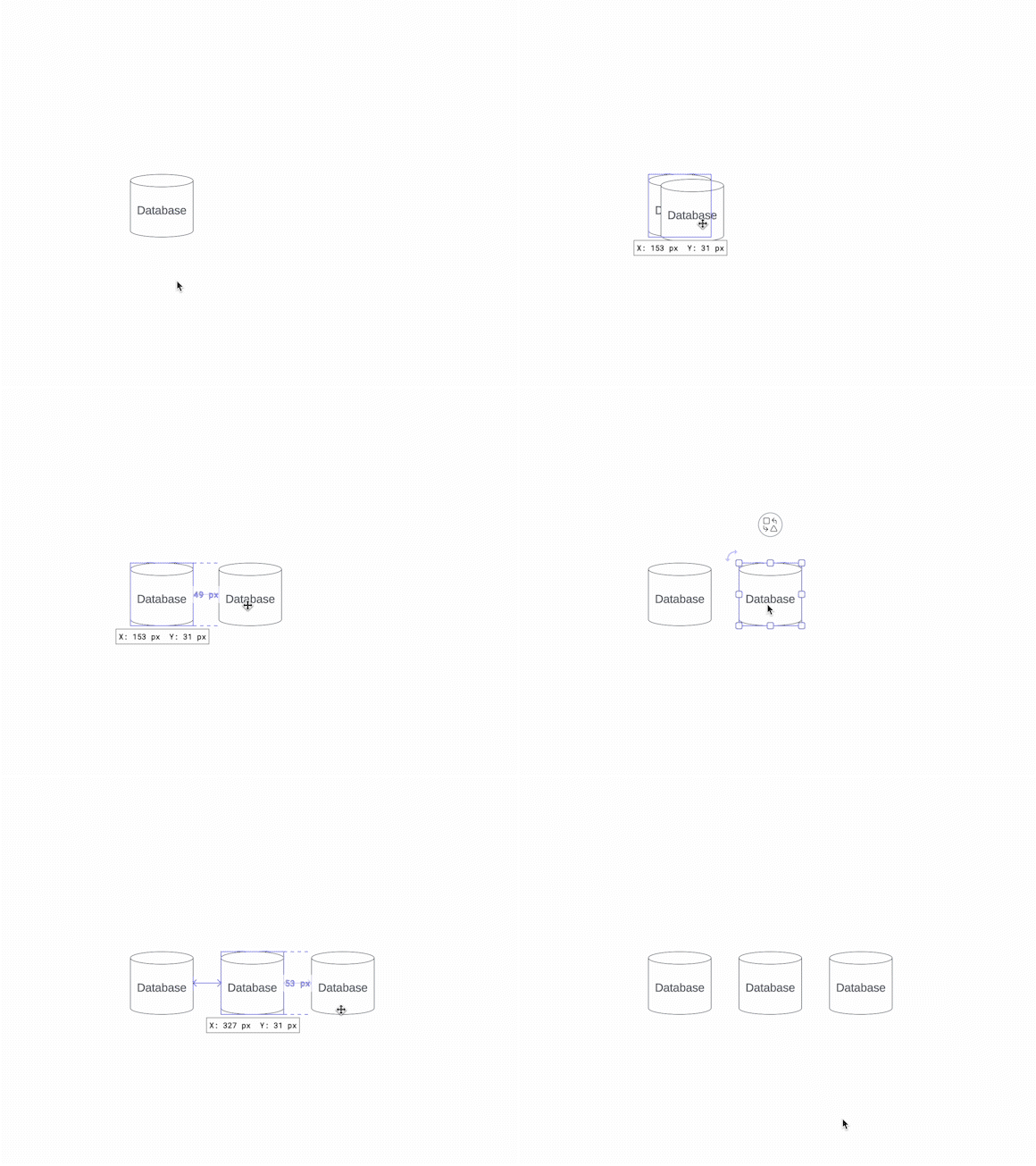
Quickly copy a shape and add it to your canvas. Simply select any shape or group of shapes. Hold the Alt key (for Windows) or Option key (for Mac), and drag your shapes to make a copy.
.png)
.png)
Copy shape style
To copy the shape style without copying the text inside the shape, right-click on the shape you’d like to copy and click Copy Style. Highlight additional shapes in your document, right-click on one, and select Paste Style to match.

Quick align
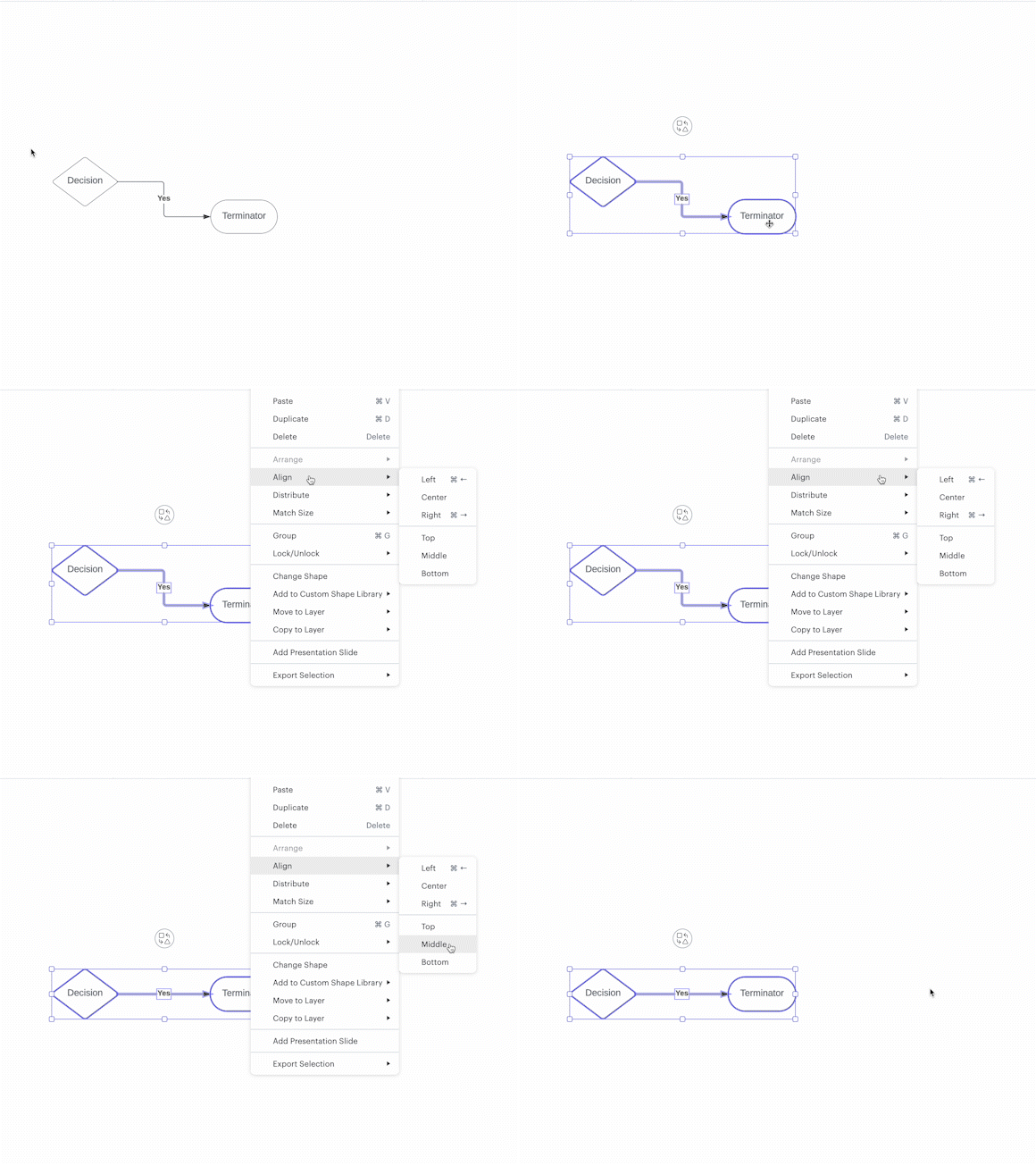
Quickly align shapes by selecting two or more shapes. Of the selected shapes, right-click on the shape you want others to align with. Select Align, and then choose how you want to align your shapes: left, center, right, top, middle, or bottom.

Shape distribution
Distribute your shapes evenly—horizontally or vertically—by selecting three or more shapes, right-click on any shape, select Distribute, and then choose the direction you want to distribute your shapes.

De-magnetize shapes from a container
To magnetize or demagnetize containers on your board, simply select one of the containers and click the magnet icon in your properties bar at the top of your canvas.

Match size
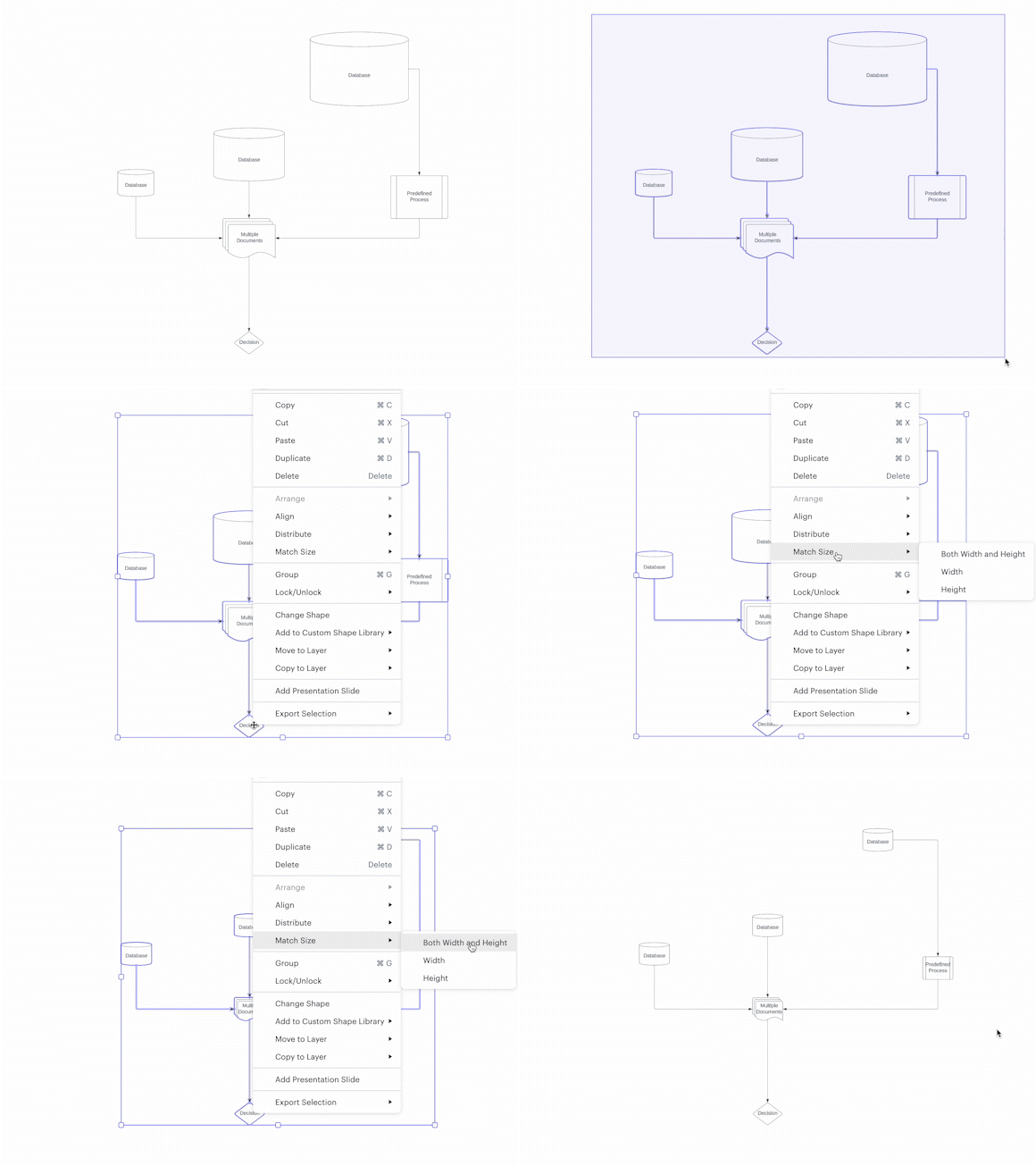
Create uniformity in your document by matching shape size. To do this, you can either highlight the shapes or hold Shift and click the shapes you want to match the size to. From there, right-click and select Match Size.

Lines
Jumbled lines can create confusion in your diagram. Here are some Lucidchart shortcuts for using lines effectively.
Straight lines
Lines show process steps, explain relationships between entities and more. To create straight lines, click and hold Shift as you draw your lines to keep them perfectly straight.

Add a jump line
Adding a jump line causes one line to jump over the overlapping line to provide clarity. Select the line you want to jump and then click the Line Style dropdown in your properties toolbar at the top of your canvas. Select jump.

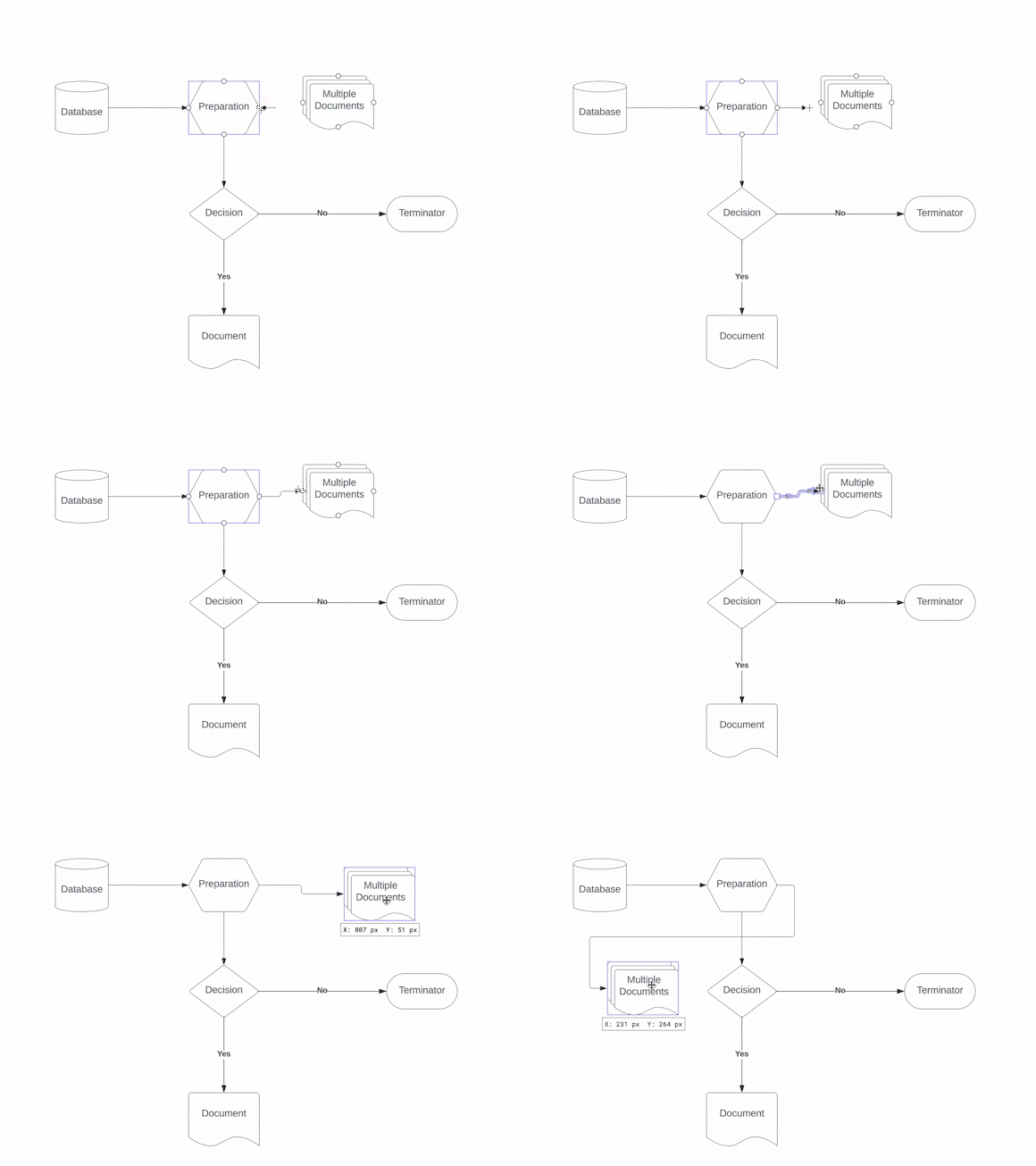
Smart Lines
Adjust the connection points to the most efficient path between shapes with Smart Lines. Drag a line connection into a shape, holding until the shape is highlighted and blue, and letting go—this takes about one second. From there, you can move your shapes around as you need, and the Smart Lines will dynamically redraw themselves for efficiency.
And there you have it, some of our most popular Lucidchart shortcuts. For additional hotkey shortcuts, simply press F1 to view them on your screen. We hope this makes diagramming a breeze!



Try these Lucidchart shortcuts out for yourself.
Jump into Lucidchart