All-access Agile
The comprehensive guide to sprint planning

Sprint planning is a cornerstone of Scrum that helps prepare a Scrum team for their upcoming sprint—it’s the event that kicks off a sprint.
So when should you hold sprint planning? What’s discussed? Who attends? In this guide, we answer all of these questions and provide tips for making sprint planning more effective.
What is sprint planning?
Sprint planning is one of the five Scrum events during which a Scrum team discusses the priorities for the current sprint and defines the sprint goal, or what the team is seeking to accomplish during the sprint. The meeting should provide enough context for the team to successfully deliver the sprint increment and provide value to stakeholders by the end of the iteration.
Understanding sprint plans
While “sprint plan” is a common term for the outcome of a planning session, it is not an official agile term. What teams are actually building is the sprint backlog, which is a real-time plan for the iteration.
The purpose of this process is to create a roadmap including both inputs and outputs for the upcoming sprint. Inputs are the factors that affect whether the plan is feasible. These could include a history of the velocity of past sprints and the number of backlog items completed, team PTO schedules, and more. The outputs of sprint planning are the sprint goal and the sprint backlog.
Teams who don’t use the Scrum framework may hold a similar meeting called iteration planning. The meeting shares a similar purpose of the team evaluating the priority and feasibility of upcoming work and setting an iteration goal.
When is sprint planning done?
The sprint planning meeting is typically held on the first day of the sprint, but some teams like to do it the day before the sprint starts.
Who attends sprint planning and what are their roles?
The main participants of sprint planning should be the product owner and the developers.
The product owner is responsible for the what and the why of the sprint. They take the stage first in the meeting to talk through the work to be done. Keep in mind, the product owner doesn’t push work into the sprint; the team pulls work into the sprint based on what is feasible.
The developers are responsible for the how and the when. During the second part of the meeting, they start to shape the work presented by the product owner. They do this by further breaking down what work is needed and evaluating the sizes, descriptions, and formats of backlog items. They ultimately form the sprint backlog, or what’s been pulled in from the product backlog, plus the details of how to complete those items.
You may be wondering: Who runs sprint planning? No one “runs” the meeting. Rather, the team works together, and the Scrum master lightly facilitates. It’s up to the Scrum master to bring in balance and remind the team of what’s realistic, especially if the product owner is pushing too much on what needs to be done or the developers are taking too much time to get something done.
See for yourself how Lucid streamlines Agile workflows
How long should sprint planning be?
Scrum Guide recommends that, for a month-long sprint, you should have a maximum of eight hours for sprint planning. If you do a two-week sprint week, four hours is the maximum for sprint planning. Or in other words, “the general rule of thumb is to allow two hours of sprint planning for every one week of sprint length.”
Beyond the length of the sprint, there are a few other factors that can affect how long sprint planning takes. For example, how long has the team been working on the initiative? Is the initiative new or almost wrapped up? Good backlog refinement and facilitation also lead to shorter meetings (three hours or less).
A sprint planning meeting lasting eight hours is often a red flag that there might not have been enough preparation beforehand.
What goes on the sprint planning agenda?
A sprint planning agenda typically includes an opening, a product backlog review, the sprint goal, sprint backlog creation, a sprint backlog review, and a closing.
Opening
At the beginning of the meeting, the Scrum master could give a brief overview of the meeting's purpose and timebox.
The team could also review the capacity for the upcoming sprint or iteration, including what team members are available, what the team’s working days are, and more.
Product backlog review
Next, the product owner shares the set of ordered product backlog items for consideration. This is when the team clarifies the scope and value, acceptance criteria, and any dependencies. Much of this discussion should have been done during backlog refinement, but new items and information may have come up since then.
Sprint goal
During this stage of the meeting, the team collaborates to define a high-level objective for the iteration. Rather than focusing on a certain quantity of tasks, the team should identify the specific value it intends to deliver to stakeholders.
Sprint backlog creation
As needed, the team selects the product backlog items that enable to their goal and breaks them down into smaller work items to create a plan. The team should identify dependencies, risks, and potential impediments and plan how the work will be accomplished during the iteration.
Sprint backlog review
At this point, the team reviews the sprint backlog and ensures everyone is aligned. This is the time to identify any remaining gaps, concerns, or actions.
Closing
Leave a few minutes to close the meeting well. Ending abruptly midway through a discussion is not ideal. The team should feel confident with the sprint plan.
How to facilitate a sprint planning meeting effectively
Ready to go beyond the basics of agile sprint planning and learn to run a sprint planning meeting effectively? Experienced Agile coaches Bryan Stallings and Jessica Guistolise shared some of their sprint planning best practices for making sprint planning effective—especially for Scrum masters!
Come prepared with a refined and ordered product backlog
Bringing an unrefined, unordered product backlog to sprint planning leads to a long meeting where you end up doing backlog refinement. Product owners should refine and order the upcoming sprint and a half (or iteration and a half) before starting sprint planning. Don’t go further than that or the team will forget the conversations around those items when they come up. It’s a good idea to go by the motto: “Just enough, just in time.”
Keep in mind, even if you come with a refined and ordered backlog, something else may come in from a sprint review or retrospective that will need to be added to the sprint.
Give the team access to the product backlog ahead of sprint planning
Going hand in hand with coming prepared for sprint planning, it can be helpful to give the team a view of the product backlog before sprint planning in order to reduce stress. If the team doesn’t have a chance to review the backlog ahead of time, they may be surprised during the sprint planning meeting, which can lead to risk aversion and bloated estimates.
Consider using a visual canvas like Lucid to share the product backlog. Team members can add sticky notes, emoji reactions, and more, and the visual can be used as a single source of truth later.

Product backlog example in Lucidspark. Create your own copy of this template
Set realistic expectations with the product owner
A common mistake made by product owners is bringing the same number of items from the past sprint to the current sprint. They should bring one and a half iterations worth of items to the meeting. This way there are plenty of items to talk through and pull into the sprint in case there are open questions that prevent the team from working on specific items that sprint. Or, if the items in the sprint are estimated to take less time, the product owner will have some extra backlog items ready.
Account for non-development activities
Remember to allocate capacity for non-development activities, such as meetings, training, and other organizational responsibilities. Adding these activities helps the team create a more realistic plan and avoid overcommitment.
Let the team own the sprint backlog
The Scrum master should not be assigning tasks and backlog items. Instead, team members should be looking at the sprint backlog and considering:
-
Is there a skill I want to build?
-
Is there someone who’s great at this task?
-
How do we collectively want to get this done?
Encourage realistic commitments
Teams often overcommit when they’re new to sprint planning because there can be a tendency to want to please or a lack of awareness of dependencies outside of the team. While enthusiasm is appreciated, too much optimism about what can be accomplished in one sprint can be detrimental to the team. It’s more difficult to push several items back at the end of a sprint than it is to add new items during the sprint if the team has capacity.
To help prevent overcommitting, it is important to remember Agile team capacity planning. The Scrum master can conduct a reality check by referencing past sprints and asking the team to “inspect and adapt.” Essentially this means asking the team to look critically at what they can accomplish and adjust the sprint goal and backlog accordingly.
Create safety and trust in the meeting
Scrum masters should help set a tone of transparency and open communication for the meeting. No one should feel uncomfortable raising concerns about capacity, asking questions, or clarifying misunderstandings.
Backlog refinement vs. sprint planning
Backlog refinement is typically owned by the product owner and involves being aware of upcoming work and getting answers to questions about product backlog items before bringing them to the sprint planning meeting.
Although the Scrum Guide does not outline a backlog refinement meeting, it is common among Scrum teams. Other teams conduct backlog refinement asynchronously.
PI planning vs. sprint planning
While sprint planning is intended to provide a plan for the next two weeks or so of work, program increment (also known as PI planning or big room planning) is a high-level planning session meant to guide the next couple of months for a team. Sprint planning is a more detailed look at achieving the PI plan on a sprint-by-sprint basis.
PI planning is not something the Scrum Guide requires, but it’s a good practice for teams and is commonly used when many teams are building something complex. Smaller organizations with only one or two Scrum teams don’t need PI planning.
Sprint planning examples from Lucid
Save time and facilitate consistent, engaging sprint planning meetings with the following templates from Lucid, a sprint planning software.
Detailed sprint planning template
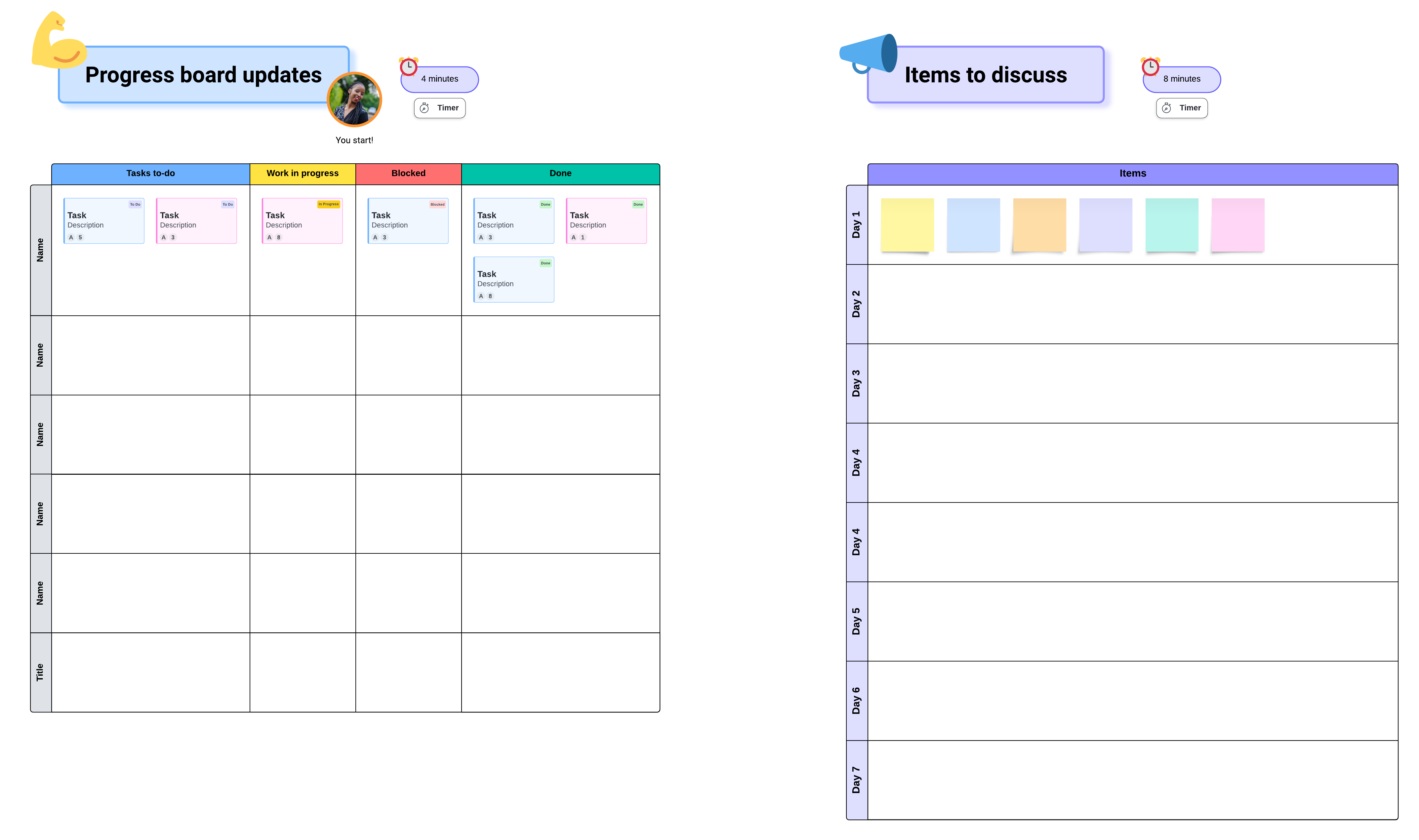
This template is packed with resources and guides teams through each step of sprint planning. With features such as Facilitator Tools, Lucid Cards, and Visual Activities embedded directly into the template, you can ensure that your team stays focused, work is transferred into your project management tool, and you understand team sentiment around the proposed sprint plan.
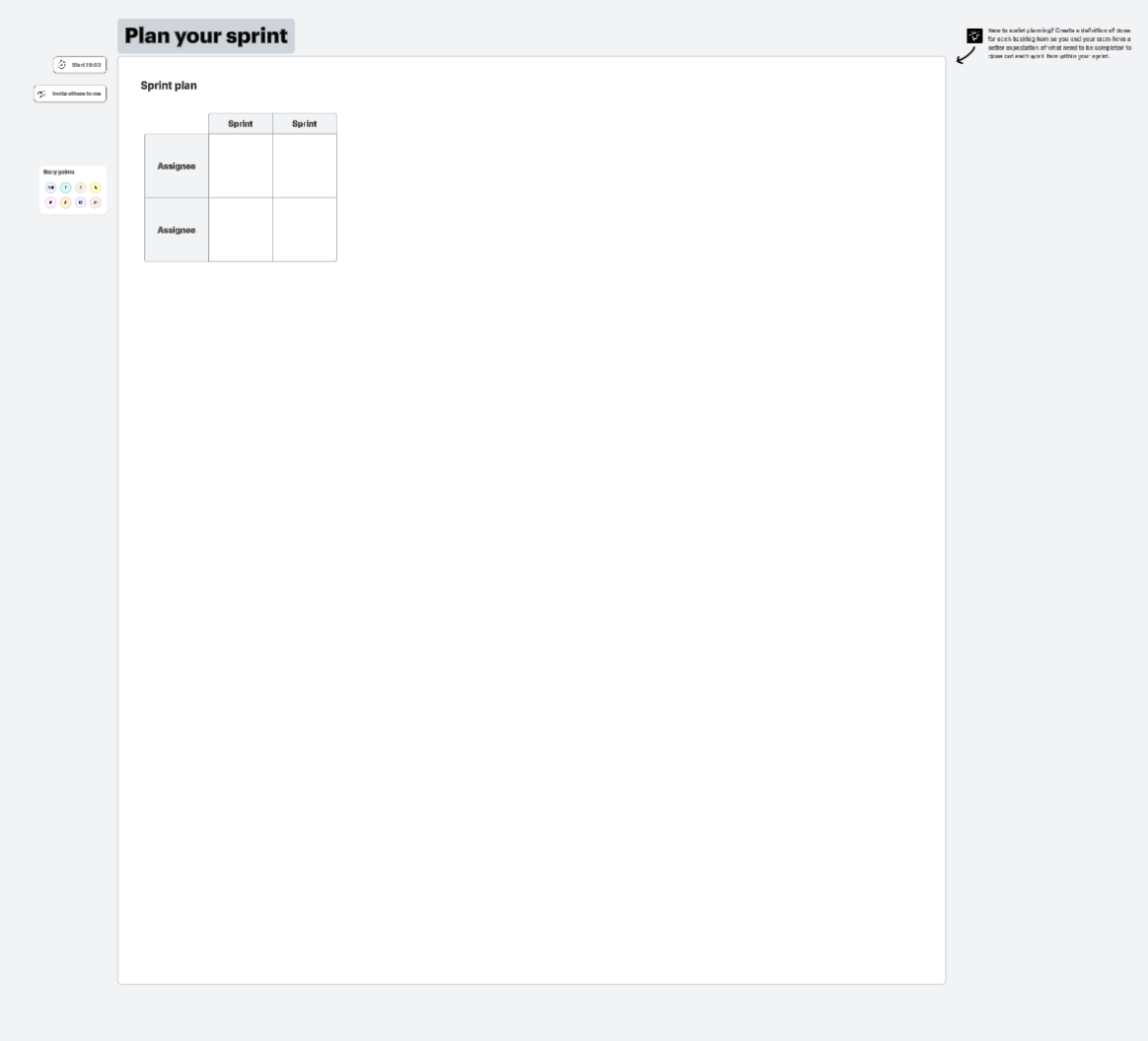
Click the image to use this template.
Simple sprint planning template
Want a more straightforward approach? This template includes the basic steps that teams need to plan for an upcoming sprint.
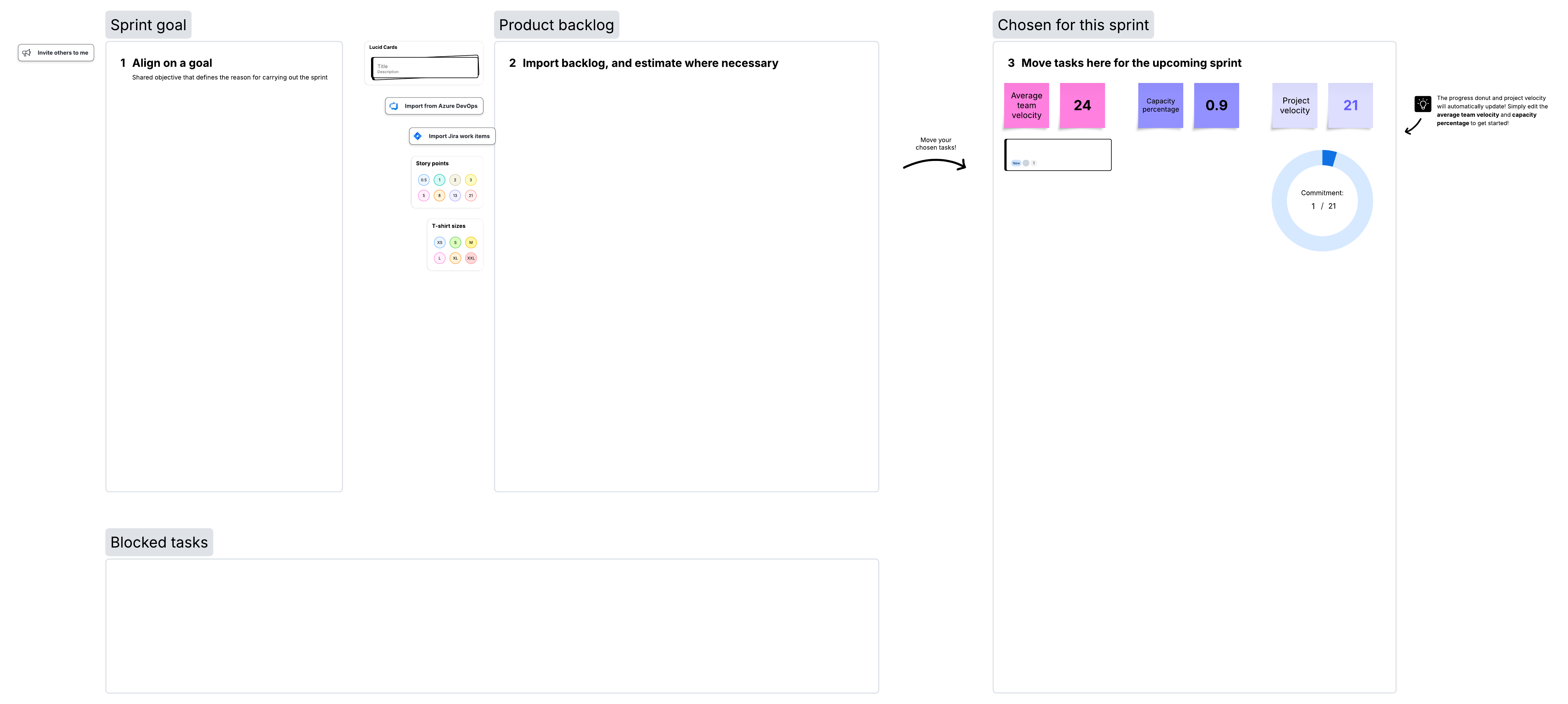
Click the image to use this template.
Sprint planning meeting template and team room
This template mimics the utility of a real-world room to increase your team’s sense of togetherness and collaboration.
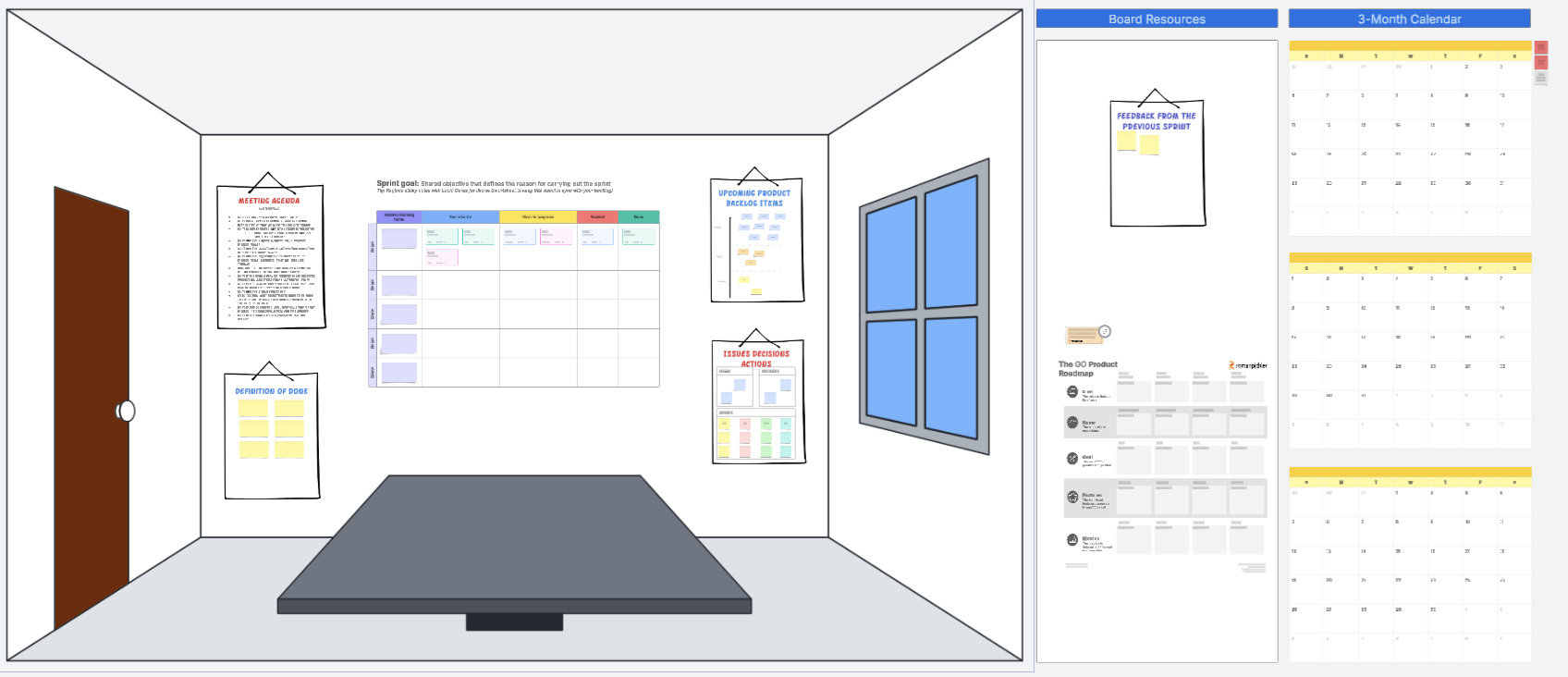
Click the image to use this template.
Lucid can help you elevate not only your next sprint planning meeting but all of your Agile events! With features built for facilitation and collaboration, an infinite canvas, ready-to-use templates, and more, Lucid makes Agile collaboration a breeze for teams–hybrid, remote, or in person.
Learn more about how Lucid can help your team with your Agile initiatives.
Next up: Daily standups
Go now