Isolated teams are a thing of the past. Thanks to digital transformation and emerging technologies, we’ve ushered in a new era of collaborative work. Modern teams work cross-departmentally to accomplish shared business goals.
Still, cross-functional collaboration is a huge undertaking. Project leads have to build cohesive teams, dissolve knowledge barriers, connect silos, and keep projects on track.
In this guide, we’ll walk you through assembling a cross-functional team (and make sure you have the tools you need to do so successfully).
Table of contents
- What is cross-functional collaboration?
- Challenges in collaborating with cross-functional teams
- 5 steps to successfully bring a cross-functional team together
What is cross-functional collaboration?
Cross-functional collaboration is about synergy. It involves bringing people together across multiple departments to achieve a common goal. For example, a cross-functional team might include individuals from marketing, engineering, and finance departments collaborating to launch a new product.
Project leads want to get the right people in the room to accomplish the task at hand. These individuals should have the perspectives and skill sets for the project. The size of the cross-functional team depends entirely on the project at hand.
How does a cross-functional team differ from a functional team?
A functional team is likely the dynamic you’re used to. Functional teams focus on their department’s specific goals. For example, marketing teams concentrate on achieving marketing goals for the broader organization.
While a cross-functional team doesn’t replace a functional team, cross-functional teams are often capable of covering more ground with fewer resources. So, for specific projects that need varied players, it’s often more efficient and effective to assemble a cross-functional team.
There are other benefits to bringing a cross-functional team together, too. Cross-functional teams bring structure to projects, as opposed to allowing this type of collaboration to happen organically. The structure makes it easier to facilitate communication across functional teams and helps everyone align on shared goals.

Improve team coordination
Whether you're working on a functional or cross-functional team, learn how to coordinate work most effectively.
Get the guideChallenges in collaborating with cross-functional teams
Assembling people from across the organization can be daunting. These individuals may or may not be used to working together regularly. So, project leads often have to sort through different team cultures, customs, processes, and expectations.
But don’t worry! It can be a smooth process when project leads are aware of potential pitfalls and equipped to pivot when needed.
A few common challenges that may come up in cross-functional team collaboration are:
- Lack of alignment on crucial project details or deliverables
- Mistrust due to team members being unfamiliar with each other
- Conflicting visions for the project
- Accountability issues
Luckily, you can set your cross-functional team up for success with the right resources.
5 steps to successfully bring a cross-functional team together
Now that you’ve got a lay of the land, we can dive in. Bringing a cross-functional team together depends on a few key steps that might differ depending on the project. Here, we’ve broken it down into a universal framework that you can adjust as you see fit.
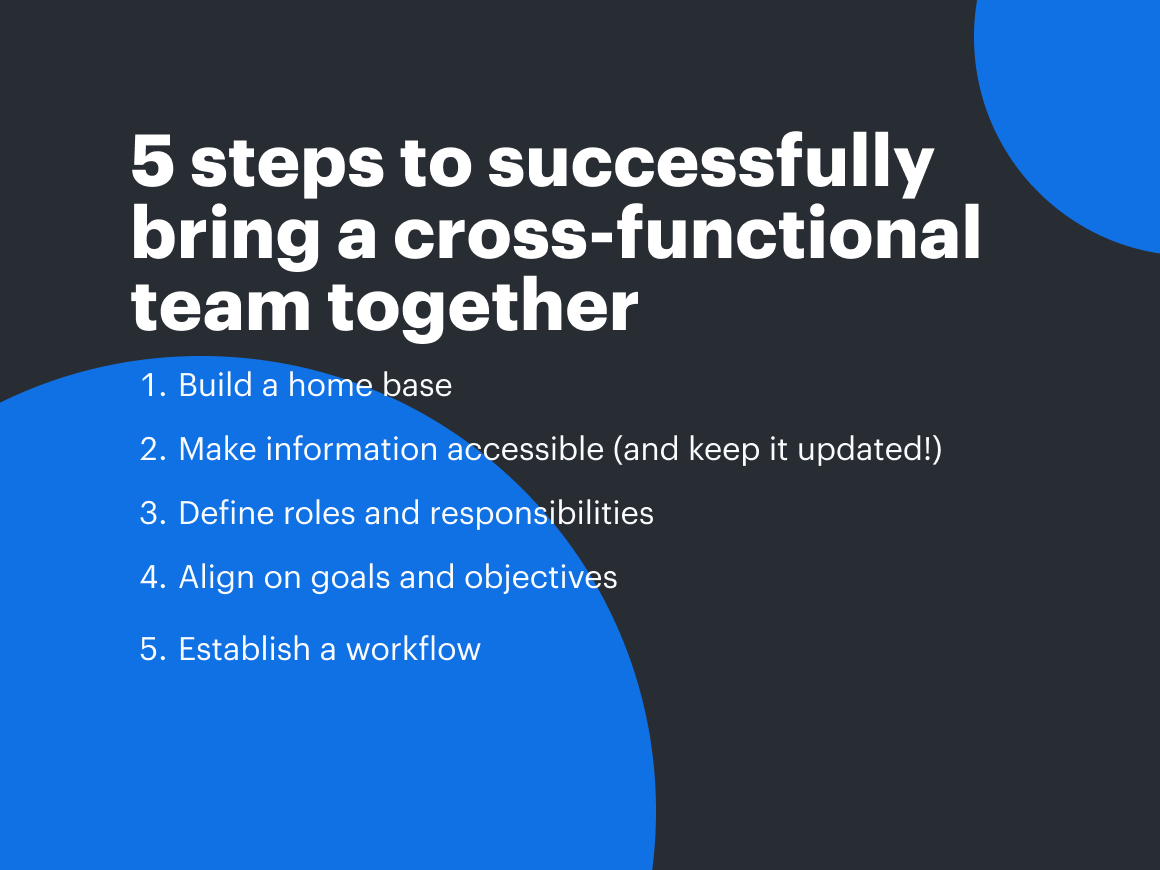
1. Build a home base
Before you think about gathering individuals and starting the project, build a home base for your team. This is non-negotiable. Project leads can solve many common problems in cross-functional collaboration by creating a centralized space for team members. Whether you’re in-office, virtual, or hybrid, this is an essential step.
This space should be:
- Cloud-based: You probably already know this, but this space should be accessible at all times. Cloud-based platforms are the only way to ensure this.
- Visual: If your team has to work out of a spreadsheet or a text-based document, they’ll have a more challenging time digesting complex information, slowing the project. Switch to a visual collaboration platform instead. That way, your information is displayed visually, making it easier to follow.
- Comprehensive: The technical and non-technical members of the cross-functional team must be able to access and utilize the platform. So, your chosen platform must be easy to use and contain deep technical capabilities.
- Dynamic: A flexible and interactive platform lets team members collaborate effectively. They’ll be able to comment and tag teammates, leave sticky notes and reactions, and otherwise leverage the dynamic environment.
- Integrated: As much as the ideal platform for your team’s home base should consolidate your tech stack, you’ll inevitably need other software solutions. In this case, ensure your primary platform is well-integrated (especially with your project management software).

5 red flags in visual collaboration platforms
Evaluating visual collaboration platforms? Check out our guide for five red flags to look out for in the process.
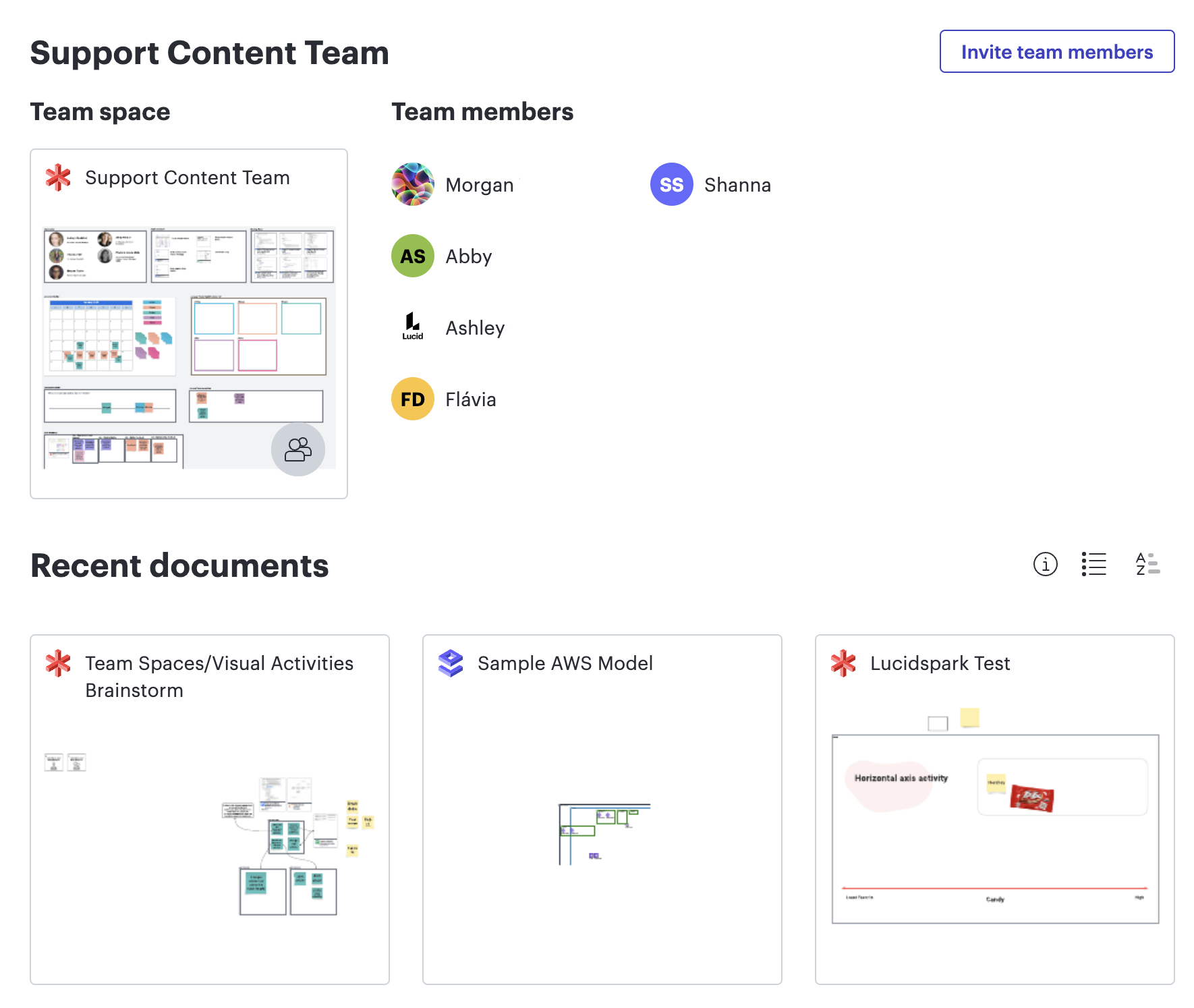
Read nowOnce you’ve decided on your platform, create a space to centralize your information. Need a good example? Lucid’s team hubs are a powerful solution. Team hubs let you bring all your documentation, communication, and collaboration to a customizable home base.
Een flowchart is een diagram dat een proces, systeem of computeralgoritme weergeeft. Flowcharts gebruiken standaardvormen zoals rechthoeken, ovalen en ruiten, verbonden door pijlen, om elke stap en beslissing op volgorde te tonen. Dit diagram wordt ook wel procesflowchart, processchema, bedrijfsprocesmodel of processtroomdiagram (PFD) genoemd. Flowcharts zijn nauw verwant aan dataflow diagrammen (dfd’s) en UML-activiteitendiagrammen.
Met flowcharts maak je van een proces dat in de hoofden van mensen zit een gedeeld beeld dat het hele team kan volgen. Die duidelijkheid is de reden dat ze een van de meest gebruikte diagramtypen zijn om workflows vast te leggen, nieuwe medewerkers in te werken en stappen te vinden die verbeterd kunnen worden.
A step-by-step guide to project planning
Need help setting up your cross-functional team’s project plan? We’ve got you covered.
Get the guideUn logigramme est un diagramme qui représente un processus, un système ou un algorithme informatique. Il utilise des formes standard, comme des rectangles, des ovales et des losanges, reliées par des flèches, pour montrer dans l’ordre chaque étape et chaque décision. On parle aussi de logigramme processus, de cartographie des processus, de modèle de processus métier ou de diagramme de processus (PFD). Les logigrammes sont étroitement liés aux diagrammes de flux de données et aux diagrammes d’activité UML.
Les logigrammes transforment un processus qui n’existe que dans la tête des collaborateurs en une représentation partagée que toute l’équipe peut suivre. Cette clarté explique pourquoi ils restent l’un des types de diagrammes les plus utilisés pour documenter les flux de travail, former les nouvelles recrues et repérer les étapes à améliorer.

How to build a single source of truth your team will actually use
Daunted by the idea of building a single source of truth? Check out our guide for a step-by-step walkthrough and implementation tips.
Start buildingEin Flussdiagramm ist ein Diagramm, das einen Prozess, ein System oder einen Computeralgorithmus darstellt. Flussdiagramme verwenden Standardformen wie Rechtecke, Ovale und Rauten, die durch Pfeile verbunden sind, um jeden Schritt und jede Entscheidung in der richtigen Reihenfolge zu zeigen. Dieses Diagramm wird auch als Prozessflussdiagramm, Prozesslandkarte, Geschäftsprozessmodell oder Prozessflussdiagramm (PFD) bezeichnet. Flussdiagramme sind eng verwandt mit Datenflussdiagrammen (DFDs) und UML-Aktivitätsdiagrammen.
Flussdiagramme machen aus einem Prozess, der nur in den Köpfen einzelner Personen existiert, ein gemeinsames Bild, dem das gesamte Team folgen kann. Diese Klarheit ist der Grund, warum sie zu den am häufigsten genutzten Diagrammtypen gehören, um Workflows zu dokumentieren, neue Mitarbeitende einzuarbeiten und Schritte mit Verbesserungspotenzial zu identifizieren.
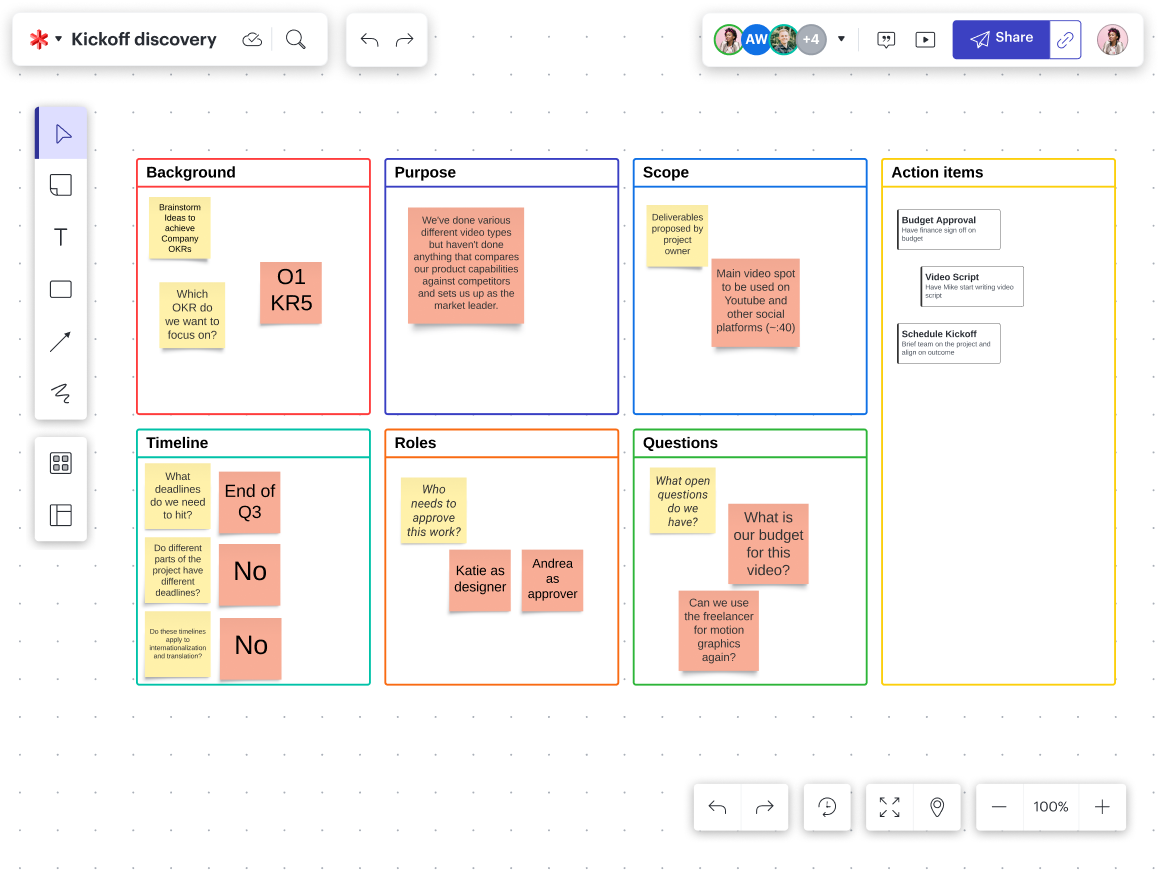
Once you’ve gathered your team, define their roles and responsibilities. Having clear roles encourages accountability, ownership, and communication. When team members understand how their role fits into the overall project, it imbues them with a sense of purpose.
4. Align on goals and objectives
Being (often) smaller and more specialized than functional teams, cross-functional teams retain a nimble quality for possible pivots. However, your cross-functional team must align on shared goals and objectives. Establishing this initial alignment is key; it ensures a smooth transition if there's a need to adjust the original objectives.
Each team member needs to realize what they’re working toward and how they fit into that equation. This shared understanding encourages individual ownership and mutual trust by setting clear expectations.
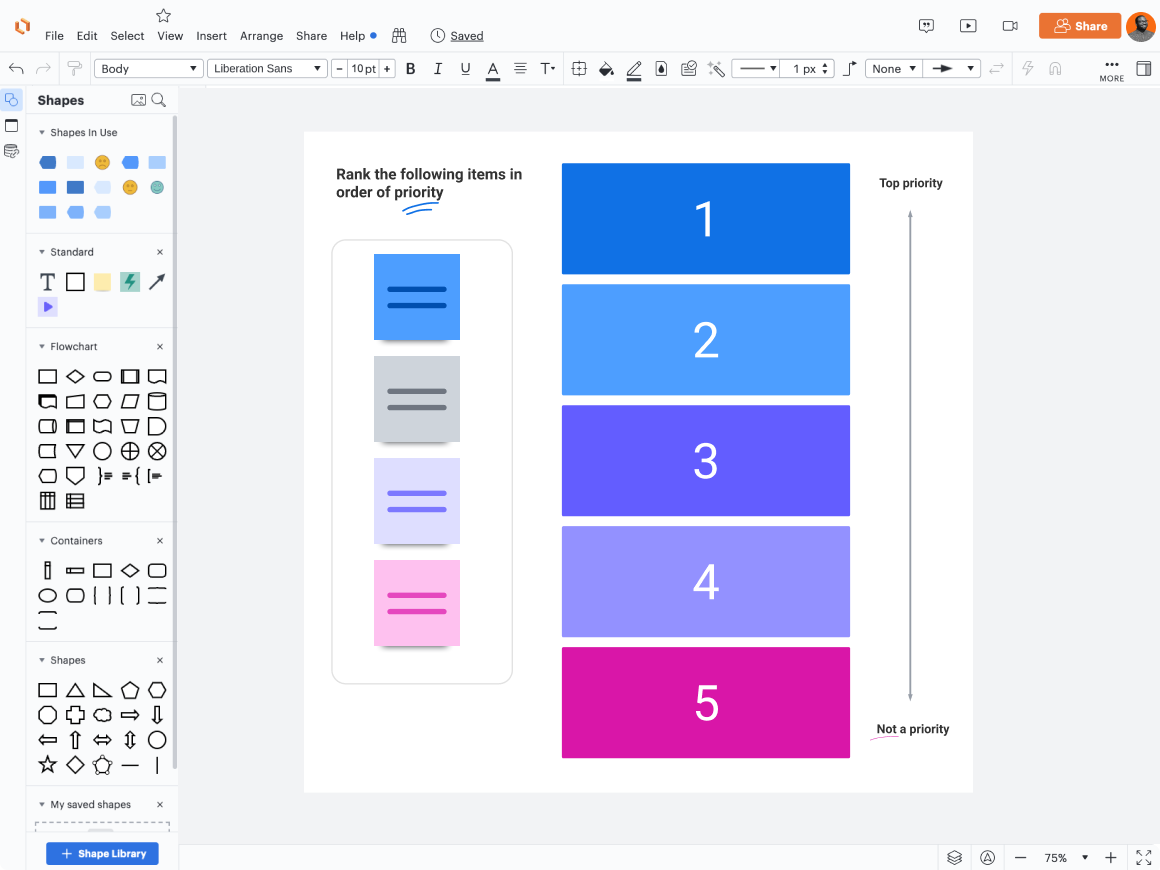
Otherwise, you’ll have confusion, delays, frustration, and burnout on your hands.
Be sure to display the goals in your home base. Tie back to them at every relevant opportunity to illustrate the relationship between team members’ tasks and the shared goals.

Master team alignment
Learn how to clear the greatest obstacles to alignment and work better as a team.
Go now5. Establish a workflow
At this point, you’ve created a solid foundation. Your team should clearly understand their roles and responsibilities and how they’re contributing to the shared goals. They should also have easy access to the information they need (both for their work and project context) in a centralized location.
Now, it’s time to establish a workflow.
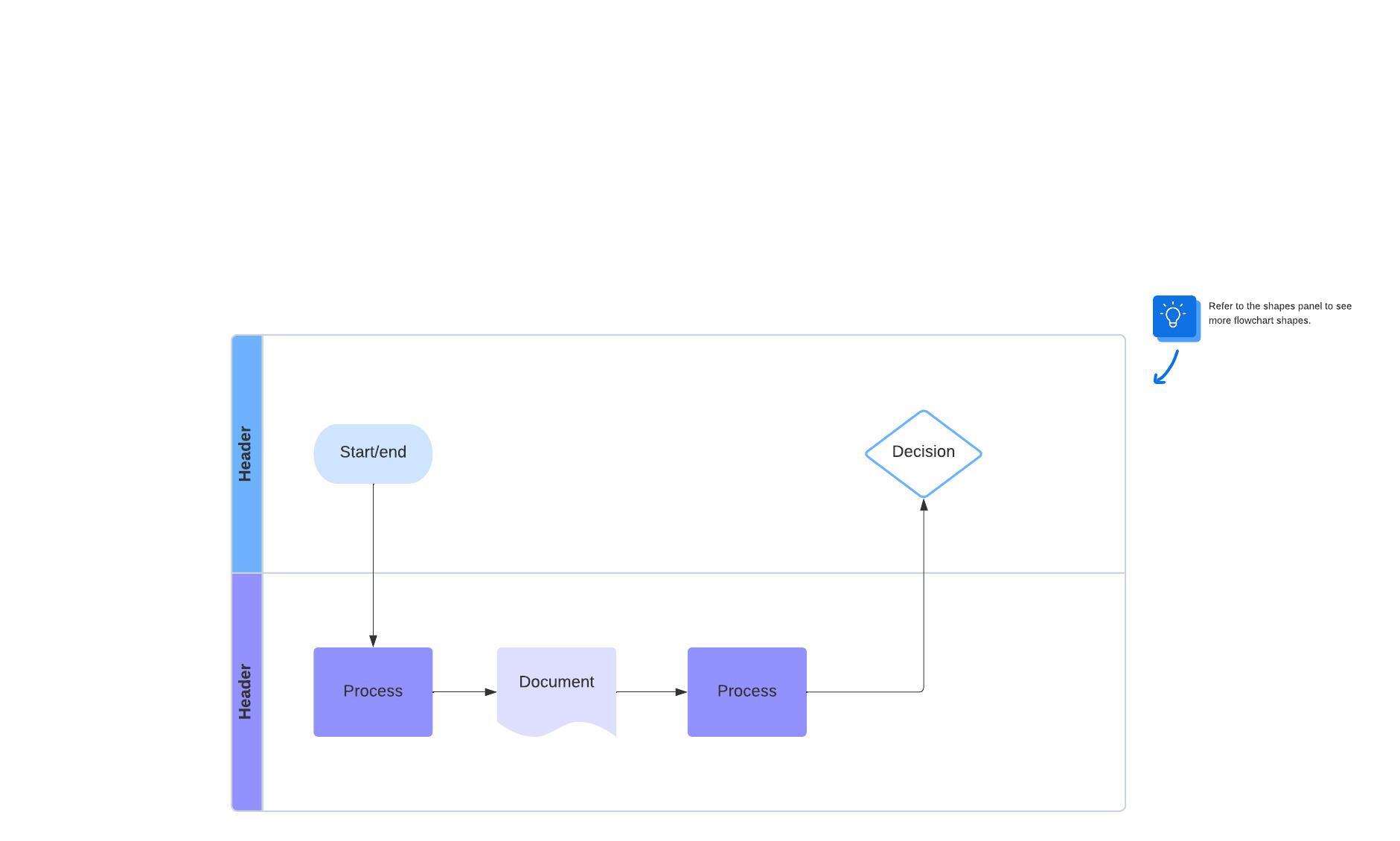
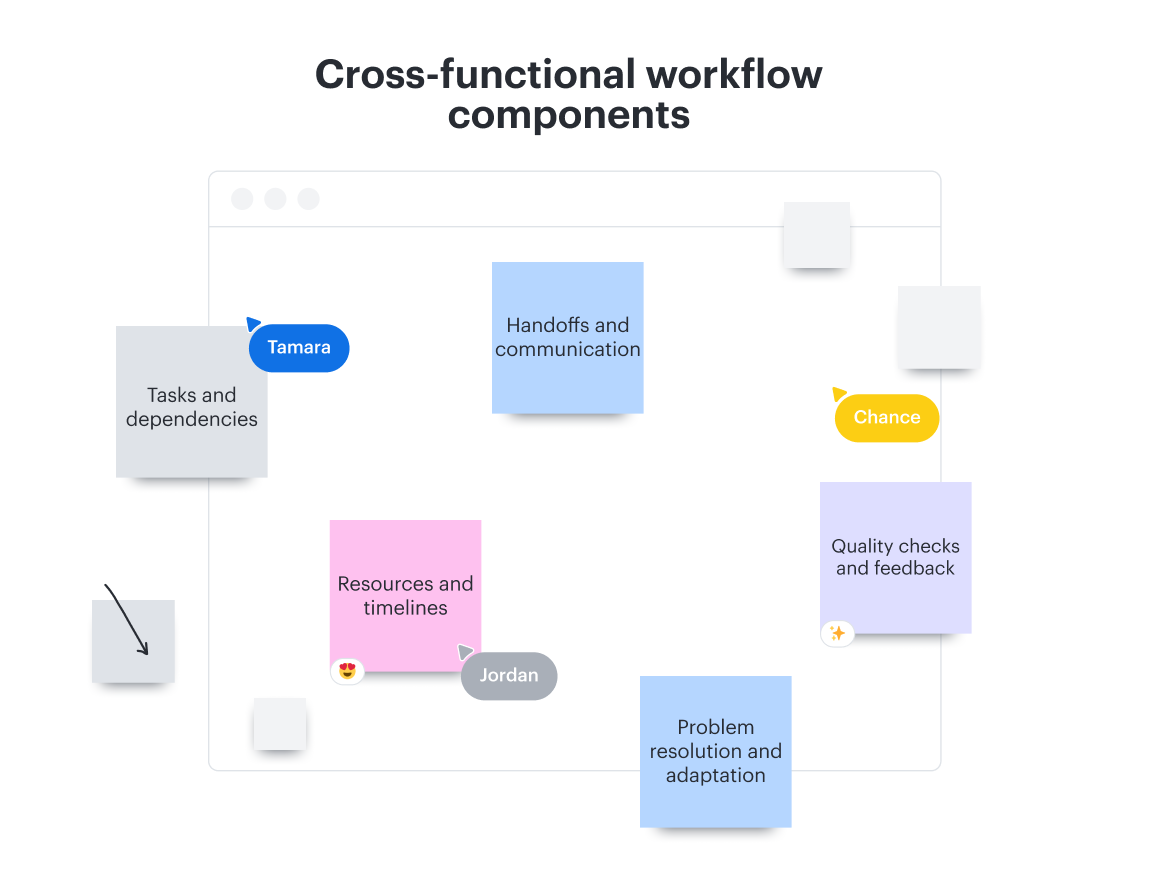
A defined workflow increases efficiency, clarity, alignment, and collaboration. At the same time, a workflow will reduce delays, provide a structured roadmap, lessen confusion, and facilitate fluid communication.
Every project is different, which means every cross-functional team is different. So, your workflow for one team may be different from the next.
Um fluxograma é um diagrama que representa um processo, sistema ou algoritmo de computador. Os fluxogramas usam formas padronizadas, como retângulos, ovais e losangos, conectadas por setas, para mostrar cada etapa e decisão em ordem. Esse diagrama também é chamado de fluxograma de processo, mapa de processos, modelo de processos de negócios ou diagrama de fluxo de processo (PFD). Os fluxogramas estão intimamente relacionados aos diagramas de fluxo de dados (DFDs) e aos diagramas de atividades UML.
Os fluxogramas transformam um processo que existe apenas na cabeça das pessoas em uma imagem compartilhada que toda a equipe pode seguir. Essa clareza faz deles um dos tipos de diagrama mais usados para documentar fluxos de trabalho, treinar novos colaboradores e identificar etapas que merecem melhoria.
![Hold your retrospective in Lucid to encourage streamlined visual collaboration.]](https://corporate-assets.lucid.co/co/909d2c53-5cf3-47bc-90d1-133a4635cb6b.png?v=1709697740739)
Gather your team after the project and encourage them to share feedback on how things went. Creating an environment for open communication is critical. The results will be priceless in refining the process of bringing a cross-functional team together.
Use Lucid to empower your cross-functional teams
Organizations need a versatile platform to empower cross-functional teams, and that’s where Lucid comes in. By seamlessly integrating a virtual whiteboard and intelligent diagramming software on a universal canvas, Lucid facilitates the entire work lifecycle.
Teams can effortlessly transition from brainstorming in Lucidspark to diagramming a process in Lucidchart. This workflow fosters fluidity and bridges ideation to execution.
Beyond the core functionality, Lucid also offers a unique advantage to cross-functional teams. Team hubs provide a centralized space for team members to collaborate. Having a single source of truth like that reduces confusion, promotes clarity, and facilitates communication.
Lucid's platform visualizes the collaboration process and actively supports the complex web of cross-functional work, aligning teams for unified success.

Contact Lucid today
Ready to equip your cross-functional teams with the platform they need to do their best work? Reach out to us today, and let’s get started.
Get in touch